

What Is an AI Chatbot Online?
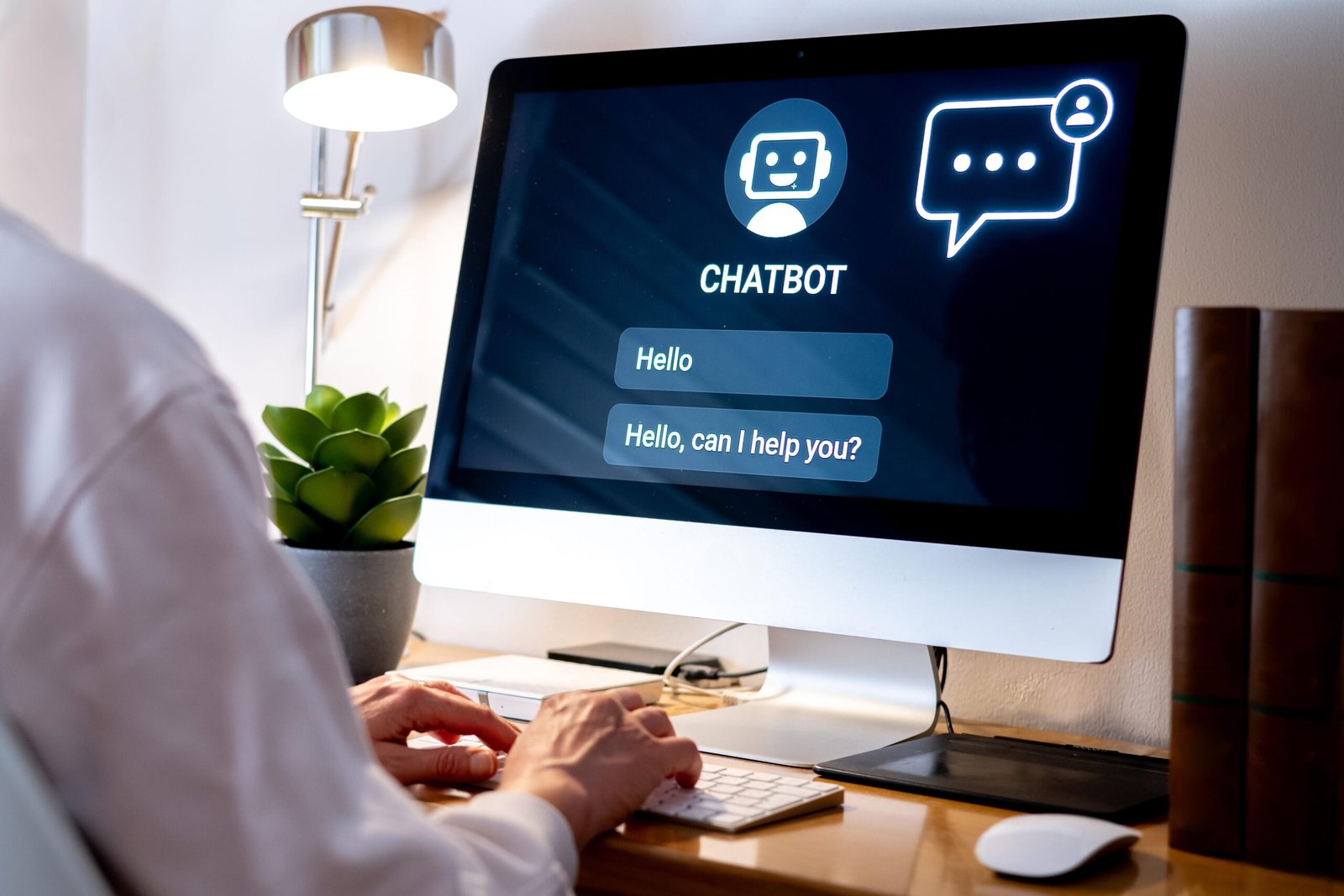
An AI chatbot online is an artificial-intelligence-powered conversational system that you can access through the internet, usually from a web browser or online application.
Instead of communicating with software through complicated commands or menus, you can simply type a question or request in ordinary language.
For example:
“Explain quantum computing in simple words.”
The AI chatbot analyzes your request and generates a response.
You can then continue the conversation:
“Give me an example.”
Then:
“Explain it like I’m a school student.”
The chatbot can use the conversation’s context to continue helping you.
This is one of the biggest differences between modern AI chatbots and older rule-based chatbots. Traditional bots often depended on predefined menus and keywords, while modern AI chatbots can interpret natural-language requests and generate responses dynamically.
Today, online AI chatbots can do much more than answer simple questions. Depending on the service, they can help with writing, research, coding, image analysis, brainstorming, translation, summarization, planning, and other tasks.
How Does an Online AI Chatbot Work?
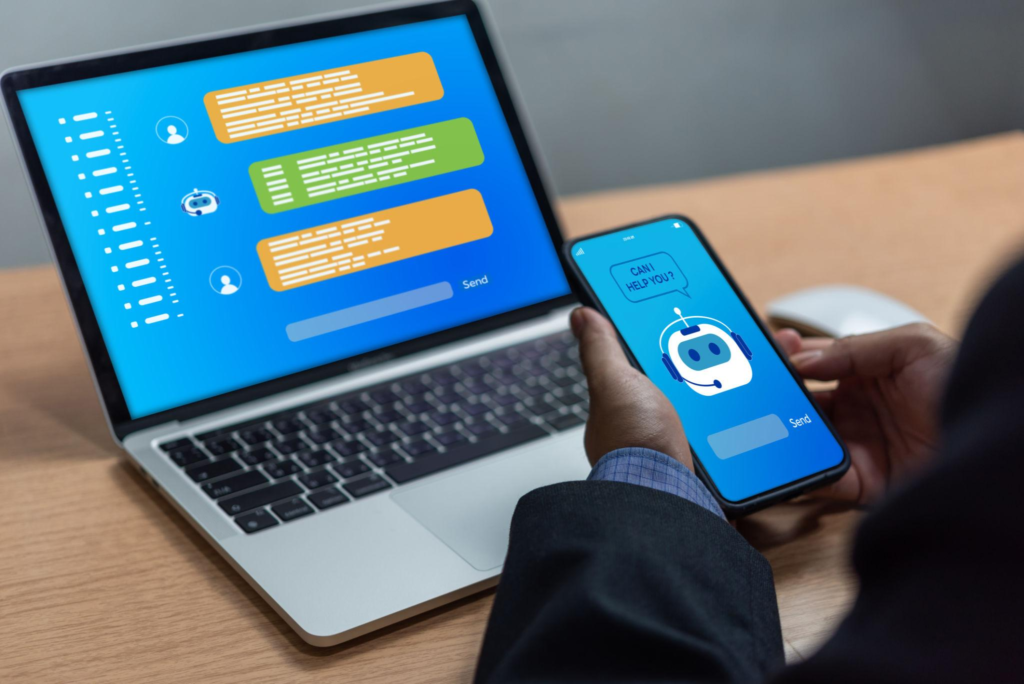
Although the interface looks simple, there is a sophisticated system operating behind the chat window.
A simplified workflow looks like this:
You type a message
        ↓
AI processes the request
        ↓
Your message is converted into tokens
        ↓
The model analyzes the context
        ↓
The AI predicts an appropriate response
        ↓
Additional tools may be used
        ↓
The response is generated
        ↓
You receive the answer
Let’s break this down.
1. You Send a Message
Everything begins with your prompt.
For example:
“Write a product description for wireless headphones.”
The chatbot receives your message.
The quality of the response can depend heavily on how clearly you describe what you want.
Compare:
“Write something about headphones.”
with:
“Write a 150-word product description for wireless headphones aimed at college students. Keep the tone modern and emphasize battery life, comfort, and noise cancellation.”
The second request gives the AI much more useful context.
2. The AI Processes Your Words
Modern AI chatbots use technologies related to natural language processing (NLP) and large language models (LLMs) to process human language.
The system doesn’t simply search for an exact phrase in a database.
Instead, it processes the relationships between words and the context of the conversation.
That allows you to phrase the same request in different ways.
For example:
“How can I reset my password?”
and:
“I forgot my password. What do I do?”
can represent essentially the same intent.
Modern conversational AI is designed to handle this type of natural-language variation.
3. The AI Uses Conversation Context
One of the most useful features of an AI chatbot is the ability to maintain conversational context.
Imagine you say:
“Write a story about a boy who discovers a mysterious door.”
The chatbot writes the opening.
Then you say:
“Make the door lead to another planet.”
You don’t necessarily need to repeat the entire original request.
The chatbot can use the conversation context to understand what you’re referring to.
This makes AI chat feel more natural than traditional search or menu-based systems.
4. The AI Generates a Response
A large language model generates the response based on the prompt and available context.
This is different from a traditional search engine simply returning a list of webpages.
For example:
Search engine:
Question
 ↓
Search index
 ↓
Web pages
 ↓
Search results
Generative AI chatbot:
Question
 ↓
Language model
 ↓
Reasoning / generation
 ↓
Response
Some AI chatbots can also use external tools such as web search, files, databases, calculators, or other connected services.
For example, ChatGPT currently supports capabilities including web search, deep research, image generation, file analysis, data analysis, and voice, depending on the user’s plan and available features.
What Can You Do With an AI Chatbot Online?
This is where modern AI chatbots become particularly useful.
You can use them for dozens of tasks.
1. Ask Questions
You can ask an AI chatbot to explain concepts, compare ideas, brainstorm solutions, or provide general information.
For example:
“Why does the sky look blue?”
or:
“Explain blockchain without using technical terminology.”
2. Writing
AI chatbots can help create and improve written content.
You can ask them to:
- Write articles
- Draft emails
- Rewrite paragraphs
- Correct grammar
- Create product descriptions
- Write social-media posts
- Create scripts
- Summarize documents
- Generate ideas
- Change writing tone
For example:
“Rewrite this email to sound professional but friendly.”
3. Learning and Education
An online AI chatbot can act like an interactive study assistant.
Instead of simply asking for an answer, you can ask it to teach you.
For example:
“Teach me photosynthesis step by step.”
Then:
“Give me a quiz.”
Then:
“Explain the question I got wrong.”
This creates an interactive learning process.
AI systems such as ChatGPT are designed to answer questions, explain concepts, translate, solve problems, and help with learning.
4. Coding
AI chatbots are increasingly used by programmers.
You can ask for help with:
- HTML
- CSS
- JavaScript
- Python
- PHP
- Java
- SQL
- React
- APIs
- Debugging
- Testing
For example:
“Create a responsive HTML page with a file upload button.”
Or:
“Explain why this JavaScript function isn’t working.”
Modern AI coding systems can go beyond simple chat and operate as coding agents, but the underlying conversational interface remains an important way developers interact with AI. OpenAI, for example, describes Codex as a coding agent that can work across planning, writing, testing, reviewing, and shipping code.
5. Research
AI chatbots can help you research a topic.
Depending on the chatbot and its tools, it may be able to:
- Search the web
- Compare sources
- Summarize documents
- Extract important information
- Explain research papers
- Organize findings
- Create reports
For example:
“Compare the advantages and disadvantages of electric cars.”
For current or important information, however, you should verify the sources rather than assuming every AI response is correct.
6. Translation
AI chatbots can translate text between many languages.
For example:
“Translate this paragraph from English to Hindi.”
You can also ask for a particular style:
“Translate this into natural conversational Hindi rather than literal Hindi.”
This can be useful for communication, education, business, and content creation.
7. Summarization
Long documents can be difficult to read quickly.
An AI chatbot can help summarize:
- Articles
- Reports
- Notes
- Emails
- Research papers
- Meeting transcripts
- Documents
You can ask for different levels of detail.
For example:
“Summarize this in five bullet points.”
Or:
“Give me a detailed summary with the main arguments and conclusions.”
8. Brainstorming
AI chatbots can act as brainstorming partners.
You can ask:
“Give me 50 names for a gaming website.”
Or:
“Give me 20 YouTube video ideas about artificial intelligence.”
You can then refine the ideas through conversation.
This makes AI particularly useful during the early stages of creative work.
9. Image Generation and Analysis
Some modern AI chatbot platforms combine conversational AI with image capabilities.
For example, users can ask certain AI systems to:
- Analyze an uploaded image
- Describe an image
- Extract information from an image
- Create a new image
- Edit an image
ChatGPT currently supports image input and image generation, depending on the available features and plan.
Google’s Gemini also currently offers image generation and editing among its AI capabilities.
This means an AI chatbot can become more than a text interface.
It can become a multimodal assistant.
10. Voice Conversations
Some online AI chatbots also support voice interaction.
Instead of typing:
“Explain this concept.”
you can speak naturally.
Voice interaction can make AI feel more like a conversation with another person.
It can be useful when:
- Driving
- Walking
- Practicing languages
- Brainstorming
- Learning
- Asking quick questions
The exact voice capabilities vary between services.
AI Chatbot vs Traditional Chatbot
The word “chatbot” covers several different technologies.
A traditional chatbot might follow a fixed decision tree:
User:
"I need help."

Bot:
Choose an option:

1. Billing
2. Technical Support
3. Account
An AI chatbot can instead interpret a natural request:
“I was charged twice this month and want to know how to get one of the payments refunded.”
The AI can identify that the user is talking about a billing problem and potentially guide them through the appropriate process.
Modern AI chatbots therefore provide considerably more flexibility than simple scripted systems.
AI Chatbot vs AI Agent
These terms are increasingly confused.
An AI chatbot primarily focuses on conversation.
An AI agent can go further and perform actions using connected tools or systems.
For example:
Chatbot
“Your order is currently in transit.”
Agent
“Your order is delayed. I’ve contacted the delivery service and requested an updated delivery date.”
The second system is taking action rather than merely providing information.
Modern business platforms increasingly describe this shift as chatbots evolving toward AI agents.
What Are the Main Types of AI Chatbots?
There isn’t one single type of chatbot.
1. Rule-Based Chatbots
These follow predefined rules.
They work well for simple, predictable interactions.
2. NLP Chatbots
These use natural-language processing to understand user intent.
3. Generative AI Chatbots
These use large language models to dynamically generate responses.
4. Hybrid Chatbots
These combine traditional rules with AI.
5. AI Agents
These can use tools and take actions in connected systems.
6. Voice Chatbots
These communicate through spoken language.
Current chatbot architectures increasingly combine several of these capabilities rather than fitting neatly into one category.
Best AI Chatbots Online
There isn’t one AI chatbot that is best for everyone.
The right choice depends on what you want to do.
ChatGPT
ChatGPT is a general-purpose AI assistant that can help with questions, writing, learning, reasoning, coding, image generation, web research, files, and other tasks depending on available features.
Best for: General-purpose AI assistance.
Google Gemini
Gemini is Google’s AI assistant. Google’s current Gemini offering includes capabilities such as conversational assistance, image generation and editing, Deep Research, voice interaction, Canvas, and other features, with availability depending on plan and region.
Best for: People who want an AI assistant integrated into Google’s ecosystem.
Claude
Claude is Anthropic’s conversational AI assistant. Anthropic provides Claude through the web, desktop, and mobile, and its current capabilities include writing, coding, data visualization, image analysis, web search, files, and other tools.
Best for: Writing, analysis, coding, and longer-form work.
Free AI Chatbot Online
Many people search specifically for:
“free AI chatbot online.”
Free access is available for several popular AI services, but “free” does not necessarily mean unlimited.
Services may impose limits on:
- Number of messages
- Advanced models
- File uploads
- Image generation
- Web searches
- Advanced reasoning
- Usage per day
For example, Google currently offers a free Gemini tier in India, with additional capabilities available through paid Google AI plans.
Claude also currently offers a free plan, although usage and feature limits apply.
Always check the provider’s current plan information because pricing and limits can change.
How to Choose the Best Online AI Chatbot
Before choosing an AI chatbot, think about what you actually need.
For general questions
Choose a general-purpose assistant.
For writing
Look for strong long-form writing and editing capabilities.
For coding
Choose a system with strong programming capabilities or an integrated coding agent.
For research
Look for web search, source citations, and research tools.
For images
Choose a chatbot that supports image understanding and generation.
For business
Look for:
- Team administration
- Security controls
- Integrations
- Data policies
- Workflow automation
- Enterprise support
How to Write Better Prompts for an AI Chatbot
The quality of an AI response often improves when your request contains enough context.
A weak prompt might be:
“Write an article.”
A better prompt is:
“Write a 2,000-word beginner-friendly article explaining AI chatbots. Use H2 and H3 headings, practical examples, an FAQ section, and a conversational tone.”
An even better prompt can specify:
- Goal
- Audience
- Tone
- Length
- Format
- Important points
- Restrictions
For example:
Write an article about AI chatbots.

Audience:
Beginners

Length:
2,000–2,500 words

Tone:
Clear and conversational

Include:
- What an AI chatbot is
- How it works
- Examples
- Benefits
- Limitations
- FAQs

Avoid:
Technical jargon unless explained.
Clear prompts give the AI more useful information about what you expect.
What Are the Benefits of AI Chatbots?
1. Available Around the Clock
An online AI chatbot can be available whenever you need it.
There is no need to wait for office hours for many general questions.
Businesses similarly use chatbots to provide always-on customer support.
2. Fast Responses
Instead of waiting for someone to respond, you can receive an answer almost immediately.
This is particularly useful for:
- Simple questions
- Writing assistance
- Brainstorming
- Summaries
- Basic troubleshooting
3. Easy to Use
The biggest advantage may be simplicity.
You don’t need to learn a complicated interface.
You can simply type:
“Help me understand this.”
4. Personalization
You can tell the chatbot what you need.
For example:
“Explain this for a 12-year-old.”
Then:
“Now explain it at university level.”
The same topic can be presented differently according to your needs.
5. Scalability for Businesses
A business can use AI chatbots to handle large volumes of repetitive questions.
Customer-support chatbots can answer FAQs, collect information, route requests, track orders, and support other workflows.
What Are the Limitations of AI Chatbots?
AI chatbots are powerful, but they aren’t perfect.
AI Can Make Mistakes
An AI chatbot can produce information that sounds convincing but is incorrect.
This is sometimes called a hallucination.
Therefore, important information should be verified.
AI Doesn’t Automatically Understand Reality
An AI model doesn’t experience the world like a human.
It processes information and generates responses based on its training, context, and available tools.
Current Information May Require Search
If you’re asking:
“What happened today?”
a chatbot needs access to current information to answer reliably.
Otherwise, its underlying knowledge may not reflect the latest events.
Some modern chatbots provide web-search capabilities specifically to address this limitation. ChatGPT, for example, provides web search and deep research features depending on availability.
Privacy Matters
Don’t blindly paste sensitive information into an online AI chatbot.
Be especially careful with:
- Passwords
- Banking information
- Private documents
- Confidential business information
- Personal identification information
Always understand the provider’s privacy and data-handling policies before using an AI service for sensitive information.
AI Chatbots for Businesses
Businesses are one of the biggest areas of AI chatbot adoption.
A company can place an AI chatbot on its website and use it to help visitors.
For example:
Visitor
   ↓
"What are your delivery charges?"
   ↓
AI chatbot
   ↓
Company knowledge base
   ↓
Answer
A more advanced system might go further:
Customer
   ↓
"Where is my order?"
   ↓
AI chatbot
   ↓
Order database
   ↓
Find order
   ↓
Return current status
An agentic system could potentially take another step:
Customer
   ↓
"Change my delivery address."
   ↓
AI agent
   ↓
Verify customer
   ↓
Update order
   ↓
Confirm change
This transition from answering questions to completing tasks is one of the most important developments in conversational AI.
AI Chatbots in Customer Support
Customer service is one of the most established uses.
A chatbot can handle repetitive questions such as:
- Where is my order?
- What is your return policy?
- How do I reset my password?
- What are your opening hours?
- How can I cancel my subscription?
- What payment methods do you accept?
If the problem is complicated, the chatbot can potentially transfer the conversation to a human agent.
This creates a hybrid model:
AI handles routine questions → Human handles complex cases.
AI Chatbots in E-Commerce
Online stores can use AI chatbots to help shoppers discover products.
For example:
“I need a laptop for video editing under ₹80,000.”
The chatbot can ask follow-up questions:
“How important is portability?”
Then:
“Do you already have a preferred operating system?”
Instead of forcing customers to browse dozens of filters, conversational AI can turn product discovery into a dialogue.
AI Chatbots in Education
Schools, universities, and students can use AI chatbots for:
- Tutoring
- Explanations
- Practice questions
- Language learning
- Summaries
- Brainstorming
- Study plans
The important point is to use AI as a learning assistant rather than simply asking it to complete every assignment.
The best educational use is often:
Help me understand this.
rather than:
Do this for me.
AI Chatbots in Healthcare
AI chatbots can assist with:
- General information
- Appointment scheduling
- Patient intake
- Administrative questions
- Healthcare navigation
But medical AI requires special caution.
An online chatbot should not be treated as a substitute for a qualified medical professional, especially for urgent or serious symptoms.
AI Chatbots in Coding
Developers increasingly use conversational AI to:
- Explain code
- Generate code
- Debug problems
- Create tests
- Refactor code
- Learn programming
- Understand APIs
The next step is AI coding agents that can work directly inside software projects.
OpenAI’s current Codex offering, for example, is positioned as a coding agent that can help with planning, writing, testing, reviewing, and shipping software.
What Is the Future of Online AI Chatbots?
The future of AI chatbots is likely to be much more than text conversations.
Today’s interface:
User → Text → AI → TextFuture interfaces may look more like:
Human
  ↓
Text / Voice / Image / Video
  ↓
AI
  ↓
Reasoning
  ↓
Tools
  ↓
Apps
  ↓
Databases
  ↓
Actions
Instead of merely answering:
“How do I book a flight?”
an AI assistant may eventually be able to help with much more of the process through connected services.
Instead of:
“How do I create a website?”
you might say:
“Create a website for my business, add these products, connect the contact form, test it on mobile, and prepare it for launch.”
The more AI systems can safely interact with software, the more the chatbot interface becomes a gateway to actual tasks.
AI Chatbots May Become Personal Digital Assistants
The long-term direction is toward more personalized assistants.
An AI assistant could potentially understand:
- Your preferences
- Your schedule
- Your projects
- Your files
- Your frequently used applications
- Your communication style
Google is already positioning Gemini around more proactive and connected assistant experiences, including features such as personal agents and connections to apps.
The key challenge will be balancing usefulness with:
Privacy + security + user control.
Frequently Asked Questions
What is an AI chatbot online?
An AI chatbot online is an artificial-intelligence-powered conversational service that you can access through the internet to ask questions, generate content, solve problems, research topics, write, code, and perform other tasks.
Is there a free AI chatbot online?
Yes. Several major AI services offer free tiers, although usage limits and available features vary. Google currently offers a free Gemini tier in India, while Claude also offers a free plan.
What is the best AI chatbot online?
There is no single best chatbot for everyone. ChatGPT, Gemini, Claude, and other systems have different strengths and features. The best choice depends on whether you prioritize writing, research, coding, images, integrations, or general assistance.
Can I use an AI chatbot without installing an app?
Yes. Many AI chatbots can be accessed directly through a web browser.
Can AI chatbots write articles?
Yes. AI chatbots can draft articles, outlines, introductions, FAQs, summaries, and other written content. However, important content should be fact-checked and edited by a human.
Can an AI chatbot create images?
Some modern AI chatbot platforms can generate and edit images as part of the conversational experience.
Can AI chatbots search the internet?
Some can. The exact search capabilities vary by service and plan. ChatGPT, for example, currently provides web-search and deep-research capabilities.
Are AI chatbot answers always correct?
No. AI chatbots can make mistakes or generate incorrect information. Important claims should be verified using reliable sources.
What is the difference between an AI chatbot and an AI agent?
An AI chatbot primarily communicates with users and provides information or generated responses. An AI agent can go further by using tools and connected systems to perform tasks and take actions.
Can businesses use AI chatbots?
Yes. Businesses use AI chatbots for customer support, sales, lead qualification, employee support, product discovery, appointment scheduling, and other workflows.
Is an online AI chatbot safe?
It depends on the service and how you use it. Avoid entering passwords, financial information, confidential documents, or other sensitive data unless you understand the provider’s security and privacy practices.
Final Thoughts
The AI chatbot online has evolved far beyond the simple customer-service bots that appeared on websites years ago.
Modern conversational AI can understand natural language, maintain context, generate responses, analyze information, help with writing and coding, work with images and files, and in some cases use external tools to perform tasks.
The biggest change is that AI chatbots are gradually moving from:
“Ask me a question.”
to:
“Tell me what you want to accomplish.”
That is a major shift.
A traditional chatbot might tell you how to solve a problem.
A more advanced AI system may eventually be able to help solve the problem itself by connecting to the right tools and services.
At the same time, AI chatbots are not perfect. They can make mistakes, misunderstand requests, provide outdated information, or generate confident-sounding answers that need verification.
So the best way to use an online AI chatbot is not to treat it as an infallible source of truth.
Treat it as an intelligent assistant.
Ask questions.
Give it context.
Challenge its answers.
Verify important information.
And use it to increase what you can accomplish rather than simply replacing your own judgment.
The future of online AI chat is likely to be increasingly multimodal, personalized, and action-oriented. The chat window may eventually become less like a separate website and more like a universal interface through which people interact with information, software, and digital services.
The chatbot is only the beginning.
