

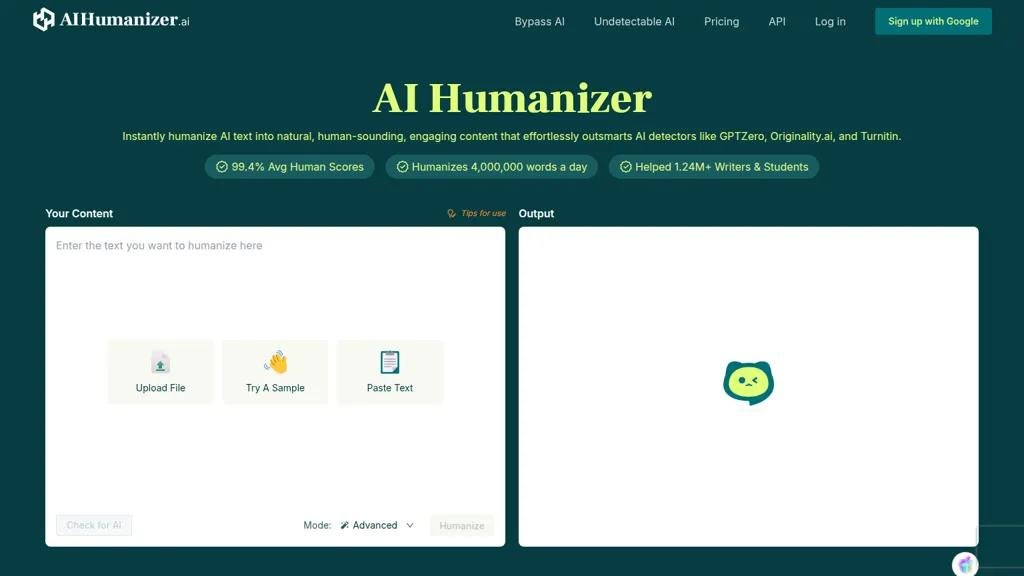
What Is an Online AI Humanizer Tool?
An online AI humanizer tool is a web-based application that rewrites AI-generated text so it reads more naturally.
You typically paste text created by an AI writing tool such as ChatGPT, Claude, Gemini or another language model into the humanizer. The tool then analyzes the writing and generates a revised version with changes to sentence structure, vocabulary, tone, pacing and readability.
The goal can be as simple as making a rough AI draft clearer, less repetitive and more conversational.
Modern humanizers offer different approaches. Some provide basic rewriting, while others let users select styles, adjust humanization intensity or review changes. For example, current tools advertise modes ranging from light to aggressive rewriting and features such as style controls and document uploads.
A good AI humanizer should therefore be thought of as an editing and rewriting assistant, rather than a magic button that automatically turns AI output into perfect human writing.
How Does an Online AI Humanizer Work?
The process is usually straightforward.
Step 1: Generate or Collect Your Draft
You might have text generated by:
- ChatGPT
- Gemini
- Claude
- DeepSeek
- Another AI writer
- Your own rough draft
Step 2: Paste the Text
Open an online AI humanizer and paste the content into its editor.
Some services also support uploading documents such as TXT, DOCX or PDF files.
Step 3: Select a Writing Style
Depending on the tool, you may be able to choose styles such as:
- Natural
- Conversational
- Professional
- Academic
- Formal
- Informal
- Marketing
Step 4: Humanize the Text
The tool analyzes the original writing and generates a revised version.
It may modify:
- Sentence length
- Sentence order
- Word choice
- Paragraph structure
- Transitions
- Vocabulary
- Tone
- Punctuation
- Repetition
Step 5: Review the Result
This step should never be skipped.
Check whether the humanized version still contains:
- The correct facts
- The original meaning
- Correct names
- Correct numbers
- Accurate claims
- Appropriate tone
A rewrite can sound better while accidentally changing what the original text actually said.
Why Use an AI Humanizer?
AI-generated writing isn’t necessarily bad. In fact, it can be extremely useful for creating first drafts.
The problem is that AI output can sometimes feel:
- Repetitive
- Overly formal
- Generic
- Predictable
- Too polished
- Full of unnecessary transitions
- Lacking personality
For example:
“In today’s rapidly evolving digital landscape, artificial intelligence has emerged as a transformative technology that is revolutionizing the way businesses operate.”
A more direct version could be:
“AI is changing how businesses work, from customer support to software development.”
The second version gets to the point faster.
Online AI Humanizer vs AI Rewriter
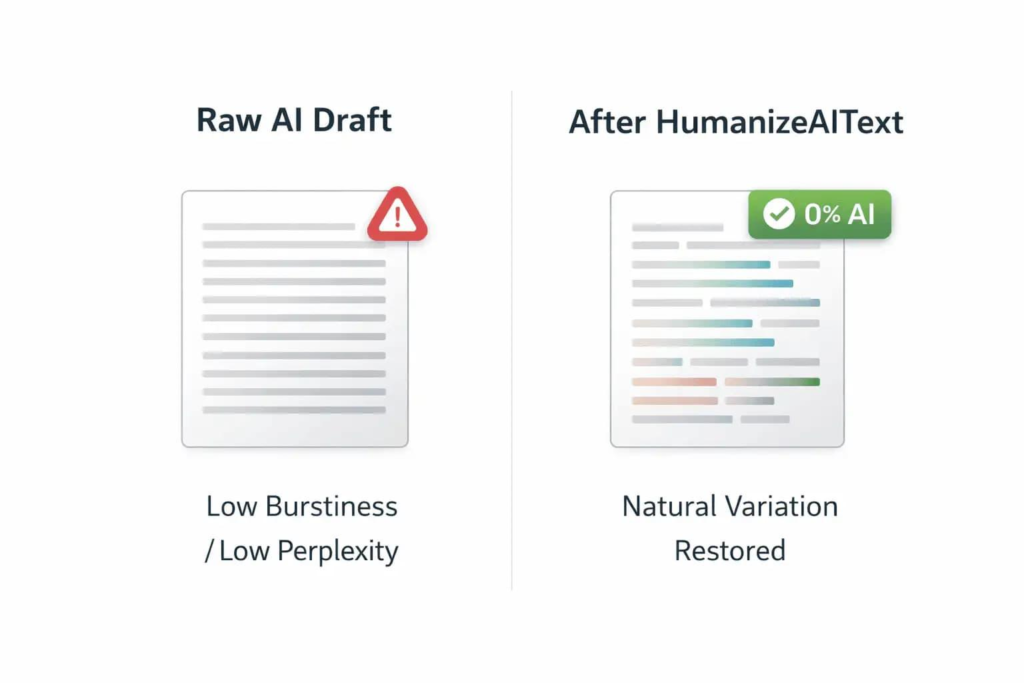
The two terms are closely related, but they’re not always used in exactly the same way.
An AI rewriter usually focuses on changing the wording of existing text.
An AI humanizer generally focuses on making AI-generated text feel more natural.
| Feature | AI Rewriter | AI Humanizer |
|---|---|---|
| Rephrase text | Yes | Yes |
| Change vocabulary | Yes | Yes |
| Change sentence structure | Yes | Yes |
| Improve readability | Usually | Usually |
| Natural conversational tone | Sometimes | Main focus |
| AI-generated text | Optional | Primary use case |
| Style controls | Often | Often |
| Detector-related features | Sometimes | Frequently marketed |
The distinction isn’t absolute. Many modern tools combine both functions.
What Does an AI Humanizer Change?
A quality humanization process should go beyond replacing words with synonyms.
1. Sentence Structure
AI writing can contain many similarly structured sentences.
A humanizer can restructure them to create more variation.
Before
AI is useful for businesses. AI can save time. AI can automate repetitive tasks. AI can improve productivity.
After
Businesses can use AI to automate repetitive tasks, save time and improve productivity. Instead of handling the same routine work manually, employees can focus on tasks that require judgment and creativity.
2. Word Choice
Some AI-generated writing uses unnecessarily sophisticated vocabulary.
For example:
“Utilize”
could often become:
“Use”
And:
“Commence”
could become:
“Start”
Clear language usually makes content easier to read.
3. Sentence Length
Natural writing normally contains a mixture of short, medium and long sentences.
A humanizer may restructure paragraphs to create more variation.
4. Transitions
AI models sometimes rely heavily on phrases such as:
- Furthermore
- Moreover
- Additionally
- In conclusion
- It is important to note
- In today’s world
A good editing process can remove unnecessary transitions.
5. Tone
The same information can be written in different ways.
For example:
Professional:
The software enables organizations to automate repetitive workflows.
Conversational:
The software can take care of repetitive tasks so your team doesn’t have to.
The information is similar, but the tone is different.
Online AI Humanizer Tool for ChatGPT Text
One of the most common uses of an online humanizer is improving ChatGPT-generated content.
Suppose ChatGPT produces:
“Artificial intelligence is increasingly being adopted across various industries due to its ability to enhance operational efficiency and facilitate improved decision-making.”
A humanized version might be:
“More businesses are adopting AI because it can automate routine work and help teams make decisions faster.”
The second version is shorter, more direct and easier to understand.
However, the best workflow isn’t:
ChatGPT → Humanizer → Publish
A stronger workflow is:
Research → AI draft → Humanize → Fact-check → Add original insight → Human edit → Publish
That extra editing stage makes a significant difference.
Free Online AI Humanizer Tools
There are numerous free or freemium AI humanizers available online.
However, “free” can mean different things.
A tool might provide:
- A limited number of words
- A daily allowance
- A limited number of requests
- Basic humanization only
- Premium styles behind a subscription
- Free access after registration
For example, some current services advertise no-signup free usage, while others provide a limited free allowance and then require an account or paid plan for larger workloads.
Because limits and pricing change frequently, always check the tool’s current terms before relying on it for large-scale work.
What Is the Best Online AI Humanizer Tool?
There isn’t one humanizer that is objectively best for every writer.
The right tool depends on what you’re trying to accomplish.
For Simple Rewriting
Look for a tool with:
- Fast processing
- Simple interface
- Short-text support
- Natural output
For Blog Writing
Look for:
- Long-form support
- Tone controls
- Keyword preservation
- Paragraph restructuring
- Good readability
For Business Content
Look for:
- Professional style
- Consistent terminology
- Brand-voice controls
- Privacy information
For Documents
Look for:
- DOCX/PDF support
- File upload
- Formatting preservation
- Export options
Some current AI humanizers specifically support PDF, PPT, DOCX and TXT uploads rather than limiting users to pasted text.
How to Humanize AI Text Online
Here’s a simple workflow you can follow.
Step 1: Copy Your AI Text
Take the draft you want to improve.
Step 2: Open an AI Humanizer
Choose a reputable online tool.
Step 3: Paste the Text
Place the content into the input box.
Step 4: Select the Style
Choose something appropriate for the audience.
For a blog:
Natural / Conversational
For a company report:
Professional
For educational content:
Clear / Academic
Step 5: Generate the Humanized Version
Let the tool rewrite the content.
Step 6: Compare Both Versions
Don’t immediately delete the original.
Compare:
- Meaning
- Facts
- Tone
- Readability
- Sentence structure
Step 7: Add Your Own Information
This is where the content becomes much more valuable.
Add:
- Personal experience
- Examples
- Original research
- Screenshots
- Data
- Opinions
- Case studies
Step 8: Fact-Check
AI can confidently produce incorrect information.
Verify important claims before publishing.
Example: Before and After AI Humanization
AI-Generated Version
“In the contemporary digital era, artificial intelligence has become an increasingly significant component of modern business operations. Organizations across various sectors are leveraging AI technologies to optimize workflows, improve productivity and enhance customer experiences.”
Humanized Version
“AI has quickly become part of everyday business. Companies are using it to automate routine work, improve productivity and provide faster customer support.”
Why the second version works better
It:
- Gets to the point
- Uses simpler vocabulary
- Avoids unnecessary filler
- Uses shorter sentences
- Sounds more conversational
- Communicates the same basic idea
That’s what good humanization should accomplish.
AI Humanizer for Blog Posts
Bloggers are among the biggest potential users of online AI humanizers.
AI can help create a first draft, but a humanizer can make the draft easier to read.
A useful blog-writing workflow looks like this:
Research
Find reliable information.
Outline
Organize the article into useful sections.
AI Draft
Create a preliminary version.
Humanize
Improve the tone and flow.
Add Original Value
Include information that isn’t simply copied or summarized from other websites.
Fact-Check
Verify important claims.
SEO Optimization
Improve:
- Search intent
- Headings
- Internal links
- Title
- Meta description
- Image alt text
Human Review
Read the entire article before publication.
Can an AI Humanizer Make Content More SEO-Friendly?
It can improve readability, but humanization itself isn’t an SEO shortcut.
Google’s current Search guidance focuses on creating useful, reliable, people-first content. Its spam policies also warn against producing large amounts of unoriginal content primarily to manipulate search rankings.
That means changing AI-generated text with an automatic rewriting tool isn’t enough.
Consider these two pages.
Page A
An AI-generated article rewritten by a humanizer with no additional information.
Page B
An AI-assisted article containing:
- Original testing
- First-hand experience
- Unique screenshots
- Accurate sources
- Practical examples
- Expert commentary
- Original conclusions
Page B has much more potential value for readers.
The lesson is simple:
Humanization should improve the writing, not replace original value.
Can AI Humanizers Bypass AI Detectors?
Many AI humanizer websites explicitly market themselves around reducing AI-detection scores or producing text they describe as undetectable.
But you shouldn’t treat those claims as guarantees.
Different AI detectors use different approaches and can produce different results for the same piece of text.
More importantly, an AI-detection score isn’t a direct measurement of writing quality.
If you’re creating website content, focus on:
Accuracy + originality + usefulness + readability
rather than trying to hit a particular detector score.
Does Humanizing AI Text Remove AI Content Completely?
No.
An AI humanizer is still another automated system processing the text.
It may substantially rewrite the content, but that doesn’t magically turn it into a piece of writing based on genuine human experience.
For example, an AI humanizer cannot know:
- What you personally experienced
- What happened during your product test
- What your customers told you
- Why you chose a particular strategy
- What failed during your experiment
Only you can provide that information.
That’s why adding genuine human input is so important.
Why AI Text Sometimes Sounds Robotic
There are several common patterns.
Repetitive Sentence Structure
Many sentences follow the same grammatical pattern.
Generic Introductions
The article starts with a broad statement rather than answering the question.
Excessive Formality
Simple ideas are expressed using unnecessarily complicated language.
Too Many Lists
AI often converts everything into bullet points.
Repeated Conclusions
The same point appears in the introduction, body and conclusion.
Lack of Personal Experience
The content contains information but no real perspective.
Overuse of Buzzwords
Words such as:
- Revolutionary
- Transformative
- Cutting-edge
- Game-changing
- Seamless
- Powerful
- Innovative
can make writing feel promotional when used too often.
How to Make AI Text Sound More Human Without a Tool
You don’t always need an AI humanizer.
You can improve AI writing manually.
Replace Generic Openings
Instead of:
“In today’s rapidly changing world…”
Start with the answer.
Use Specific Examples
Don’t just say:
“AI saves time.”
Explain how:
“A support team can use AI to summarize customer tickets before an employee reviews them.”
Add Your Opinion
Tell readers what you actually think.
Include Real Experiences
If you’ve tested a product, explain what happened.
Remove Filler
Delete sentences that don’t add information.
Write for One Person
Imagine you’re explaining the subject to one reader rather than writing for “everyone.”
AI Humanizer for Students
Students may use AI tools for brainstorming, studying, editing or understanding difficult concepts.
But academic institutions can have their own policies regarding AI-generated work.
An AI humanizer shouldn’t be treated as a way to disguise prohibited AI use.
If AI assistance is permitted, a better approach is:
Understand → Draft → Review → Add your own reasoning → Edit → Cite sources
The final work should reflect your actual understanding and follow your school’s or university’s rules.
AI Humanizer for Businesses
Businesses can use humanization tools for many types of communication.
For example:
Customer Emails
AI:
“We sincerely appreciate your valuable patience while our dedicated team works diligently to resolve your inquiry.”
Natural:
“Thanks for your patience. Our team is working on the issue now.”
Product Descriptions
AI:
“Experience the ultimate combination of exceptional functionality and innovative design.”
Natural:
“A simple design with the features you actually need.”
Social Media
AI:
“Discover how our innovative solution can transform your workflow.”
Natural:
“Still doing this manually? Here’s a faster way.”
The second versions are generally more direct and specific.
AI Humanizer for WordPress
If you’re running a WordPress website, an AI humanizer can fit into a broader editorial workflow.
A practical process is:
Keyword Research
↓
Search Intent
↓
Research
↓
AI Draft
↓
Humanize
↓
Fact Check
↓
Add Original Information
↓
SEO Optimization
↓
Human Review
↓
Publish
This approach is much better than automatically generating hundreds of articles and running them through a humanizer.
Google’s spam documentation specifically warns that producing large amounts of unoriginal content through automated transformations or generative AI can constitute scaled content abuse when the primary purpose is manipulating Search rather than helping users.
What to Look for in an Online AI Humanizer Tool
Before choosing a tool, consider these factors.
1. Output Quality
Does the rewritten text actually sound better?
2. Meaning Preservation
Does the tool keep your original message intact?
3. Style Controls
Can you choose between conversational, professional and other styles?
4. Word Limits
How much text can you process at once?
5. Languages
Does it support the language you write in?
Some current tools advertise support for dozens of languages, including Hindi.
6. Privacy
Read the privacy policy before submitting confidential business documents or sensitive information.
7. File Support
If you work with long documents, DOCX/PDF/TXT upload support can be useful.
8. Editing Controls
Some tools allow you to choose the intensity of rewriting.
A light rewrite may preserve more of the original.
An aggressive rewrite may change considerably more.
Light vs Medium vs Aggressive Humanization
Different tools use different names, but the concept is useful.
| Mode | What It Does | Best For |
|---|---|---|
| Light | Small wording and flow changes | Already-good writing |
| Medium | Sentence restructuring and tone changes | Typical AI drafts |
| Aggressive | Major restructuring | Very robotic drafts |
Start with light or medium whenever possible.
Aggressive rewriting can make the output sound different while also increasing the chance that important details or meaning will change.
Benefits of an Online AI Humanizer
Faster Editing
You can improve a draft in seconds instead of rewriting every sentence manually.
Better Readability
Humanizers can simplify awkward sentences.
Tone Control
You can make content more professional or conversational.
Less Repetition
Repeated phrases can be reduced.
Better Flow
Paragraphs can become easier to read.
Useful for First Drafts
AI humanizers work particularly well as an additional editing layer.
Limitations of AI Humanizers
Humanizers aren’t perfect.
Meaning Can Change
A rewrite may accidentally alter an important detail.
Facts Can Remain Wrong
Humanization does not fact-check the original text.
Personality May Still Be Missing
Changing sentence structure doesn’t automatically create genuine personality.
Output Quality Varies
Two humanizers can produce very different results.
Detector Results Aren’t Guaranteed
No tool should be assumed to work against every detector indefinitely.
Privacy Matters
Don’t paste confidential information into a service without understanding how the provider handles submitted text.
Is an Online AI Humanizer Tool Worth Using?
For many writing workflows, yes—but use it as an editor, not as a replacement for human judgment.
The biggest benefit is speed.
You can take a rough AI draft and quickly turn it into something that is:
- Clearer
- Shorter
- More conversational
- Less repetitive
- Easier to read
But the final quality still depends on what you do after the rewrite.
The best combination is:
AI assistance + human editing + original information + fact checking
Frequently Asked Questions
What is an online AI humanizer tool?
An online AI humanizer is a web-based tool that rewrites AI-generated text to make it sound more natural, readable and conversational.
How do I humanize AI text online?
Paste your AI-generated text into an online humanizer, choose an appropriate style or rewriting level, generate the revised version and then review it for accuracy and meaning.
Is there a free AI humanizer?
Yes. Several online services offer free plans or free limited usage. The exact word limits and features vary between providers and can change over time.
Can I humanize ChatGPT text?
Yes. Most AI humanizers are designed to accept text generated by ChatGPT and other large language models.
Does an AI humanizer make text genuinely human-written?
Not necessarily. It can make wording and structure more natural, but genuine human writing also involves personal experience, judgment, original ideas and context.
Can AI humanizers bypass AI detectors?
Some services advertise this capability, but results vary and there is no universal guarantee. Different detectors can produce different results.
Is humanized AI content good for Google?
Humanization alone doesn’t determine search performance. Google emphasizes useful, original, people-first content and warns against scaled production of unoriginal pages intended primarily to manipulate rankings.
Can I use an AI humanizer for WordPress?
Yes. It can be useful as part of a WordPress editing workflow, particularly for improving readability and reducing repetitive AI phrasing.
Can an AI humanizer change the meaning?
Yes. Any rewriting tool can potentially alter meaning, remove details or introduce wording that wasn’t in the original. Always review important content.
Which is better: AI humanizer or manual editing?
For important content, the best approach is usually both. A humanizer can provide a fast first editing pass, while a person can check accuracy, add experience and make the final writing genuinely useful.
Final Thoughts
An online AI humanizer tool can be a useful part of modern writing.
It can take a rough AI-generated draft and make it more readable, conversational and natural. It can also save time when you’re working with large amounts of text.
But humanization shouldn’t be reduced to changing words until a detector produces a particular score.
The better objective is simple:
