

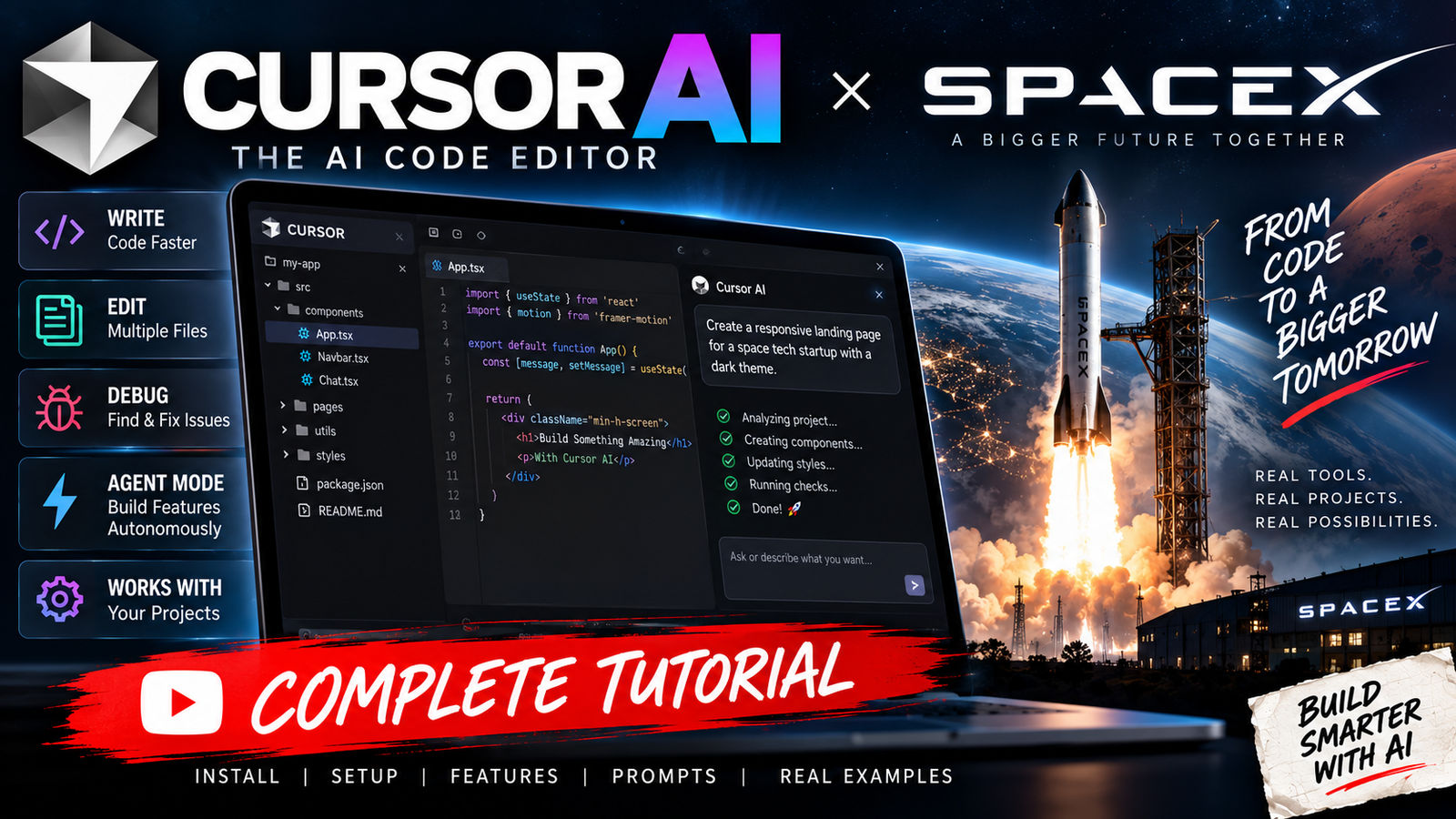
Cursor AI and SpaceX are now officially connected.
On August 14, 2026, Cursor announced that it had officially become part of SpaceX. The announcement followed a partnership between Cursor and SpaceXAI that began in April 2026, when the companies said they would work together to accelerate Cursor’s model-training efforts using SpaceXAI’s large-scale computing infrastructure.
For developers, however, the important point is that Cursor remains an AI coding environment. It is not a SpaceX rocket-control application and it is not a special programming language created by SpaceX.
Cursor is an AI-powered code editor and coding-agent platform. You can open an existing project, ask the AI to understand the code, create new features, modify multiple files, run commands, investigate errors and test changes.
That makes Cursor particularly interesting for developers who want to move from traditional autocomplete toward agentic coding, where you describe what you want built and the AI works through the implementation.
This guide explains the SpaceX connection, what Cursor actually does, how to install and use it, how Agent mode works, how to write good prompts, how to create project rules, how to debug projects, and how to use Cursor effectively without blindly accepting AI-generated code.
What Is Cursor AI?
Cursor is an AI-powered code editor and coding-agent platform designed to help developers understand, write, modify and maintain software.
Instead of using AI only to complete the next line of code, Cursor can work with an entire project.
You can give it a request such as:
“Find why the login screen crashes when the API returns a 401 response and fix the issue without changing the existing authentication architecture.”
Cursor can then inspect the relevant files, trace the code, identify the likely problem, make changes and run appropriate commands or checks.
That is the basic idea behind agentic coding.
Traditional coding usually looks like:
Developer → writes code → runs code → finds error → fixes code
Agentic coding can look more like:
Developer → describes goal → AI investigates → edits files → runs commands → checks result → developer reviews
Cursor’s Agent documentation says Agent can search a codebase, edit multiple files, run terminal commands and work through bugs or features autonomously.
What Does SpaceX Have to Do With Cursor?
This is the most important recent development.
Cursor announced in April 2026 that it was partnering with SpaceX to accelerate model training.
The collaboration gave Cursor’s team access to SpaceXAI’s Colossus computing infrastructure, allowing it to scale its model-training efforts.
Then, on August 14, 2026, Cursor announced that the acquisition process had been completed and that Cursor had officially become part of SpaceX.
Cursor said the relationship would give its team access to SpaceX’s enormous GPU infrastructure and help it develop more capable and economical AI models.
So the relationship can be understood as:
Cursor
→ AI coding environment
SpaceXAI / SpaceX
→ large-scale AI computing infrastructure
Cursor models
→ increasingly capable coding models
This is why searches for “Cursor AI SpaceX” have become much more common.
Is Cursor AI Made by SpaceX?
Not originally.
Cursor was created before its relationship with SpaceX.
Cursor developed its AI coding editor and its own agentic coding technology independently.
In 2026, Cursor partnered with SpaceXAI and subsequently became part of SpaceX.
So it is more accurate to say:
Cursor is now part of SpaceX.
It would be inaccurate to describe Cursor as a coding tool that SpaceX originally created from scratch.
Why Did SpaceX Acquire Cursor?
Cursor’s official announcement points to computing capacity as a major reason for the relationship.
Training increasingly capable AI models requires enormous amounts of computation.
As coding models become more capable, model developers need:
- More GPUs
- More training data
- Larger training runs
- More reinforcement learning
- Faster experimentation
- More inference capacity
- Better model-training infrastructure
Cursor said that access to SpaceX’s computing infrastructure would allow it to push model training further.
The larger idea is straightforward:
Better computing infrastructure → larger/more sophisticated training → stronger coding models → more capable AI coding agents.
What Is Agentic Coding?
Agentic coding is different from traditional autocomplete.
A normal autocomplete system might suggest:
const user =
and predict what comes next.
An AI coding agent works at a much higher level.
You might tell it:
“Add Google Sign-In to this Android application. Inspect the existing authentication architecture first, then implement it using the project’s current patterns. Do not replace Firebase Authentication.”
The agent can then:
- Search the project.
- Find the authentication code.
- Inspect Gradle files.
- Inspect AndroidManifest.xml.
- Examine existing activities.
- Determine where authentication belongs.
- Modify relevant files.
- Add required configuration.
- Run builds or tests.
- Fix compilation problems.
- Show the resulting changes.
Cursor describes Agent as a system combining instructions, tools and a selected model.
Cursor AI Tutorial for Beginners
Let’s start from the beginning.
Step 1: Install Cursor
Download and install Cursor for your operating system.
After installation, launch Cursor and sign in.
The interface will feel familiar if you have used VS Code because Cursor is designed as a code editor rather than a completely unfamiliar development environment.
Step 2: Open Your Project
After launching Cursor:
File → Open Folder
Select the root folder of your project.
For example:
MyApp/
├── app/
├── backend/
├── database/
├── assets/
├── README.md
└── package.json
Cursor can then inspect the project structure.
Cursor’s official first-project guide recommends opening a project folder and then using Agent to explore and modify the project.
Step 3: Start Agent Mode
Open the Agent panel.
On Windows/Linux:
Ctrl + I
On Mac:
Cmd + I
Agent is the mode you normally want when you want Cursor to actually work on your project.
You can tell it what you want in normal language.
For example:
“Explain how authentication works in this project. Do not modify any files.”
Or:
“Find all API endpoints related to user registration and explain how data flows from the Android app to the PHP backend.”
The agent will search the project and return an explanation.
Cursor Modes Explained
Cursor currently provides several different modes for different jobs.
Agent Mode
Use Agent when you want the AI to:
- Edit files
- Build features
- Refactor code
- Run commands
- Fix bugs
- Create tests
- Investigate a project
This is the main mode for active development.
Ask Mode
Ask mode is useful when you want the AI to understand the project without changing it.
For example:
“Why is MainActivity calling this API twice?”
or:
“Explain the database architecture.”
This is particularly useful before making a major change.
Plan Mode
Plan mode is useful for larger tasks.
Instead of immediately telling the AI:
“Build the whole application.”
start with:
“Analyze this project and create a detailed implementation plan for adding a complete chat system. Do not modify any files.”
The AI can inspect the project and develop an implementation strategy.
You can then review the plan before allowing implementation.
Cursor specifically recommends Plan mode for larger work where you want to review the approach first.
Debug Mode
Debug mode is useful when you have a difficult problem.
For example:
“The application crashes only when the server returns an empty JSON response. Find the root cause, reproduce it if possible, and fix it.”
The AI can inspect the relevant code and use runtime evidence or terminal output to investigate.
Cursor AI First Practical Example
Suppose you have a Java Android application.
Your project contains:
app/
 └── src/
      └── main/
           ├── java/
           ├── res/
           └── AndroidManifest.xml
Instead of opening every Java file yourself, you can ask:
“Analyze this Android project. Identify the main activities, networking layer, authentication system, database layer and major user flows. Do not change anything.”
Cursor can inspect the project and give you an architectural overview.
That is often the best first step.
How to Give Cursor Better Prompts
One of the biggest mistakes beginners make is giving extremely vague instructions.
Bad prompt:
“Make my app better.”
Better:
“Improve the login screen UI but do not change authentication logic. Keep the existing Material Components theme and Java architecture.”
Even better:
“Improve the login screen UI. Keep the existing Java architecture, Material Components theme and Firebase Authentication implementation. Do not modify backend APIs. First inspect the current login activity and XML layout, then propose the changes before implementing them.”
The more important constraints you provide, the less likely the AI is to make unnecessary architectural changes.
The Best Cursor Prompt Structure
A useful prompt can contain five parts:
1. Goal
What do you want?
2. Existing architecture
What should remain unchanged?
3. Requirements
What exactly needs to happen?
4. Restrictions
What must not happen?
5. Verification
How should Cursor check the result?
For example:
“Add a password-reset screen. Use the existing Firebase Authentication implementation. Keep Java rather than Kotlin. Reuse the current Material theme. Do not create a second authentication system. Add validation for empty and invalid email addresses. Run the Android build after making the changes and fix compilation errors.”
That is much more useful than:
“Add forgot password.”
Using Cursor With an Android Studio Project
Cursor can be especially useful with Android projects because large Android applications often contain:
- Java/Kotlin source files
- XML layouts
- Gradle files
- Manifest files
- Resources
- API clients
- Firebase configuration
- Database code
- Ad SDKs
- Billing code
Instead of asking Cursor to rewrite everything, give it a focused task.
For example:
“Inspect this Android Java project and explain the current Google Play Billing implementation. Do not modify anything.”
Then:
“Now identify why the subscription button may not respond. Trace the click listener, BillingClient initialization, product query and purchase flow. Do not change code yet.”
Then:
“Create a fix plan.”
Then:
“Implement the approved plan and run the build.”
This staged approach generally produces better results than immediately asking an AI agent to rewrite an entire application.
Cursor and Java
If you prefer Java, explicitly tell Cursor.
For example:
“Use Java for all Android source files. Do not convert this project to Kotlin.”
You can put this kind of instruction into your project rules so you don’t have to repeat it every time.
Cursor supports persistent project rules in .cursor/rules/ and also supports an AGENTS.md file in the project root.
Creating an AGENTS.md File
A simple project-level instruction file can look like this:
# Project Instructions

## Language
- Use Java for Android source files.
- Do not convert Java files to Kotlin.

## Android
- Use the existing Gradle architecture.
- Do not upgrade dependencies unless necessary.
- Preserve the current package structure.

## UI
- Use the existing Material theme.
- Reuse existing colors and dimensions.

## Code
- Do not rewrite working code unnecessarily.
- Make the smallest safe change.
- Explain important architectural changes.

## Testing
- Run the relevant Gradle build after significant changes.
- Fix compilation errors before finishing.
This gives Cursor persistent context about how your project should be handled.
Cursor Rules
Cursor’s .cursor/rules system provides more control.
Rules can be:
- Always applied
- Applied intelligently
- Applied to specific files
- Applied manually
For example, you could create:
.cursor/
└── rules/
    ├── android.mdc
    ├── backend.mdc
    └── database.mdc
Then Android-specific instructions can apply to Android files while backend rules apply to PHP or server-side code.
Why Rules Matter
Imagine repeatedly telling the AI:
“Use Java.”
“Don’t modify the backend.”
“Don’t change my API.”
“Use Material Components.”
“Don’t remove Firebase.”
That becomes frustrating.
A project rule can preserve these instructions.
Cursor’s documentation specifically describes rules as persistent instructions that help the Agent follow coding style, architecture and workflow consistently.
Cursor @ Mentions
You can also give Cursor more specific context.
For example:
@MainActivity.java
@ChatActivity.java
@send_message.php
Then ask:
“Analyze the message-sending flow across these files and find why the server response sometimes shows Invalid server response.”
This is particularly useful when you already know which files matter.
Cursor’s documentation confirms that files and folders can be referenced with @ to provide more targeted context.
Cursor for Debugging
This is one of the most useful applications.
Suppose your application crashes with:
java.lang.ClassCastException
Instead of simply saying:
“Fix this.”
give Cursor the complete error:
java.lang.ClassCastException:
androidx.appcompat.widget.SearchView cannot be cast to
android.widget.SearchView

MainActivity.java:472
Then say:
“Find the root cause. Inspect the XML layout and Java imports. Do not change unrelated code. Explain the cause before implementing the fix.”
This gives the AI evidence instead of forcing it to guess.
Cursor for Crash Logs
You can also paste a complete Crashlytics stack trace.
For example:
“Analyze this Crashlytics crash. Identify the exact application code responsible, explain why it happens, determine whether it is device-specific, and propose the smallest safe fix.”
Then provide the log.
Cursor can search the project for the class and method mentioned in the stack trace.
Cursor for Backend Development
Cursor isn’t limited to frontend applications.
You can use it with:
- PHP
- Node.js
- Python
- Java
- C#
- C++
- Go
- Rust
- TypeScript
- SQL
For example, a PHP project could contain:
api/
├── config.php
├── auth.php
├── users.php
├── messages.php
└── upload.php
You could ask:
“Review this PHP API for authentication, SQL injection risks, missing authorization checks and inconsistent JSON responses. Do not modify anything. Create a security report.”
Then:
“Fix only the high-risk issues identified in the report. Preserve all existing API endpoints.”
Cursor for SQL
Cursor can also inspect database schemas.
For example:
“Analyze this MySQL schema and identify foreign-key relationships, missing indexes and potential N+1 query patterns in the backend.”
Or:
“Add an index for the conversation_id and created_at query pattern. Verify that the index matches the existing SQL queries.”
This is much better than simply asking:
“Optimize database.”
Cursor for API Development
Suppose you have:
Android app
      ↓
REST API
      ↓
PHP
      ↓
MySQL
Cursor can trace the entire flow.
Ask:
“Trace the user registration flow from the Android client to the PHP endpoint and database. Identify every validation step and explain what happens when registration fails.”
This can reveal bugs that aren’t obvious when looking at one file.
Cursor for Building a Complete Feature
For a large feature, don’t start with:
“Build a complete social network.”
Break it down.
Phase 1
“Analyze the existing architecture and create a plan for adding user profiles.”
Phase 2
“Implement the database changes.”
Phase 3
“Implement the backend API.”
Phase 4
“Implement the Android repository/API layer.”
Phase 5
“Implement the UI.”
Phase 6
“Add validation and error handling.”
Phase 7
“Run tests and build the application.”
This gives you much more control.
Cursor and Git
You should use Git when working with an AI coding agent.
Why?
Because AI can make many changes quickly.
Git gives you the ability to:
- Review changes
- Compare versions
- Revert mistakes
- Create branches
- Test experimental implementations
Before giving an agent a large task, create a clean commit.
For example:
git add .
git commit -m "Before Cursor feature changes"
Then let Cursor work.
If the result is bad, you have a clean recovery point.
Always Review Cursor’s Changes
This is extremely important.
Cursor can write code, but that does not mean every generated change is correct.
After Agent finishes, inspect the diff.
Look for:
- Unnecessary files
- Changed dependencies
- Deleted code
- Security problems
- Incorrect API assumptions
- Hardcoded credentials
- Broken architecture
- Unnecessary rewrites
Cursor’s documentation explicitly recommends reviewing Agent changes through its diff interface and rejecting changes you don’t want.
Never Give Cursor Secrets
Do not casually put secrets into prompts.
Avoid exposing:
API_SECRET=...
DATABASE_PASSWORD=...
PRIVATE_KEY=...
FIREBASE_PRIVATE_KEY=...
AWS_SECRET_ACCESS_KEY=...
Use environment variables or secure secret-management systems.
For example:
API_KEY=${API_KEY}
DATABASE_PASSWORD=${DATABASE_PASSWORD}
instead of hardcoding credentials.
Cursor Security and Approval Settings
Cursor provides controls for how much autonomy an Agent gets when executing tools and terminal commands.
Current Cursor documentation describes Auto-review and Allowlist modes, along with protections for browser actions, file deletion and files outside the workspace.
For most users, it’s sensible to keep review/approval enabled for potentially destructive operations rather than giving an agent unrestricted control of the computer.
Cursor Agent Can Run Terminal Commands
One of the major differences between a simple chatbot and an agent is that Cursor can interact with the terminal.
For example:
npm install
npm test
npm run build
Or for Android:
./gradlew assembleDebug
The Agent can inspect the output and respond to compilation errors.
That creates a loop:
Edit → Build → Read error → Fix → Build again
This is one of the most useful parts of agentic development.
Cursor for Web Development
Suppose you want to create a website.
You could say:
“Create a responsive technology news website using the existing Next.js project. Use the current design system. Add a homepage with featured articles, latest posts, categories and a responsive mobile layout. First inspect the existing project structure and create a plan.”
After reviewing the plan:
“Implement it.”
Cursor can then work across multiple components and files.
Cursor for React
A good React prompt might be:
“Inspect this React application and identify how state management currently works. Do not introduce Redux. Use the existing architecture. Then add a search component that filters the existing article list without changing the API.”
This prevents the AI from introducing an unnecessary framework.
Cursor for WordPress
Cursor can also be useful for WordPress development.
For example:
“Inspect this WordPress theme. Identify the files responsible for the homepage, header, footer and single-post template. Do not modify anything.”
Then:
“Improve the single-post template’s Core Web Vitals without changing its visual design.”
It can inspect PHP templates, CSS, JavaScript and WordPress hooks.
Cursor for SEO Development
You can also use it for technical SEO.
For example:
“Audit this WordPress theme for technical SEO issues. Check canonical URLs, title tags, meta descriptions, heading hierarchy, schema markup, breadcrumbs, internal links and image alt attributes. Do not modify anything.”
Then:
“Create a prioritized implementation plan.”
This is a much safer workflow than asking the AI to immediately modify everything.
Cursor for Performance Optimization
A useful performance prompt is:
“Analyze this website for frontend performance bottlenecks. Inspect CSS, JavaScript, images, fonts and third-party scripts. Identify the five biggest likely causes of slow loading and explain how to fix them without changing the visual design.”
After reviewing the findings:
“Implement only the first two optimizations.”
This lets you measure changes rather than making dozens of changes at once.
Cursor for Creating Tests
You can ask:
“Inspect the authentication module and create unit tests for successful login, invalid credentials, empty input, expired session and network failure. Follow the existing testing framework.”
The AI can inspect existing test conventions before adding new tests.
Cursor for Refactoring
Avoid:
“Refactor the whole project.”
Instead:
“Identify duplicated API-request logic in this project. Do not modify anything. List the duplication and propose a small reusable abstraction.”
Then:
“Implement the abstraction only for the three duplicated request handlers identified in the plan.”
This keeps the change manageable.
Cursor for Learning Programming
Cursor isn’t only useful for experienced developers.
A beginner can ask:
“Explain this Java class line by line without modifying it.”
Or:
“Explain why this API call is asynchronous.”
Or:
“Teach me what this Gradle dependency does and why this project needs it.”
This turns the editor into an interactive programming tutor.
Cursor AI vs ChatGPT
The two tools can complement each other.
ChatGPT
Useful for:
- Architecture discussions
- Learning concepts
- Brainstorming
- Explaining errors
- Designing systems
- Research
- Writing documentation
Cursor
Useful for:
- Reading the actual repository
- Editing files
- Running commands
- Applying changes
- Testing code
- Reviewing diffs
- Iterating directly inside the project
The important difference is environment access.
Cursor is sitting alongside the actual codebase.
Cursor AI vs GitHub Copilot
Both are AI coding tools, but the workflows can differ.
Cursor emphasizes an AI-first editor and agentic workflows.
Its Agent can search the project, edit multiple files and run terminal commands.
GitHub Copilot is deeply integrated with GitHub’s developer ecosystem and offers several coding-assistance workflows.
For developers who want an AI agent to work across a repository rather than only provide autocomplete, Cursor’s Agent workflow is particularly important.
Cursor AI Models
Cursor supports multiple AI models rather than forcing every developer to use one model.
Its current documentation lists models from several providers, including OpenAI, Anthropic, Google, Cursor’s own models and others.
The available model list can change over time.
The practical lesson is simple:
Use the model that performs best for the particular task.
A model that is excellent at reasoning may not necessarily be the fastest model for simple edits.
Cursor Composer
Cursor has also developed its own coding models, including its Composer family.
These models are designed specifically around coding-agent workflows.
The SpaceX relationship is particularly significant here because Cursor said its access to SpaceXAI’s computing infrastructure would help it scale model training.
Cursor Cloud Agents
Cursor also supports Cloud Agents.
Instead of requiring everything to happen on your local computer, you can hand work to a cloud-based agent.
This can be useful for longer-running tasks.
For example:
“Investigate the failing tests in this repository and prepare a fix.”
The cloud agent can work independently while you continue doing something else.
Cursor’s documentation distinguishes local Agent execution from Cloud Agents and notes that Cloud Agents run on their own dedicated machines.
Cursor CLI
Cursor also provides a command-line Agent.
This means you don’t necessarily have to work exclusively inside the graphical editor.
The CLI supports modes such as:
- Agent
- Ask
- Plan
and supports the same rules system used by the editor.
It can also work with MCP configurations.
What Is MCP in Cursor?
MCP stands for Model Context Protocol.
It allows an AI agent to connect with external tools and services.
Depending on your setup, MCP can allow an agent to interact with external systems rather than being limited to the files inside the project.
This can be powerful, but it also increases the importance of permissions and security.
Only connect tools you actually trust and understand.
A Powerful Cursor Workflow
A practical professional workflow looks like this:
Step 1 — Understand
Ask:
“Analyze this project and explain the architecture.”
Step 2 — Plan
Ask:
“Create a plan for implementing this feature. Do not modify files.”
Step 3 — Review
Read the plan yourself.
Step 4 — Implement
Ask:
“Implement the approved plan.”
Step 5 — Test
Ask:
“Run the relevant tests/build.”
Step 6 — Debug
If something fails:
“Analyze this exact error and fix the root cause.”
Step 7 — Review
Inspect the diff.
Step 8 — Commit
Commit the working version to Git.
This workflow gives you the speed of AI while keeping the developer in control.
Best Cursor Prompt for a New Project
If you are starting a new project, a strong first prompt is:
“You are working on a new production application. First inspect the repository and determine the current structure. Do not immediately start coding. Ask only essential questions. Create a detailed implementation plan including architecture, data flow, files that will be created or modified, dependencies, security considerations and testing strategy. Do not implement anything until the plan is complete.”
This prevents the agent from immediately generating hundreds of lines of code without understanding the project.
Best Cursor Prompt for an Existing Project
For an existing project:
“First understand the existing architecture before making changes. Search the relevant files, identify current patterns and dependencies, and avoid rewriting working code. For the requested feature, make the smallest maintainable changes possible. Preserve existing APIs and data formats unless a change is explicitly required. After implementation, run the relevant build or tests and fix errors caused by your changes. Summarize the files changed and explain the important decisions.”
This is a very useful baseline instruction.
Best Cursor Prompt for Debugging
“Investigate this issue using the actual project files and the provided error log. Do not guess. Trace the execution path to identify the root cause. Check related configuration and dependencies. First explain the root cause and proposed fix. Then implement the smallest safe change. Run the relevant test or build afterward and verify that the original error is resolved.”
Best Cursor Prompt for Large Features
“Do not implement this feature in one step. First inspect the codebase and create a detailed implementation plan. Break the work into logical phases. Identify files that need modification, new files, database changes, API changes, security considerations and testing requirements. Wait for approval before implementing.”
This is particularly useful for large applications.
Common Cursor Mistakes
1. Giving vague prompts
“Make it better” isn’t enough.
2. Letting the AI rewrite everything
Large unnecessary rewrites create bugs.
3. Not using Git
Always maintain a recovery point.
4. Not reading the diff
AI-generated code still needs review.
5. Giving the AI secrets
Never casually expose private credentials.
6. Changing too many things at once
Small iterations are easier to debug.
7. Trusting generated code blindly
AI can confidently produce incorrect code.
8. Skipping tests
A successful AI response doesn’t mean the application works.
Also read
- Online AI Humanizer Tool: Humanize AI Text Online
- Creating an Informative AI Wrapper Website
- Roblox AI: What It Is, How It Works, Tools, Uses, and the Future of AI in Roblox
Can Cursor Build an Entire App?
Technically, Cursor’s Agent can work on very large software projects and implement multiple files and features.
But there is a major difference between:
“Can AI generate an app?”
and
“Can AI reliably maintain a production application?”
For production software, human oversight is still important.
You need someone to make decisions about:
- Architecture
- Security
- Product requirements
- Database design
- Privacy
- Performance
- Costs
- Testing
- Deployment
Cursor can dramatically reduce the amount of manual coding, but it does not eliminate software engineering.
Can Cursor Build SpaceX Software?
Cursor being part of SpaceX does not mean that ordinary users get access to SpaceX’s proprietary software, rocket-control systems, internal source code or engineering infrastructure.
You can use Cursor to develop your own software.
You should not assume that the SpaceX acquisition gives you access to confidential SpaceX systems.
A developer could, for example, use Cursor to build:
- A satellite-tracking application
- A rocket telemetry simulator
- An orbital mechanics project
- A spacecraft dashboard
- A Starlink-style network visualization
- A physics simulation
- A flight-data analysis application
But these would be your own projects.
Example: Build a Satellite Tracker With Cursor
Suppose you want to build a satellite-tracking website.
Start with:
“Create a plan for a web application that displays satellites on an interactive world map. Use the existing project architecture. The application should support satellite search, orbital data, visibility information and a responsive mobile interface. Do not implement yet.”
After reviewing the plan:
“Implement the frontend architecture.”
Then:
“Add the satellite data service.”
Then:
“Add the interactive map.”
Then:
“Add search and filtering.”
Then:
“Add tests and run the production build.”
This is exactly the kind of structured workflow where an AI coding agent can be useful.
Cursor and SpaceX: What Could Happen Next?
The Cursor-SpaceX relationship is particularly interesting because both companies operate around large-scale AI ambitions.
Cursor brings:
- Coding models
- Developer workflows
- Agent technology
- AI coding infrastructure
- Developer distribution
SpaceX brings:
- Large-scale computing infrastructure
- Colossus
- AI infrastructure
- Massive engineering resources
Cursor has said the partnership/acquisition gives it access to SpaceX’s GPU infrastructure and could help it build stronger models at lower cost.
That could eventually make AI coding agents capable of handling larger software projects with less human intervention.
Does SpaceX Own Cursor Now?
Yes.
Cursor announced on August 14, 2026 that it had officially become part of SpaceX.
This followed the April 2026 partnership announcement between Cursor and SpaceXAI.
Is Cursor Still Available to Developers?
Yes.
Cursor continues to operate as an AI coding environment.
Developers can use its editor, Agent, Plan, Ask and other coding workflows.
The SpaceX acquisition does not turn Cursor into a private internal SpaceX-only tool.
Is Cursor Free?
Cursor offers different plans and usage levels, and the exact limits and model availability can change.
The safest approach is to check Cursor’s current pricing page before choosing a plan because AI usage limits, included models and pricing can change over time.
Cursor AI SpaceX — Simple Explanation
If the whole story sounds complicated, think about it this way:
Cursor
→ AI coding editor
Cursor Agent
→ AI that can actually work on your project
Composer
→ Cursor’s own coding-model family
SpaceXAI
→ AI infrastructure and model-training partner
Colossus
→ large-scale computing infrastructure
SpaceX acquisition
→ Cursor officially became part of SpaceX in August 2026
Result
→ Cursor gets access to significantly larger computing resources for its AI model ambitions.
Final Thoughts
Cursor has moved far beyond the idea of being an AI autocomplete tool.
Its current direction is agentic software development: instead of asking AI to write one function at a time, developers can give it a goal, allow it to inspect the repository, make changes, execute commands and verify the result.
The SpaceX connection makes the story even more interesting.
Cursor announced a partnership with SpaceXAI in April 2026 and then confirmed in August that Cursor had officially become part of SpaceX. The company says access to SpaceX’s computing infrastructure will help it scale its model-training efforts.
For everyday developers, though, the practical value remains simple: open your project, give Cursor enough context, use Ask when you want understanding, Plan when the task is complex, and Agent when you’re ready for implementation.
The best results don’t come from telling an AI to “build everything.”
They come from treating it like a very fast engineering teammate:
understand → plan → implement → test → review → improve.
That approach lets you take advantage of increasingly powerful AI coding models while keeping the important engineering decisions in human hands.
