

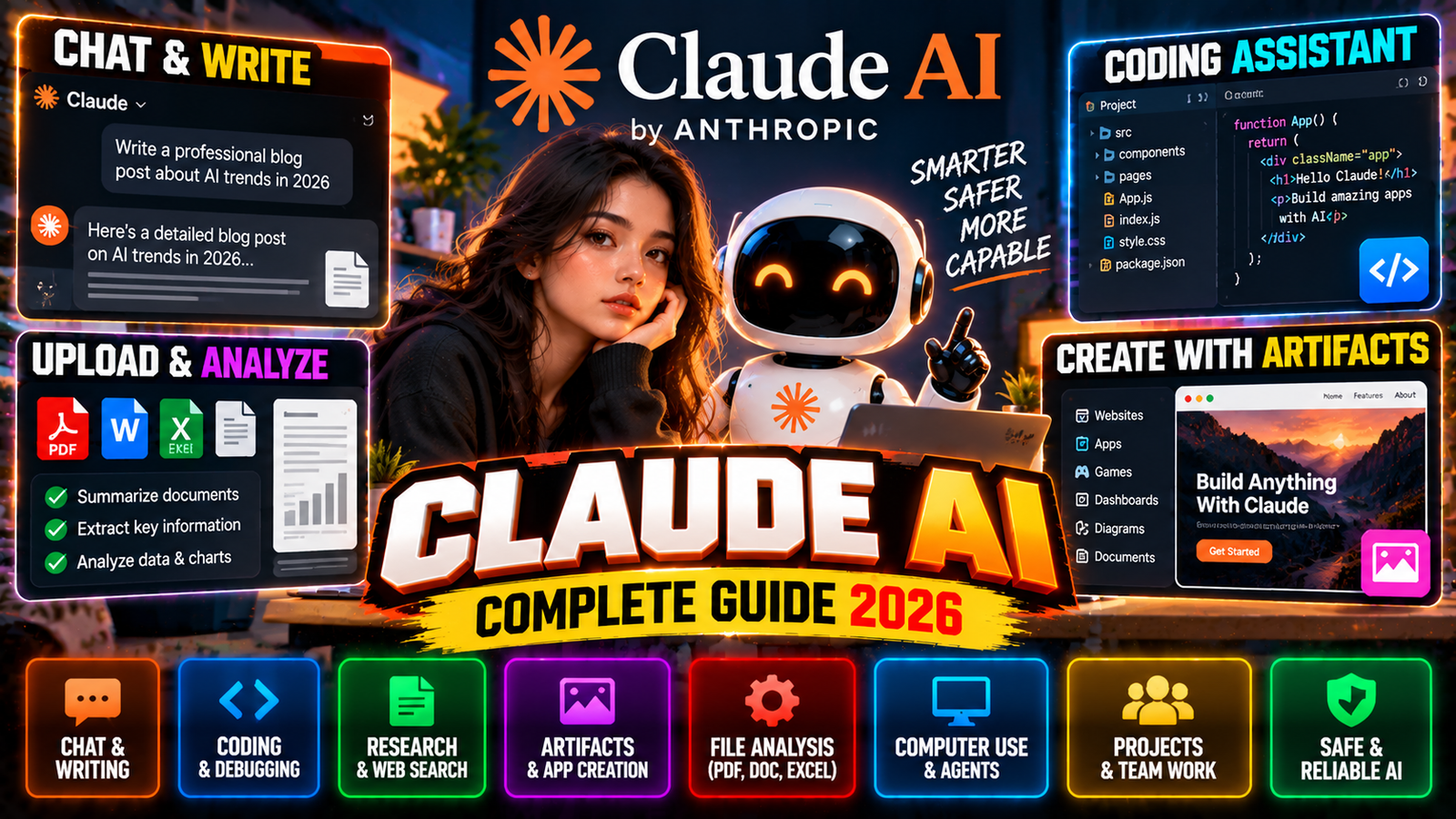
Artificial intelligence has grown way beyond simple chatbots. Today’s AI systems can write documents, analyze data, build software, work with files, browse the web, and even operate computers to help with professional tasks.
One of the big names in this space is Claude AI, made by Anthropic. Claude started as a conversational assistant, but it has grown into a whole ecosystem covering writing, coding, research, data analysis, AI agents, computer use, interactive apps, and professional workflows.
As of 2026, Anthropic’s Claude lineup includes several model families and products like Claude.ai, Claude Code, Cowork, Artifacts, Research, and specialized tools for science and business. Anthropic’s current model docs list Claude Opus 5.5, Claude Opus 5, Claude Opus 4.8, Claude Sonnet 5, Claude Sonnet 4.6, Claude Fable 5.1, and Claude Mythos 5.1 among its current and recent models.
What Is Claude AI?
Claude is an AI assistant developed by Anthropic, an AI research and safety company. Anthropic says it focuses on building AI systems that are reliable, interpretable, and steerable.
Claude can handle a wide range of tasks:
- Answering questions
- Writing and rewriting
- Summarizing documents
- Coding
- Debugging
- Research
- Data analysis
- Brainstorming
- Creating websites
- Building interactive apps
- Working with files
- Planning complex tasks
- Using connected tools
- Computer interaction
- Professional workflows
So Claude is more than a simple Q&A bot.
Who Created Claude?
Claude was created by Anthropic, an AI company founded by researchers and engineers who previously worked on AI research and safety. Anthropic puts a lot of emphasis on AI safety, interpretability, and controllability alongside raw model capabilities.
The name “Claude” refers to Anthropic’s family of AI models and the products built around them.
Claude AI in 2026
The Claude ecosystem has changed a lot since the first models. Anthropic’s current model directory lists several fifth-generation models alongside the latest fourth-generation ones.
Some notable current models:
Claude Opus 5.5
Opus 5.5 is Anthropic’s strongest Opus model right now, built for demanding reasoning, coding, and long-running agentic workloads. It’s available to Pro, Max, Team, and Enterprise users, plus through the developer platform.
Claude Sonnet 5
Sonnet 5 aims to bring high capability at a lower cost and faster speed than the top-end Opus models. Anthropic calls it its most agentic Sonnet and says it’s available through Claude.ai, Claude Code, Claude Cowork, and the Claude Platform.
Claude Sonnet 4.6
Sonnet 4.6 remains an important model in the Claude ecosystem, with strengths in coding, computer use, reasoning, agents, and professional work. Anthropic also introduced a 1-million-token context window in beta for Sonnet 4.6.
Claude Fable and Mythos
Anthropic’s current system-card directory also lists Fable 5.1 and Mythos 5.1. Fable is positioned for highly complex, long-running work, while these model families are part of Anthropic’s newer generation.
Claude AI Models Explained
Anthropic uses different model families for different workloads.
Opus
Opus models are built for demanding tasks that need high reasoning, coding ability, and agentic execution. They’re useful for:
- Complex programming
- Large projects
- Advanced analysis
- Long-running tasks
- Enterprise workflows
- Sophisticated agents
Sonnet
Sonnet balances intelligence, speed, and cost. It’s good for many everyday professional tasks like:
- Writing
- Coding
- Research
- Data analysis
- Document processing
- Business tasks
- Agent workflows
Haiku
Haiku models are designed around speed and efficiency. They’re useful when an app needs fast responses or when a developer needs to process large amounts of information efficiently.
Claude AI Chat
The most familiar way to use Claude is through its chat interface.
You type a question or instruction and get a conversational response. Claude can help with things like:
Explain this programming error.
Rewrite this email professionally.
Summarize this PDF.
Analyze this spreadsheet.
Build a website for my business.
Explain this research paper.
Help me plan an application.
You can keep the conversation going with more instructions. This makes Claude useful for iterative work, not just one-off questions.
Claude AI for Writing
Writing is one of Claude’s biggest use cases. It can help create:
- Blog posts
- Articles
- Emails
- Reports
- Documentation
- Product descriptions
- Scripts
- Stories
- Business proposals
- Research summaries
- Marketing copy
Claude can also rewrite existing material while keeping the original meaning. For example, you can give it rough notes and ask it to turn them into a structured article.
Claude AI for Coding
Coding is an area where Claude has become especially prominent. It can help with:
- Java
- Python
- JavaScript
- TypeScript
- PHP
- C++
- SQL
- HTML
- CSS
- Android development
- Web development
- APIs
- Debugging
- Architecture
It can explain existing code, find errors, and generate new implementations. Anthropic has increasingly positioned Claude around agentic software development rather than simple code completion. Sonnet 4.6, for example, was released with improvements in coding, computer use, and agent planning.
Claude Code
Claude Code is Anthropic’s coding-focused product for working with software projects.
Instead of just asking a chatbot for a code snippet, developers can use Claude Code to work with a project and handle more substantial development tasks. Typical workflows include:
- Understanding a codebase
- Finding bugs
- Editing files
- Implementing features
- Running tests
- Refactoring code
- Reviewing changes
- Working through multi-step development tasks
Anthropic has described Claude Code as a major part of its product ecosystem and keeps expanding its agentic capabilities.
Claude for Android and iPhone
Claude isn’t limited to desktop. Anthropic provides mobile apps for smartphones, so you can access Claude and continue conversations across devices.
Artifacts, for example, are supported on both iOS and Android in addition to the web experience. This makes Claude practical for people who move between desktop and mobile workflows.
Claude AI Web Search
Claude can also use web search to pull in current information. Anthropic announced web search in 2025 and later expanded availability globally. When Claude uses web info, it can provide citations to the sources.
This matters because a model’s built-in knowledge doesn’t automatically include every current event or newly released product. Web search helps Claude answer questions about:
- Current news
- New technology
- Products
- Research
- Companies
- Markets
- Current events
- Recently released software
Claude Research
Claude’s Research capabilities are built for more complex investigations. Instead of doing one search and answering immediately, Research can break a question into multiple investigations and combine the findings into a more comprehensive response.
Anthropic describes Research as an agentic research capability that can investigate information across the web and connected sources and provide citations. This is useful for:
- Market research
- Competitive research
- Academic research
- Product comparisons
- Business analysis
- Industry research
- Literature reviews
Claude Projects
Projects let you organize conversations and give Claude extra context. A Project can contain relevant:
- Documents
- Instructions
- Knowledge
- Previous conversations
- Reference material
Anthropic originally introduced Projects as a way to give Claude a curated knowledge base for a particular project. For example, a company could create a project with its:
- Brand guidelines
- Product documentation
- Marketing material
- Customer information
- Internal procedures
Claude can then use that context when working on related tasks.
Claude Artifacts
One of Claude’s most distinctive features is Artifacts.
Artifacts give you a dedicated workspace alongside the conversation where Claude can create things like:
- Documents
- Code
- Websites
- Diagrams
- SVG graphics
- Dashboards
- Interactive tools
- Games
- Prototypes
Anthropic made Artifacts generally available across Free, Pro, and Team plans and later expanded them into interactive AI-powered applications. This changes the experience from “Claude gives me an answer” to “Claude builds something I can actually interact with.”
Build Apps With Claude Artifacts
Claude can create interactive applications from natural-language instructions. For example, you could write:
Create a simple expense tracker with categories, charts, and monthly totals.
Claude can generate the application as an Artifact. Another example:
Build a quiz game about Minecraft with 20 questions and a scoring system.
Claude can generate an interactive version rather than just providing the source code. Anthropic says Artifacts can be used to create shareable AI-powered apps, and users can iterate on the generated code directly through Claude.
Claude Cowork
Claude has also expanded into more agentic computer-based work through Cowork. Cowork was introduced as an experimental product designed to bring Claude’s agentic capabilities to desktop workflows.
The concept is different from ordinary chat. Instead of only answering a question, an agent can work through a multi-step task using available tools and files. Potential workflows include:
- Organizing files
- Creating documents
- Analyzing data
- Performing repetitive computer tasks
- Working through complex projects
Claude Computer Use
Claude has also been developed to interact with computers. Anthropic’s computer-use research describes Claude operating a computer interface through screenshots, cursor movement, clicking, and keyboard input when the right software environment and permissions are provided.
This opens up another category of AI applications. Instead of needing a dedicated API for every app, an AI agent can potentially interact with software through the same interface a human uses.
Claude Connectors
Claude can connect with external tools and data sources through integrations and the Model Context Protocol ecosystem. Anthropic describes connectors as a way for Claude to work with external platforms and tools directly.
This lets Claude work with information outside the conversation itself. Depending on the integration, users can connect services and give Claude access to relevant data.
Claude and Model Context Protocol
One important part of Anthropic’s ecosystem is MCP, or Model Context Protocol. MCP is designed as a standard way for AI applications to connect with tools and data.
Instead of building a completely different integration system for every AI model, developers can use MCP-compatible servers and tools. Anthropic says MCP has grown into a widely used standard for connecting AI systems with tools and data. This is especially relevant for developers building AI agents.
Claude for Business
Claude is increasingly used in professional and enterprise settings. Business applications can include:
- Software development
- Customer support
- Document analysis
- Research
- Data analysis
- Marketing
- Financial workflows
- Internal knowledge systems
- Automation
- Enterprise agents
Anthropic has reported enterprise deployments across different industries. For example, its 2026 partnership with PwC includes plans to deploy Claude Code and Cowork across a large professional workforce.
Claude for Microsoft Office
Anthropic has also expanded Claude into Microsoft productivity workflows. Its 2026 financial-services announcement describes Claude working across Microsoft Excel, PowerPoint, and Word through Claude add-ins, with context able to carry between applications.
This kind of integration matters because users don’t necessarily need to leave the software where their work already happens.
Claude for Scientific Research
Claude is also being used in scientific workflows. Anthropic launched Claude Science in 2026 as an AI workbench for scientists, integrating research tools, scientific packages, and computing resources.
Potential scientific workflows include:
- Literature analysis
- Data analysis
- Computational biology
- Research planning
- Hypothesis generation
- Scientific coding
- Working with datasets
Anthropic has also announced research where Claude was used in biological discovery workflows.
Claude for Data Analysis
Claude can work with structured information and help users understand datasets. For example, you can ask it to:
- Analyze a CSV
- Identify trends
- Calculate statistics
- Explain anomalies
- Create summaries
- Generate charts
- Build dashboards
- Write analysis code
Artifacts can make this especially useful because the result can be presented as an interactive interface instead of just plain text.
Claude for Students
Students can use Claude for:
- Understanding difficult subjects
- Summarizing reading material
- Brainstorming assignments
- Explaining mathematics
- Studying programming
- Creating practice questions
- Reviewing notes
However, students should use AI as a learning aid rather than simply submitting AI-generated work as their own where academic rules prohibit it.
Claude for Developers
Developers can use Claude at several levels.
Basic Level
Ask Claude questions about code.
Project Level
Provide a complete codebase or relevant files and ask Claude to understand the architecture.
Agent Level
Use Claude Code or related agentic tools to implement and test changes.
API Level
Developers can integrate Claude into their own applications through Anthropic’s API. The Claude API also supports tool-based workflows, including web search and other capabilities.
Claude API
Developers can access Claude programmatically rather than using only the Claude website. The API can be used to build:
- AI chatbots
- Coding assistants
- Customer-support systems
- Research tools
- Content generators
- AI agents
- Document-processing systems
- Data-analysis applications
Anthropic’s current pricing documentation lists multiple Claude models and token-based API pricing. Pricing varies significantly by model and usage mode.
Claude AI vs Traditional Search
Claude and search engines serve different purposes. A search engine mainly helps you locate information. Claude can take information and work with it conversationally.
For example:
Search engine: Finds pages about Android development.
Claude: Explains an Android error, analyzes the code, suggests a fix, and can help rewrite the affected file.
Claude can also use web search when current information is needed.
Claude AI vs Traditional Chatbots
Modern Claude is more than a basic conversational bot. Its ecosystem includes:
- Long-context conversations
- Coding
- Research
- Web search
- Artifacts
- Projects
- Computer use
- Agents
- Connectors
- API access
- Desktop workflows
This makes Claude suitable for both casual questions and much more complicated workflows.
Claude AI for Website Creation
Claude can generate websites using HTML, CSS, and JavaScript. You can describe what you want:
Create a modern dark gaming website with a hero section, latest posts, category cards, and responsive mobile navigation.
Claude can produce the required code. With Artifacts, you can also see and iterate on interactive web creations directly within the Claude environment. This makes Claude particularly useful for rapid website prototyping.
Claude AI for App Development
Claude can assist with application development across multiple technologies. Examples include:
- Android apps
- iOS concepts
- Web applications
- PHP applications
- Java projects
- Python tools
- JavaScript applications
- Database systems
- APIs
For larger projects, the advantage comes from giving Claude enough project context to understand how the different components interact.
Claude AI and Long Context
One of Claude’s notable technical characteristics is its ability to work with large amounts of context. Anthropic introduced a 1-million-token context window in beta for Sonnet 4.6.
Large context windows can be useful when working with:
- Large codebases
- Long documents
- Multiple files
- Research material
- Large specifications
- Extensive conversations
However, a large context window doesn’t automatically guarantee that every detail will be handled perfectly. Good organization and clear instructions still matter.
Claude AI Safety
Anthropic places a lot of emphasis on AI safety and responsible deployment. The company publishes system cards describing model capabilities, evaluations, and deployment decisions.
Claude can still make mistakes. Users should verify important information, especially when decisions involve:
- Medical information
- Legal matters
- Financial decisions
- Security
- Safety
- Important business decisions
AI-generated output should not automatically be treated as fact.
Claude AI Limitations
Despite its capabilities, Claude has limitations.
Hallucinations
Claude can occasionally produce incorrect information.
Current Information
Current information may require web search or another up-to-date source.
Coding Errors
Generated code can contain bugs and should be tested.
Context Limitations
Even large-context models can misunderstand information or lose track of important details in complicated projects.
Tool Permissions
Agentic features can only perform actions when the necessary tools and permissions are available.
Human Review
Important work still benefits from human verification.
How to Get Better Results From Claude
The quality of your instructions has a major effect on the result. Instead of:
Make a website.
Try:
Create a responsive WordPress-style homepage for a technology news website. Use a dark modern design, a large featured story, six latest-post cards, category sections, mobile responsiveness, and clean typography. Return complete HTML and CSS.
A useful prompt usually includes:
- Goal
- Context
- Required features
- Format
- Restrictions
- Expected output
This gives Claude a much clearer target.
Claude AI for Content Creation
Claude can be useful for content workflows such as:
Research
Collect and organize information.
Drafting
Create an initial article.
Editing
Improve grammar and structure.
SEO
Create titles, descriptions, and keyword ideas.
Formatting
Convert material into a WordPress-ready structure.
Updating
Refresh an existing article with newer information.
The human should still review the final article, particularly for factual accuracy and originality.
Claude AI for Businesses
Businesses can use Claude for repetitive knowledge work. Examples include:
- Writing reports
- Summarizing meetings
- Analyzing documents
- Creating presentations
- Reviewing contracts
- Preparing research
- Writing code
- Processing customer information
- Building internal tools
The exact capabilities depend on the Claude plan, integrations, and permissions available to the organization.
Claude AI Pricing
Claude’s pricing depends on whether you’re using the consumer app or the developer API.
For API users, Anthropic charges according to model and token usage. For example, Anthropic’s published May 2026 pricing lists different input and output rates for models including Opus 4.8, Opus 4.7, and Opus 4.6.
Consumer Claude plans are structured differently and can provide access to different usage levels and models. Because plans and limits can change, users should check Anthropic’s current pricing page before subscribing.
Claude AI Free vs Paid
Claude has historically offered both free and paid access. The free experience can be useful for everyday conversations, while paid plans generally provide higher usage limits and access to additional capabilities.
The exact model availability and limits can change as Anthropic releases new models. For professional or heavy usage, users should compare:
- Usage limits
- Available models
- Context limits
- Research features
- Agent capabilities
- Team features
- Integrations
- API requirements
Claude AI for Creators
Claude can also assist creators. Possible applications include:
- YouTube scripts
- Blog posts
- Social-media ideas
- Story development
- Character creation
- Website content
- Marketing campaigns
- Video scripts
- Product descriptions
Its Artifacts system can also turn ideas into interactive experiences rather than just written documents.
The Future of Claude AI
Claude is moving toward a model where AI does more than respond to individual prompts. The direction is increasingly toward AI agents that can understand goals, use tools, work with files, and complete multi-step tasks.
That evolution can be seen across:
- Claude Code
- Cowork
- Research
- Computer use
- Connectors
- MCP
- Artifacts
- Claude Science
Anthropic’s 2026 product announcements show a continued emphasis on agents, tool use, and professional workflows. The future version of an AI assistant may look less like a chatbot and more like a digital collaborator capable of handling an entire workflow.
Frequently Asked Questions
What is Claude AI?
Claude AI is a family of artificial intelligence models and products developed by Anthropic for conversation, reasoning, coding, research, content creation, and agentic workflows.
Who makes Claude AI?
Claude is developed by Anthropic, an AI research and safety company.
What is the latest Claude model?
Anthropic’s current materials list Claude Opus 5.5 as its strongest Opus model and Claude Sonnet 5 as its latest Sonnet generation. Anthropic’s system-card directory also lists Fable 5.1 and Mythos 5.1.
Can Claude write code?
Yes. Coding is one of Claude’s major use cases, and Anthropic provides Claude Code specifically for software-development workflows.
Can Claude create websites?
Yes. Claude can generate HTML, CSS, JavaScript, and interactive prototypes. Artifacts can also be used to create interactive applications.
Can Claude search the internet?
Yes. Claude supports web search, allowing it to retrieve current information and provide citations.
Can Claude analyze PDFs and documents?
Yes. Claude can work with uploaded documents and other supported files, depending on the interface and plan.
What are Claude Artifacts?
Artifacts are a dedicated workspace where Claude can create and edit things such as code, documents, websites, diagrams, dashboards, and interactive applications.
What is Claude Code?
Claude Code is Anthropic’s coding-focused agentic development product for working with software projects.
What is Claude Cowork?
Cowork is an agentic desktop workflow product from Anthropic designed to allow Claude to work through more complex computer-based tasks. Anthropic introduced it through its Labs program.
Is Claude better than other AI tools?
Different AI systems have different strengths and change over time. Claude is particularly prominent for coding, long-context work, writing, research, and agentic workflows, but the appropriate tool depends on the user’s specific task.
Is Claude free?
Claude offers free access as well as paid plans, although model availability, usage limits, and features vary by plan and can change over time.
Can Claude build an app?
Yes. Claude can generate application code, and Artifacts can be used to create interactive applications and prototypes directly from natural-language instructions.
Final Thoughts
Claude AI has evolved from a conversational assistant into a broad AI platform.
In 2026, the Claude ecosystem covers far more than ordinary chat. Users can work with documents, research information, write code, create interactive applications, search the web, connect external tools, and use increasingly capable AI agents.
For developers, Claude Code provides an agentic approach to software development. For creators, Artifacts can turn ideas into interactive experiences. For researchers, Claude can perform deeper investigations and work with specialized scientific tools. For businesses, integrations and agents can bring AI into existing workflows.
The larger trend is clear: AI assistants are increasingly becoming work platforms rather than simple chat interfaces. Claude is one of the major examples of that transition, combining conversational AI with coding, research, tool use, computer interaction, and application creation.
