

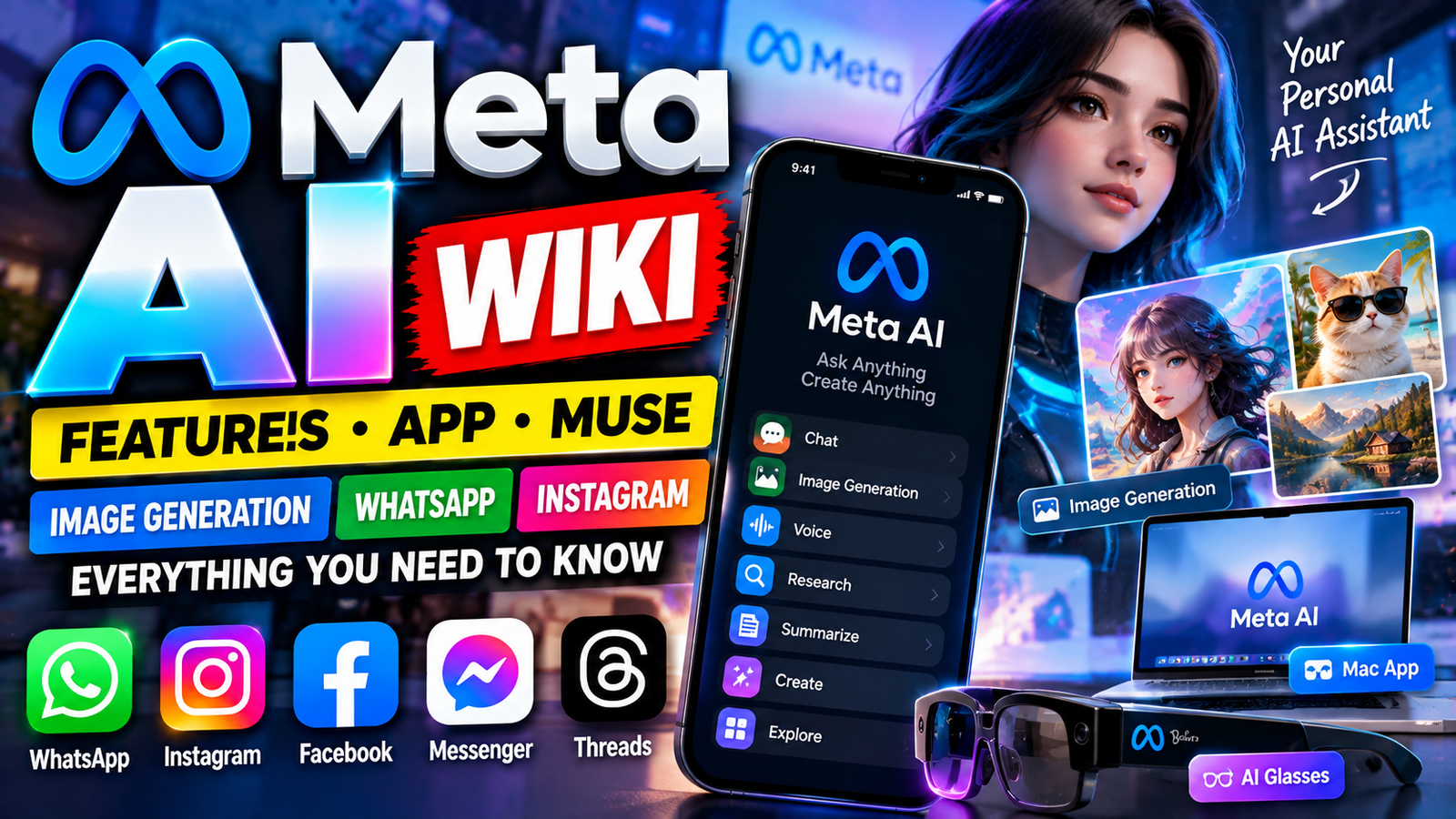
Meta AI has quietly gone from being a chatbot inside WhatsApp and Instagram to becoming one of Meta’s biggest bets on the future of personal computing.
At first, Meta AI was mostly something people encountered while using Facebook, Instagram, Messenger or WhatsApp. You could ask it a question, get help writing something, generate an image or simply have a conversation. In 2026, that picture has changed considerably.
Meta now presents Meta AI as a much broader personal assistant. It can work with text, images and voice, search the web, help with research, understand files and photos, generate images, assist with shopping and, in supported experiences, take actions and handle tasks rather than simply telling you what to do.
The technology behind the experience has also changed. Meta introduced Muse Spark, its newer AI model family, as the foundation for the latest Meta AI experience. Meta subsequently introduced Muse, a personal AI agent designed to go further by carrying out tasks and working across connected services.
So what exactly is Meta AI, what can it do, where can you use it, and how different is it from the AI assistant people were using a year or two ago?
Here is the complete guide.
Meta AI Wiki – Quick Facts
| Information | Details |
|---|---|
| Product | Meta AI |
| Company | Meta |
| Type | Generative AI assistant |
| Web | meta.ai |
| Mobile | iOS and Android |
| Messaging integration | WhatsApp, Messenger |
| Social integrations | Facebook, Instagram, Threads |
| Desktop | Mac |
| AI model family | Muse Spark |
| Image model | Muse Image |
| Personal AI agent | Muse |
| Main capabilities | Chat, research, writing, images, voice, files, shopping and tasks |
| AI glasses | Meta AI and expanding Muse integration |
| Free access | Yes, with some usage limits/features varying by experience |
| Current era | 2026 |
Meta describes Meta AI as a personal assistant available through its website, mobile app and several of the company’s major platforms. Its current experience is powered by Meta’s newer Muse family rather than the earlier Llama 4-based experience that originally launched the standalone Meta AI app.
What Is Meta AI?
Meta AI is Meta’s general-purpose artificial intelligence assistant.
The simplest way to understand it is this: instead of opening a separate AI website every time you need help, Meta wants the assistant to be available wherever you already spend time.
That includes places such as WhatsApp and Instagram, along with Facebook, Messenger and the dedicated Meta AI app.
You can talk to it in ordinary language rather than using special commands. A request might be as simple as:
“Give me some ideas for a birthday party.”
Or considerably more complicated:
“Compare these products, explain the differences and help me decide which one makes sense for my budget.”
The assistant can also work with things that aren’t purely text. You can show it a photograph, upload documents, talk to it using your voice or ask it to create a new image.
Meta’s current product documentation says Meta AI can help with research, organization, shopping, writing, images, coding and other everyday tasks.
How Meta AI Has Changed
Meta AI’s development is easier to understand if you look at it in stages.
The first stage: AI inside Meta’s apps
Meta originally focused heavily on making AI available where people were already chatting and scrolling.
That meant integrating Meta AI into products such as WhatsApp, Instagram, Facebook and Messenger rather than asking users to learn an entirely new platform.
The second stage: a dedicated AI assistant
In April 2025, Meta introduced a standalone Meta AI app built around Llama 4. The company described it as a more personal version of the assistant, with voice interaction, image generation and a Discover feed.
The third stage: Muse Spark
In 2026, Meta introduced Muse Spark, a newer model designed to power a more capable Meta AI experience.
Meta says Muse Spark was built to handle reasoning and multimodal tasks, meaning the system can work across different forms of information rather than treating text as the only input.
The fourth stage: AI that can act
Meta then moved another step forward with Muse.
Instead of limiting AI to answering questions, Muse is designed as an agent that can work on tasks for the user. Meta says Muse can plan, use connected services and carry out actions while keeping the user involved in important decisions.
That shift is important because it changes the basic question from:
“What can AI tell me?”
to:
“What can AI actually do for me?”
Meta AI App
The dedicated Meta AI app is where Meta has been putting many of its newest assistant features.
The app provides a more traditional AI-chat experience, but it also brings together features that would otherwise be spread across different Meta products.
Depending on availability, users can:
- Ask questions
- Have voice conversations
- Generate images
- Edit images
- Upload files
- Research topics
- Ask for recommendations
- Get help writing
- Work through ideas
- Ask about things visible through a camera
- Receive personalized assistance
- Use AI-powered creative features
Meta’s current product pages list Meta AI on iOS and Android, as well as web access through meta.ai. A Mac application is also available in beta.
Meta AI on the Web
The web version is available through meta.ai.
For people who prefer working from a computer, the browser experience is useful because conversations do not have to remain tied to a messaging app.
The web interface can be used for longer research sessions, writing, brainstorming, image creation and other tasks.
Meta has also been expanding the assistant toward more task-oriented workflows, including research and creating documents or presentations in supported experiences.
Meta AI on Mac
Meta has also introduced a dedicated Mac application.
The Mac version is designed to stay accessible while you’re using other applications. Meta says users can bring up Meta AI with a keyboard shortcut, attach a window for context and use voice dictation across applications.
That makes the desktop version somewhat different from simply opening another browser tab.
For example, someone working on a spreadsheet could use the assistant while keeping the spreadsheet visible rather than constantly switching between windows.
Meta AI on WhatsApp
WhatsApp is one of the most important places for Meta AI because people already use it for everyday communication.
Meta AI can be accessed within supported WhatsApp experiences and can answer questions, help with ideas, generate content and assist with conversations.
The attraction is convenience.
You don’t necessarily need to leave a conversation, open a browser and search for an answer. The assistant is available inside the same ecosystem.
Meta’s current product information lists WhatsApp among the places where Meta AI is available.
One important point, however, is that availability can vary by country, account and feature. A feature being announced by Meta does not necessarily mean every WhatsApp user receives it immediately.
Meta AI on Instagram
Instagram is another major part of Meta’s AI strategy.
Here the assistant fits naturally into a platform that is heavily based around images, videos, creators and recommendations.
Meta AI can help with:
- Caption ideas
- Creative brainstorming
- Image creation
- Image editing
- Questions about content
- Discovering ideas
- Recommendations
- Exploring interests
Meta has also been integrating its newer image-generation technology into Instagram’s creative tools.
This is where Meta’s approach becomes particularly interesting: AI isn’t being treated only as a chatbot. It is increasingly being placed directly inside the tools people use to create and consume media.
Meta AI on Facebook
On Facebook, Meta AI can help users understand posts, generate ideas, summarize information and write or improve replies.
Meta’s own guide describes the assistant as a way to get help without leaving the Facebook experience.
For casual users, this could be more useful than it sounds.
Instead of searching separately for an explanation of something mentioned in a post, users can ask Meta AI for context while remaining in the app.
Meta AI in Messenger
Messenger brings Meta AI into direct and group conversations.
It can be useful for things like:
- Planning activities
- Generating ideas
- Answering questions
- Helping with recommendations
- Working through group-chat discussions
Meta has also described experiences where AI can provide a private answer grounded in what is being discussed in a group conversation.
Meta AI and Threads
Threads is increasingly part of Meta’s AI ecosystem as well.
Meta says newer AI experiences can draw on public posts from Facebook, Instagram and Threads to provide responses connected to what people are discussing publicly.
That can make certain answers more current and more closely connected to social conversations than a traditional static chatbot response.
However, social-media information should still be treated carefully. A post being recent does not automatically make it accurate.
Meta AI and Voice
Voice is one of the areas where Meta has invested heavily.
Instead of typing every question, users can talk naturally with Meta AI.
The newer system is designed to handle more conversational interactions, including changing topics and, in supported experiences, switching languages during a conversation.
This becomes particularly interesting on phones and AI glasses because speaking is often faster than typing.
A person walking around a city, for example, might ask:
“What building is that?”
or:
“What should I know before visiting this place?”
without stopping to type a search query.
Meta AI and Live AI
Meta has also been developing experiences where AI can understand what the camera is seeing.
Instead of describing an object manually, the user can point a camera at something and ask a question about it.
Possible uses include:
- Identifying an object
- Understanding a sign
- Getting help with something around the house
- Asking about a landmark
- Comparing products
- Understanding visual information
Meta says Muse Spark brought stronger multimodal understanding to Meta AI, allowing it to work with text, voice and images together.


Meta AI Image Generation
Image generation has become one of Meta AI’s most visible features.
Meta introduced Muse Image in July 2026 as its first image-generation model from Meta Superintelligence Labs.
The system is designed not only to create pictures from text prompts but also to work with existing photographs and multiple visual references.
For ordinary users, the interesting part is that the interaction can remain conversational.
You don’t necessarily have to understand complicated image-generation terminology. You can simply describe what you want changed.
For example:
- Remove an unwanted person from the background.
- Restore an old photograph.
- Change the style of an image.
- Create a new scene from an idea.
- Combine several images.
- Redesign a room.
- Create a visual concept for a project.
Meta says Muse Image can reason through complex prompts and work with multiple images. It also introduced preset ideas to make experimentation easier.
Editing Existing Photos
One particularly useful side of Meta AI is photo editing.
Rather than generating an entirely new image, a user can start with something they already have.
That opens the door to practical requests such as:
“Remove the person in the background.”
“Make this look like an old film photograph.”
“Change the room into a modern design.”
“Restore the damaged parts of this old picture.”
The result depends on the image, prompt and current feature availability, but the general idea is to make editing accessible through normal conversation.
Meta AI Image Presets
Meta also introduced suggested presets.
These act as starting points for people who know they want to create something but don’t know what prompt to write.
Meta has demonstrated presets for transformations such as old-photo restoration, hairstyle experiments, clay-style characters and retro game-inspired visuals.
This matters because prompting can otherwise be a barrier for beginners.
Instead of learning how to write a detailed AI prompt, users can start with a ready-made concept and modify it.
Meta AI and Real-World Images
Muse Image is also designed to work with real-world context.
For example, Meta has demonstrated room-redesign experiences where users can photograph a room and ask AI to visualize a different style.
The system can also work with products and information found online in supported experiences.
Meta AI for Research
Meta AI is no longer limited to short factual answers.
The newer experience is increasingly positioned as a research assistant.
You can ask it to:
- Explain a subject
- Compare different options
- Summarize information
- Investigate a topic
- Organize findings
- Find supporting information
- Turn research into a more usable format
Meta says Meta AI can synthesize information from across the web and, in some experiences, information from public social posts.
This is useful when a question does not have one simple answer.
For example, instead of asking:
“What is the best laptop?”
you could ask:
“Compare these three laptops for Android development, Unity and video editing, and explain the trade-offs.”
The second question gives the AI a much clearer job.
Meta AI for Writing
Writing assistance is another basic but practical part of Meta AI.
It can help with:
- Emails
- Captions
- Blog ideas
- Social-media posts
- Rewriting
- Summaries
- Brainstorming
- Headlines
- Scripts
- Explanations
The biggest advantage is that you can keep the conversation going.
If the first draft sounds too formal, you can simply say:
“Make it more casual.”
If it is too long:
“Cut this in half.”
If it doesn’t sound natural:
“Rewrite it like a real person would say it.”
That conversational editing process is often more useful than generating one perfect answer on the first attempt.
Meta AI for Coding
Meta AI can also be used for programming-related tasks.
It can explain code, suggest solutions, help troubleshoot errors and generate code from a description.
Meta has specifically highlighted Muse Spark’s ability to work with visual coding and create small interactive experiences from prompts.
For developers, this can make AI useful for more than autocomplete.
You might ask it to:
- Explain an Android crash
- Write a PHP function
- Convert code between languages
- Design a database schema
- Find a likely cause of an error
- Create a small prototype
- Explain an API response
The usual developer rule still applies: generated code should be reviewed and tested rather than blindly copied into production.
Meta AI Can Work With Files
Modern AI assistants become considerably more useful once they can understand documents.
Meta AI supports files and images in its current assistant experience.
Meta says users can upload documents such as a lease or spreadsheet, compare product photographs and send multiple files for analysis.
That means you could potentially give it:
- A PDF
- A spreadsheet
- A photograph
- A document
- Multiple images
and ask a question about the material.
For example:
“Find the differences between these two documents.”
or:
“Look through this spreadsheet and explain the biggest changes.”
Meta AI Shopping Features
Shopping is another area where Meta is connecting AI with its existing social and commerce ecosystem.
Meta says users can ask Meta AI for product ideas, compare options and discover products using information from the web and Meta’s platforms.
Its 2026 updates also described shopping experiences that can combine Facebook Marketplace listings with options from elsewhere on the internet.
This is an interesting direction because recommendations can potentially include more context than a traditional search result.
Instead of just seeing a product name and price, users can ask questions such as:
“Find something like this but cheaper.”
“Which option makes more sense for a small room?”
“Show me alternatives with better battery life.”
Meta AI and Personalized Recommendations
Meta’s advantage is that it operates an enormous collection of social products.
That gives the company an opportunity to connect AI with publicly available content from people, creators, communities and businesses.
Meta says Meta AI can cite public posts from Instagram, Facebook and Threads when providing certain responses.
This can be especially useful for subjects where current community activity matters.
For example:
- Restaurants
- Local events
- Trends
- Products
- Travel ideas
- Creator recommendations
- Fashion
- Entertainment
Still, users should distinguish between what people are saying and what has been independently verified.
Meta AI and Scheduled Tasks
One of the more important changes in 2026 is that Meta AI can move beyond one-off conversations.
Meta announced features allowing the assistant to create plans, connect to email and calendar services, prepare presentations and handle recurring tasks in supported markets.
Imagine saying:
“Every Friday, give me a summary of the things I need to prepare for next week.”
Instead of asking again every Friday, the assistant can potentially handle the recurring workflow after it has been configured.
Meta has described examples such as recurring meal planning, updates about trends and other scheduled information.
This is one of the clearest signs that Meta wants AI to become an ongoing assistant rather than a website people visit only when they have a question.
What Is Muse?
This is where Meta’s current AI terminology can get confusing.
Meta AI is the assistant experience.
Muse Spark is the newer model family powering the assistant.
Muse is a personal AI agent designed to go further and actually perform tasks.
Meta introduced Muse in September 2026 as a personal agent that can plan and act on behalf of users.
The distinction is useful because a chatbot and an agent are not exactly the same thing.
A chatbot might answer:
“Here is how you can book a flight.”
An agent is intended to go further:
“I’ll search the options, prepare the itinerary and ask you for approval before a sensitive action.”
That is the direction Meta is pursuing with Muse.
How Muse Works
Meta says Muse operates through a dedicated secure virtual machine called Muse Secure VM.
The idea is to give the agent its own controlled computing environment where connected services and data can be managed separately.
Meta also describes a separate security component called Sentinel, which controls whether Muse can access the internet and can request user approval for certain actions.
According to Meta, Muse can:
- Work with connected applications
- Plan tasks
- Send emails when permitted
- Help with travel
- Remember useful information
- Create plans
- Take actions
- Keep an audit trail
- Ask permission for sensitive actions
Meta says users control which services are connected and what permissions Muse receives.
Meta AI and AI Glasses
Meta’s AI strategy doesn’t stop at phones.
The company has been integrating AI into its smart-glasses products, and in September 2026 announced plans to bring Muse to its AI glasses.
The idea is simple: instead of taking out a phone to ask an AI assistant something, the glasses can become the interface.
Meta says future Muse integration will allow users to interact with their agent hands-free and have it act on information the wearer is looking at.
For example, a user might look at:
- A product
- A sign
- A list
- A location
- An object
and ask the assistant about it.
That could make AI feel less like a separate application and more like a layer sitting over everyday life.
Meta AI and Privacy
Privacy is an important subject whenever an AI assistant becomes more personalized.
Meta says users have controls over how they interact with its AI systems, and its current Meta AI experience includes Incognito Chats as a separate private space.
Meta describes Incognito Chats as conversations processed in a secure environment that it says Meta cannot access.
Muse has additional controls because an agent can potentially access connected services.
Meta says users choose which applications Muse connects to and what it is allowed to do. It also says sensitive actions can require user approval and that users can disconnect services.
These distinctions are important.
An AI assistant that only answers questions has a smaller permission surface than an AI agent that can access email, calendars, shopping services or other connected tools.
Users should therefore pay attention to permissions instead of assuming every AI feature works under the same privacy model.
Is Meta AI Free?
Meta continues to describe the core Meta AI experience as free for everyday use.
However, Meta has also started testing usage limits for some computationally expensive features, with paid options available in certain experiences after free limits are reached.
Meta also announced Meta One in September 2026, a subscription service offering higher AI usage and additional features for individuals, creators and businesses.
Meta said the core experience across its apps and Meta AI would remain free.
Because these products are still evolving, pricing, limits and availability can differ by country and product.
Meta AI vs ChatGPT vs Gemini
Meta AI is part of the same broad AI-assistant category as ChatGPT and Gemini, but its biggest distinguishing feature is its connection to Meta’s ecosystem.
| Feature | Meta AI | ChatGPT | Gemini |
|---|---|---|---|
| AI chat | Yes | Yes | Yes |
| Image generation | Yes | Yes | Yes |
| Voice | Yes | Yes | Yes |
| Web information | Yes | Yes | Yes |
| Social integration | Very strong | Limited compared with Meta | Strong Google integration |
| WhatsApp integration | Yes | No native Meta integration | No native WhatsApp integration |
| Instagram integration | Yes | No | No |
| Facebook integration | Yes | No | No |
| AI glasses | Strong Meta ecosystem integration | No comparable Meta glasses integration | Google ecosystem focus |
| Agent direction | Muse | Agentic features vary by product | Agentic features vary by product |
| Main ecosystem advantage | Meta apps and social content | General AI ecosystem | Google ecosystem |
This isn’t a simple question of which assistant is universally better.
The more useful question is where you already work and what you want the assistant to do.
Someone deeply invested in WhatsApp, Instagram and Meta’s hardware may find Meta AI particularly convenient because it is already sitting inside those products.
Meta AI for Creators
Creators are one of the obvious audiences for Meta’s AI tools.
The combination of writing, image generation, social recommendations and editing can reduce the amount of time spent moving between separate applications.
A creator might use AI to:
- Brainstorm a video idea.
- Write several caption options.
- Generate a concept image.
- Edit an existing photograph.
- Research a subject.
- Turn the research into a script.
- Create supporting graphics.
- Publish or share the result through Meta’s platforms.
Meta’s Muse Image technology is already being used for creative experiences across Meta’s products, including Instagram and WhatsApp.
Meta AI for Businesses
Meta is also positioning AI as a business tool.
Current Meta AI experiences can help with research, writing, presentations and business-related workflows.
Meta’s product pages also describe connections involving professional Instagram accounts, Meta Ads Manager and Google Workspace, allowing AI to work with business information in supported experiences.
For a small business, the appeal is fairly straightforward.
AI can potentially help with:
- Social-media planning
- Customer communication
- Marketing ideas
- Research
- Presentations
- Content creation
- Product discovery
- Advertising analysis
The important thing is to keep a human review step for customer-facing or business-critical material.
What Makes Meta AI Different?
The interesting part of Meta AI isn’t just the underlying model.
It is the ecosystem around the model.
Meta owns and operates:
- Messenger
- Threads
- AI apps
- AI glasses
- Advertising systems
- Marketplace
- Social recommendation systems
That means Meta can put AI directly into products that billions of people already know how to use.
Instead of asking people to change their habits, Meta can gradually add AI to habits that already exist.
That is arguably the most important part of the Meta AI strategy.


The Future of Meta AI
Meta’s direction is becoming increasingly clear.
The company isn’t treating AI as one isolated chatbot. It is building a network of assistants that can move between phones, social networks, computers, messaging applications and eventually glasses.
The introduction of Muse shows where this could eventually lead.
A future Meta assistant could potentially remember what matters to a person, understand what they are looking at, know what they are trying to accomplish and perform multiple steps to get there.
That doesn’t mean every task will become automatic. Permissions, safety checks and user approval remain important, especially when AI can act on someone’s behalf.
But the underlying shift is significant.
AI is moving from:
Question → Answer
toward:
Goal → Plan → Action → Result
That is the bigger story behind Meta AI in 2026.
Advantages of Meta AI
It is already where people spend time
One of Meta AI’s biggest advantages is convenience.
WhatsApp users don’t have to learn an entirely separate messaging platform.
Instagram users can access AI within a service they already understand.
Facebook and Messenger users can similarly interact with AI without building a new workflow from scratch.
It works with different types of information
Meta AI isn’t restricted to text.
It can work with:
- Text
- Images
- Voice
- Files
- Web information
- Social content
That makes it useful for more real-world situations.
Strong creative features
Meta has invested heavily in image generation and editing.
Muse Image adds another layer by allowing more sophisticated visual creation and editing through ordinary language.
Increasingly capable agents
The introduction of Muse takes Meta’s assistant concept beyond ordinary chatbot behavior.
Instead of simply generating a response, an agent can potentially carry out a sequence of actions after receiving permission.
Limitations of Meta AI
Meta AI is powerful, but it isn’t magic.
There are several things users should keep in mind.
AI can still make mistakes
Even a sophisticated AI model can misunderstand a question, misinterpret an image or provide an incorrect answer.
That becomes particularly important for:
- Financial decisions
- Medical information
- Legal questions
- Business decisions
- Safety-related instructions
AI should be treated as an assistant rather than an unquestionable authority.
Features vary by country
Meta frequently rolls out AI features gradually.
A feature available in the United States may not appear immediately in India or another market.
Some features can also require specific versions of an app, supported hardware or a compatible account.
Social information isn’t automatically fact
Meta AI’s ability to reference public social content can make responses feel current, but social posts are still user-generated information.
A popular post isn’t necessarily a verified source.
Advanced features may have limits
Meta has begun experimenting with limits for computationally expensive AI features and paid options for additional usage.
Is Meta AI Actually an AI Assistant or a Search Engine?
It is neither simply a traditional search engine nor merely a chatbot.
A search engine primarily helps you locate information.
A chatbot primarily generates responses.
Meta AI is trying to combine several roles:
Search + conversation + creation + recommendations + automation + social context
That combination is why Meta is increasingly describing its AI products as assistants and agents.
Is Meta AI Based on Llama?
The answer depends on which generation of Meta AI you mean.
The standalone Meta AI app launched in 2025 using Llama 4.
By 2026, Meta had introduced Muse Spark, which became the foundation of the newer Meta AI experience.
So older articles that describe Meta AI simply as “Llama 4-powered” may no longer describe the current product accurately.
The AI system is evolving continuously, and Meta’s newer Muse family is now central to its current assistant strategy.
What Is Muse Image?
Muse Image is Meta’s image-generation model introduced in 2026.
It is designed for both generating new images and editing existing photographs.
Meta says it can understand complicated prompts, combine multiple visual references and use reasoning to determine how the requested image should be constructed.
It is also being used to power AI creative features across Meta’s applications.
What Is Muse Spark?
Muse Spark is a model developed by Meta Superintelligence Labs.
Meta introduced it in April 2026 and described it as a model designed for reasoning and multimodal tasks.
It powers the newer Meta AI experience and is designed to understand text, images and voice.
In simple terms:
Muse Spark = intelligence/model layer
Meta AI = assistant experience
Muse Image = image-generation model
Muse = personal AI agent
What Is Meta One?
Meta One is a subscription service introduced by Meta in September 2026.
It is designed to provide higher AI usage along with additional creative, creator and business-oriented features.
Meta said the basic Meta AI experience across its products remains free, while Meta One provides additional benefits for subscribers.
The exact features and availability can vary depending on the plan and market.
Meta AI Frequently Asked Questions
What is Meta AI?
Meta AI is Meta’s generative AI assistant. It is available through meta.ai, a dedicated app and integrations with Meta products such as WhatsApp, Instagram, Facebook and Messenger.
Is Meta AI free?
The core Meta AI experience is free for everyday use, although Meta has introduced usage limits and paid options for some advanced or high-compute features.
Can Meta AI generate images?
Yes. Meta AI supports image generation and editing, with Meta’s Muse Image model powering newer visual-generation capabilities.
Can Meta AI edit photos?
Yes. Users can give Meta AI an existing image and request changes such as removing objects, changing the visual style or redesigning parts of a scene.
Can Meta AI understand images?
Yes. Meta’s newer Muse Spark system is designed for multimodal understanding, allowing Meta AI to work with images alongside text and voice.
Can Meta AI search the internet?
Meta AI can use web information for research and recommendations in supported experiences.
Can Meta AI use WhatsApp?
Yes. Meta AI is available within supported WhatsApp experiences, although the exact feature set and availability can vary by market.
Can I use Meta AI on Instagram?
Yes. Meta has integrated Meta AI into Instagram for functions including creative assistance, image generation and other AI-powered experiences.
Can Meta AI create videos?
Meta has been developing AI-powered media-generation experiences, including the Vibes feed and other creative tools. The exact generation capabilities available to a user can depend on the current product rollout and region.
What is Meta Muse?
Muse is Meta’s personal AI-agent project. Unlike a conventional chatbot, it is designed to plan and perform tasks using connected services while keeping the user in control of permissions and sensitive actions.
Is Muse the same as Meta AI?
Not exactly.
Meta AI is the broader assistant experience. Muse is Meta’s newer personal-agent system, while Muse Spark is the model family powering the newer assistant and agent experiences.
Can Meta AI work with documents?
Yes. Meta’s current assistant supports files and images, allowing users to upload documents and ask questions or request analysis.
Can Meta AI help with coding?
Yes. Meta AI can assist with programming, explanations and code generation. Meta has also highlighted Muse Spark’s visual-coding capabilities.
Can Meta AI work on a computer?
Yes. Meta AI is available through the web, and Meta has also introduced a Mac application with features designed to work alongside other desktop applications.
Does Meta AI work with AI glasses?
Meta AI already works with Meta’s AI glasses, while Meta announced in September 2026 that Muse would also be brought to its AI glasses in the coming months.
Final Verdict: Where Meta AI Is Heading
Meta AI started as a convenient chatbot inside Meta’s enormous social ecosystem.
That description is becoming outdated.
In 2026, Meta is building something much broader: an assistant that can understand conversations, see images, create visuals, search for information, work with files, provide recommendations and increasingly carry out tasks.
The introduction of Muse is probably the clearest indication of where Meta wants the technology to go.
The long-term idea isn’t simply to give people another chatbot.
It is to build an AI companion that can move with them between apps, devices and eventually the physical world.
That explains why Meta is investing simultaneously in Meta AI, Muse Spark, Muse Image, AI glasses and agent technology.
For everyday users, the biggest advantage is simple: the AI is increasingly appearing inside tools they already use.
For creators, the attraction is the combination of writing, image generation and social publishing.
For businesses, the interesting part is research, automation and connected workflows.
And for Meta itself, the bigger objective is even more ambitious — making AI a normal layer of the company’s entire ecosystem rather than a standalone product people visit occasionally.
As the technology develops, the most interesting question may no longer be “What can Meta AI answer?”
It may become:
“What can Meta AI take off my plate?”
