

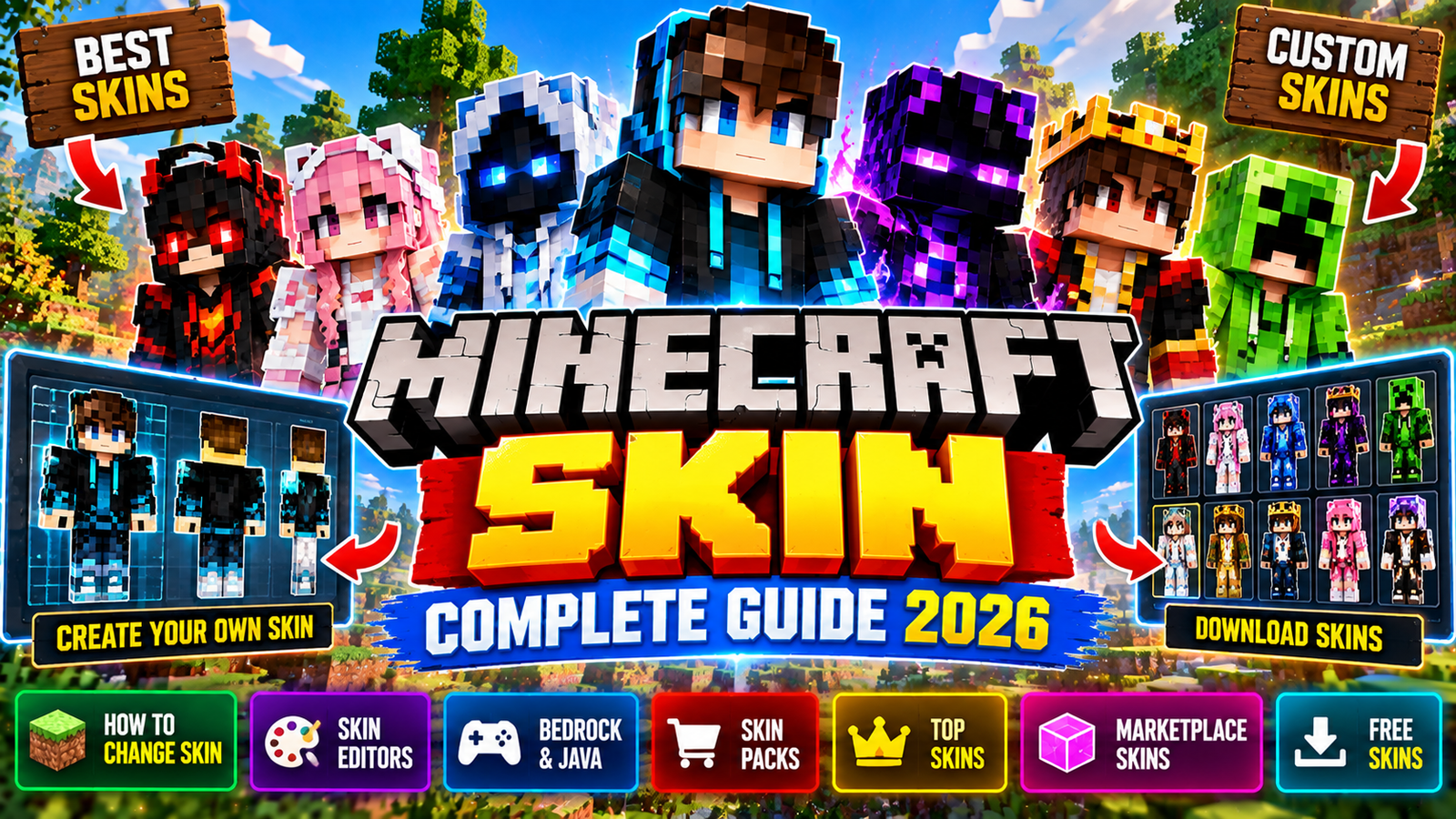
A Minecraft skin is one of the simplest ways to make your character look unique. You can be a knight, an anime hero, a YouTuber, a robot, or something completely original. Skins change how your character looks, but they don’t change how the game plays.
In Minecraft, a skin is basically a pixel image that gets wrapped around your character’s 3D model. It can change clothes, hair, face, colors, and other visual details. In 2026, there are several ways to customize your look: classic skins, custom imports on supported platforms, Marketplace skin packs, and Bedrock’s Character Creator.
This guide covers how skins work, how to create your own, how to change your skin, the difference between Bedrock and Java, skin sizes, skin packs, free skins, Marketplace options, and common questions.
What Is a Minecraft Skin?
A Minecraft skin is a 2D texture that decides how your character looks. Even though it’s a flat image, Minecraft maps it onto the 3D player model.
A skin can change things like:
- Clothing
- Hair
- Face
- Eye color
- Shoes
- Gloves
- Accessories
- Colors
- Patterns
- Character themes
- Other visual details
Minecraft’s official guide calls a skin a pixel-based image wrapped around the player. Skins are visual only. They don’t give you extra powers or abilities.
Minecraft Skin vs Character Creator
Minecraft has two main ways to customize your character.
Classic Minecraft Skins
Classic skins are texture-based designs you can create or import as a skin file. Examples include:
- Custom player skins
- Steve-style skins
- Alex-style skins
- Fan-made skins
- Character skins
- Gaming skins
- Fantasy skins
- Anime-inspired skins
These are popular with players who want full control over the pixel art.
Character Creator
Bedrock Edition also has the Character Creator. This lets you build a character using individual visual items. Depending on what’s available, you can customize:
- Hair
- Eyes
- Facial features
- Skin appearance
- Clothing
- Accessories
- Body features
- Other cosmetic items
Minecraft’s Character Creator documentation describes it as a system for creating a custom character item by item.
Minecraft Skin in Bedrock Edition
Minecraft Bedrock Edition gives you several ways to change your look.
From the main menu, you can enter the Dressing Room and choose between character customization and classic skin options. Minecraft’s official guide explains that Bedrock players can use the Dressing Room to create characters and select classic skins.
The Bedrock system includes both free and paid cosmetic content. You can also find skins and other character items through the Minecraft Marketplace.
Minecraft Skin in Java Edition
Java Edition uses a different skin system.
You can select Minecraft: Java Edition in the Minecraft Launcher and open the Skins section. From there, you can pick an existing skin or import a new one.
Minecraft’s official instructions say that imported Java skins use an unwrapped PNG image. You also need to choose either the Classic/Wide or Slim model.
Minecraft Skin Size
Minecraft skins use specific image layouts that fit the game’s character model.
One of the most important choices when making a skin is the character model. The two common models are:
Classic / Wide Model
The Classic model has wider arms. This is the traditional Minecraft shape, like the original Steve model.
Slim Model
The Slim model has thinner arms. Alex is the classic example. Minecraft explains that Steve’s arms are four pixels wide while Alex’s are three pixels wide.
Choosing the right model matters. If you use the wrong one, the arms and other details can look wrong.
How to Change a Minecraft Skin
The steps depend on which edition you play.
How to Change a Skin in Minecraft Java Edition
To change a Java Edition skin:
- Open the Minecraft Launcher.
- Select Minecraft: Java Edition.
- Open the Skins tab.
- Choose an existing skin or select the option to create/import a new one.
- Pick the skin model.
- Upload the PNG skin file.
- Save and apply the skin.
- Launch Minecraft.
Minecraft’s official guide confirms that Java Edition lets you import a properly formatted PNG skin through the Launcher.
How to Change a Skin in Minecraft Bedrock
For Bedrock Edition:
- Launch Minecraft.
- Open the Dressing Room.
- Select a character or classic skin.
- Choose the look you want.
- Save your selection.
- Enter a world and check your character.
The exact menu wording can vary between platforms and versions. Minecraft’s official Bedrock help docs confirm that you can create and customize skins or pick premade skins through the Dressing Room.
How to Create a Minecraft Skin
Making a Minecraft skin is basically pixel art designed for the player model. You can start with a blank template and design every part yourself.
A basic process:
- Choose Classic/Wide or Slim.
- Download or create the correct skin template.
- Open the template in an image editor or skin editor.
- Design the head.
- Add hair and facial details.
- Design the torso.
- Add arms.
- Design the legs.
- Add shoes or other clothing.
- Check the outer layer.
- Save the skin as PNG.
- Import it into Minecraft on a supported platform.
Minecraft notes that skins can be customized down to individual pixels using image editors and other skin tools.
Minecraft Skin Editor
A Minecraft Skin Editor makes things easier if you don’t want to edit the texture file by hand.
A typical skin editor offers:
- 3D character preview
- Pixel brush
- Color picker
- Eraser
- Fill tool
- Skin templates
- Zoom
- Undo and redo
- Layer editing
- Classic model
- Slim model
- PNG export
Instead of editing a flat image, many editors let you paint directly onto a 3D Minecraft character. This helps you see how the finished skin will look from different angles.
Minecraft Skin PNG
Skin images are usually saved as PNG files.
PNG is useful because the skin format needs transparency in some areas and supports the pixel look Minecraft skins require.
Before importing a skin, make sure:
- The file is actually PNG.
- The dimensions match the supported skin format.
- The model selection matches the skin.
- The texture isn’t corrupted.
- Transparent areas are intentional.
- The image hasn’t been accidentally resized.
Minecraft Skin Packs
A Minecraft Skin Pack contains multiple related skins.
Instead of downloading or picking one character at a time, a skin pack gives you a whole collection based on a theme.
Examples include:
- Superhero-style packs
- Fantasy packs
- Medieval packs
- Horror packs
- Sci-fi packs
- Cartoon-inspired packs
- Adventure packs
- Seasonal packs
Skin packs can be available through the Minecraft Marketplace or other supported content systems.
Minecraft Marketplace Skins
The Minecraft Marketplace is one of the main sources for official and creator-made skins.
Minecraft’s official help docs describe the Marketplace as a place to find worlds, skin packs, textures, and other creator content. Marketplace skin content can be free or paid.
Some packs may be tied to:
- Original Minecraft themes
- Popular franchises
- Seasonal events
- Creator brands
- Adventure worlds
- Mash-ups
- Character collections
Free Minecraft Skins
There are many ways to find free Minecraft skins.
Possible sources:
- Minecraft’s own free content
- Marketplace promotions
- Official events
- Community-created skins
- Custom skins you make yourself
Minecraft’s official skin guide notes that the Marketplace includes free skins as well as paid ones.
When downloading skins from third-party sites, be careful with suspicious files, ads, and sites asking for account details. A Minecraft skin should never require your Microsoft account password.
Best Minecraft Skin Ideas
There are endless possibilities for skin designs. Popular themes include:
Minecraft YouTuber Skins
Players often make skins inspired by gaming creators or their favorite content creators.
Anime-Style Skins
Anime-inspired designs stay popular because Minecraft’s pixel format works well with colorful hair, outfits, and recognizable patterns.
PvP Skins
PvP skins often use darker or high-contrast designs. Some players prefer:
- Black outfits
- Hoodies
- Armor
- Neon colors
- Masks
- Capes
- Competitive themes
Cute Minecraft Skins
Cute designs can include:
- Animal themes
- Pastel clothing
- Cartoon characters
- Small accessories
- Bright colors
Horror Minecraft Skins
Horror skins often use:
- Dark colors
- Monster designs
- Glowing eyes
- Damaged clothing
- Zombie-inspired looks
- Creepy facial details
Medieval Minecraft Skins
These are great for survival worlds, roleplay servers, and medieval builds. Examples:
- Knights
- Kings
- Warriors
- Wizards
- Archers
- Villagers
- Royal characters
Minecraft Skin for Girls
Minecraft skins aren’t limited to any one style.
Players can create or pick skins with different:
- Hairstyles
- Clothing
- Colors
- Accessories
- Facial details
- Character themes
The Bedrock Character Creator has many appearance options, while classic skins let creators design their own pixel art.
Minecraft Skin for Boys
Players can create male-styled designs using classic skins or Character Creator options.
Popular themes include:
- Warriors
- Gamers
- Superheroes
- Ninjas
- Knights
- Adventurers
- Military-inspired designs
- Futuristic characters
Minecraft Couple Skins
Couple skins are designed as matching sets.
For example, two players might use:
- Matching outfits
- Complementary colors
- King and queen designs
- Hero and heroine designs
- Matching hoodies
- Opposite-color themes
These are especially common on multiplayer servers.
Minecraft Duo Skins
Duo skins work like couple skins but don’t have to be romantic.
Examples:
- Two superheroes
- Two warriors
- Fire and ice
- Light and dark
- Red and blue
- King and knight
- Matching gaming characters
Minecraft Skin With Cape
Capes can be an extra cosmetic feature in supported Minecraft systems.
Minecraft’s Character Creator FAQ explains that capes can be equipped with custom skins, Marketplace skins, default skins, and Character Creator characters on supported Bedrock platforms.
But cape availability and compatibility can depend on the edition and platform. Don’t assume every Java cape works in every Bedrock situation.
Minecraft Skin and Character Creator Items
One important difference: classic custom skins and Character Creator cosmetics are not the same system.
The Character Creator uses individual cosmetic items to build a character. Minecraft’s docs explain that Character Creator items are visual, not gameplay-enhancing. So an item that makes your character glow doesn’t give you an in-game advantage.
Can Minecraft Skins Change Gameplay?
Normally, no.
A standard Minecraft skin changes how you look. It doesn’t normally give you:
- More health
- More damage
- Faster mining
- Better armor
- More speed
- Extra inventory
- Special abilities
Minecraft describes skins and Character Creator items as appearance-focused customization. Gameplay-changing behavior is a different topic and may involve add-ons, commands, resource packs, or behavior packs.
Minecraft Skins and Add-Ons
Skins and add-ons are related but different.
A skin changes how your character looks. An add-on can change parts of the Minecraft experience, including how certain mobs, blocks, or items look or behave.
Minecraft’s official creator docs explain that Bedrock add-ons can customize mobs, blocks, items, and other parts of the game. So a custom skin doesn’t automatically count as a Minecraft mod.
Minecraft Skin Creator for Bedrock
Bedrock players have the Character Creator and classic skin systems.
The Character Creator lets you build characters from available cosmetic options, while classic skins give you a texture-based approach.
Minecraft’s official docs say you can save multiple skins or created characters for easy switching.
Minecraft Skin Creator for Java
Java Edition focuses more on traditional texture-based skins.
You can create your own PNG skin using an image editor or a dedicated skin editor, then upload it through the Minecraft Launcher. This makes Java straightforward if you want to control the actual pixel texture of your character.
Minecraft Skin Models
When making a classic skin, picking the right model matters.
Steve / Classic
The Classic model has wider arms and follows the traditional player model.
Alex / Slim
The Slim model uses thinner arms.
Minecraft’s official skin guide explains the difference between these two models and recommends choosing the right one when importing a skin.
Also Read:
- Minecraft Education: Complete Guide to Minecraft Education Edition
- Minecraft Unblocked: How to Play Minecraft Online, Free Options and Safe Alternatives
- Minecraft Bedrock 2026: Latest Update, Features, New Mobs, Biomes, Add-Ons, Seeds and More
Minecraft Default Skins
Minecraft has added more default character looks beyond the original Steve and Alex.
Minecraft introduced extra default characters including:
- Noor
- Sunny
- Ari
- Zuri
- Makena
- Kai
- Efe
Minecraft describes these as additional default skins alongside Steve and Alex. They give players ready-to-use options without needing a custom skin.
Minecraft Skin Customization in 2026
In 2026, Minecraft’s skin ecosystem includes both traditional pixel skins and modern character customization.
The two approaches serve different needs.
Classic skins are great for players who want to create a full texture from scratch.
Character Creator is better for players who want to mix and match individual cosmetic items.
Marketplace content is another option for players who want professionally made or themed cosmetic collections.
Together, these give Bedrock players a wide range of ways to personalize their characters.
Minecraft Skin Safety
Be careful when downloading custom Minecraft skins.
A normal skin file is just an image, but websites offering skin downloads can contain unsafe ads or malicious downloads.
Good practices:
- Download only the skin file you need.
- Avoid suspicious executable files.
- Never enter your Microsoft account password on a skin website.
- Avoid unofficial “free Minecoins” offers.
- Be careful with shortened links.
- Use reputable Minecraft communities and official Marketplace content when possible.
A skin should never need access to your Minecraft account.
Can You Make Your Own Minecraft Skin?
Yes.
Making your own skin is one of the easiest ways to make a truly unique Minecraft character.
You can design:
- Your own clothes
- Your own colors
- Your own hairstyle
- Your own face
- Your own character theme
- Your own logo
- Your own armor
- Your own fantasy character
The design can be as simple or detailed as you want.
Minecraft Skin for SMP Servers
Skins are especially useful on SMP servers.
When multiple players are together, a unique skin makes it easier to recognize friends and other players. A skin can also become part of your identity on a long-running survival server.
Players may keep the same skin for months or years, or change it for different seasons and events.
Minecraft Skin for PvP
PvP players often choose skins based on appearance and personal preference.
Some popular styles:
- Dark tactical outfits
- Hoodies
- Armor
- Ninjas
- Knights
- Neon designs
- Minimalist skins
But a normal skin doesn’t give you a gameplay advantage just because it looks competitive.
Minecraft Skin for Roleplay
Roleplay servers can use skins to represent specific characters.
For example:
- King
- Queen
- Knight
- Wizard
- Farmer
- Merchant
- Soldier
- Pirate
- Villager
- Adventurer
A carefully designed skin can make roleplay worlds feel more immersive.
Minecraft Skin FAQ
What is a Minecraft skin?
A Minecraft skin is a visual texture that changes the appearance of your character.
Are Minecraft skins free?
Some are free. Others can be bought through the Marketplace or obtained through other official methods. You can also make your own.
Can I make my own Minecraft skin?
Yes. You can create a custom skin using an image editor or a dedicated Minecraft skin editor.
Can I use custom skins in Minecraft Bedrock?
Custom skin support depends on the Bedrock platform. Minecraft officially supports custom skin importing on some Bedrock platforms, while console restrictions can differ.
Can I use custom skins in Minecraft Java?
Yes. Java Edition lets you upload custom PNG skins through the Minecraft Launcher.
What’s the difference between Steve and Alex skins?
Steve uses the Classic/Wide model. Alex uses the Slim model with thinner arms.
Can Minecraft skins give you powers?
Normal Minecraft skins are visual and don’t give gameplay advantages.
Can I use a Minecraft skin with a cape?
Cape compatibility depends on the edition and platform. Bedrock’s Character Creator system supports capes in several skin setups.
Where can I find Minecraft skins?
You can find skins through the Minecraft Marketplace, make your own, or use reputable community resources.
What file type is used for Minecraft skins?
Traditional custom Minecraft skins are commonly imported as PNG files.
Can I create a Minecraft skin on my phone?
Yes. You can use compatible image editors or skin-creation apps to design a skin and, where supported, import it into Minecraft.
Can Minecraft skins change armor or abilities?
A normal skin changes appearance only. It doesn’t change your actual armor stats or abilities.
Final Thoughts
Minecraft skin customization is still one of the most recognizable parts of the Minecraft experience.
Whether you prefer a classic pixel-art skin, a custom character, a Marketplace skin pack, or a Character Creator design, there are many ways to make your Minecraft character stand out.
Java Edition offers a straightforward PNG-based skin system. Bedrock combines classic skins with its Dressing Room, Character Creator, and Marketplace ecosystem.
For players who want complete creative control, making a custom skin pixel by pixel is still one of the best options.
For players who want convenience, ready-made skins and character customization give you a faster way to change your look.
In the end, a Minecraft skin is more than just a texture. For many players, it becomes part of their identity in survival worlds, SMPs, multiplayer servers, PvP matches, and Minecraft communities.
