

Introduction
Artificial intelligence has changed the way images are created.
A few years ago, generating a realistic photograph with a computer required specialized software, technical knowledge, and considerable effort. Today, AI image generators can create realistic people, landscapes, products, illustrations, advertisements, characters, and entire scenes from a short text prompt.
That progress is exciting, but it has also created a new problem:
How can you tell whether an image is real or generated by AI?
This is where an AI image detector comes in.
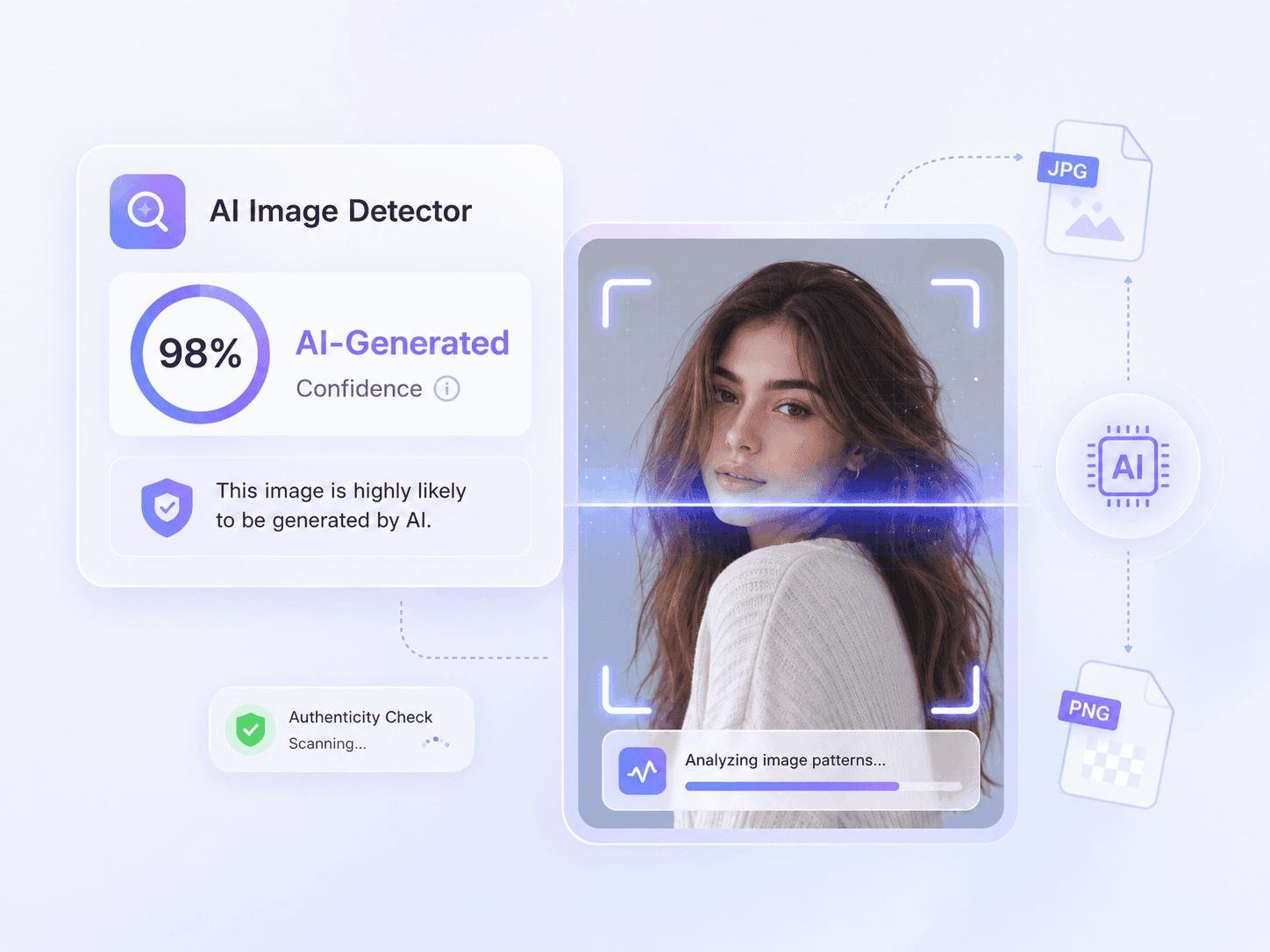
An AI image detector, sometimes called an AI image checker, is designed to examine an image and estimate whether it was generated or significantly created by artificial intelligence.
Some systems analyze the pixels and visual patterns inside an image. Others look for metadata, digital watermarks, or content credentials that can provide information about how an image was created.
However, there is an important catch.
No single AI checker should be treated as a perfect truth machine.
Modern AI-generated images can be extremely realistic, and detection systems have to keep adapting as image-generation technology improves. A 2026 review of AI-image detection research describes multiple approaches, including spatial analysis, frequency analysis, fingerprint-based detection, patch-based methods, and multimodal reasoning.
So what exactly does an AI image detector look for?
How does an AI checker decide that an image is probably AI-generated?
Can it detect images from popular AI generators?
Can editing, resizing, screenshots, or compression fool a detector?
And can you trust a result such as “AI-generated: 97%”?
Let’s take a detailed look.
What Is an AI Image Detector?
An AI image detector is software that analyzes an image and estimates whether it was generated or manipulated using artificial intelligence.
You may also see these tools described as:
- AI image checker
- AI photo detector
- AI picture checker
- AI-generated image detector
- AI content checker
- AI authenticity checker
- AI detection tool
- Synthetic image detector
The basic purpose is similar:
Determine whether an image contains characteristics associated with AI-generated or AI-manipulated content.
But there are actually several different ways an AI checker can attempt to answer that question.
Some systems analyze the actual image pixels.
Some inspect metadata.
Some look for cryptographic content credentials.
Some look for invisible watermarks.
And some combine several methods.
This distinction is extremely important because detecting a known watermark is fundamentally different from guessing whether an image looks AI-generated.
AI Image Detector vs AI Checker
The term AI checker is broader than AI image detector.
An AI checker can refer to software that checks different types of content.
For example:
| Type of Checker | What It Checks |
|---|---|
| AI Text Checker | Whether text resembles AI-generated writing |
| AI Image Checker | Whether an image appears AI-generated |
| AI Video Checker | Whether video may be synthetic or manipulated |
| AI Audio Checker | Whether audio may have been generated or altered |
| Plagiarism Checker | Whether content matches existing sources |
| AI Code Checker | Whether code resembles AI-generated code |
So when someone searches for “AI checker,” their exact intention can vary.
For this article, we’re focusing primarily on the image side:
AI image checker → AI-generated image detection.
Why Do We Need AI Image Detectors?
AI image generators have become increasingly capable of producing realistic images.
A generated image might show:
- A person
- A product
- A building
- A news-like scene
- A celebrity-like character
- A fictional location
- A historical event
- A medical-looking image
- A photograph-style portrait
Sometimes the image may look obviously artificial.
But sometimes it may look convincing enough that a casual viewer cannot confidently determine its origin.
This creates serious problems.
AI-generated images can potentially be used for:
- Misinformation
- Fake advertisements
- Fraud
- Impersonation
- Fake social-media posts
- Manipulated news
- Financial scams
- Fake evidence
- Non-consensual synthetic media
- Misleading political or social content
NIST notes that synthetic-image detection is difficult partly because generated images are increasingly realistic and generation and manipulation techniques continue to evolve.
That is why AI image verification has become an important research area.
How Does an AI Image Detector Work?
The easiest way to understand an AI image detector is to imagine a pipeline:
Image
  ↓
File Analysis
  ↓
Metadata / Provenance Check
  ↓
Pixel Analysis
  ↓
Visual Pattern Analysis
  ↓
Detection Model
  ↓
Confidence / Result
A particular product may use only some of these steps.
Let’s examine them individually.
1. The AI Checker Receives the Image
The first step is simple.
You upload an image.
For example:
photo.jpgThe system may examine:
- File type
- Resolution
- Color information
- Metadata
- Pixel data
- Compression characteristics
- Embedded information
Some tools process the original file, while others may work from a transformed copy.
That difference matters.
A screenshot, compressed social-media image, or image downloaded from another platform may no longer contain the same information as the original file.
2. Metadata Can Provide Clues
Images can contain metadata.
For photographs, metadata may include information such as:
- Camera model
- Date and time
- Software
- Exposure information
- GPS information
- Editing software
- File history
Metadata isn’t automatically proof that an image is real.
It can be removed.
It can be changed.
It can be lost during processing.
And an image created with AI may also contain metadata indicating which software produced or exported it.
Therefore, metadata is useful evidence, but it shouldn’t always be treated as conclusive.
Google’s current AI verification guidance also recommends considering metadata and the original file when investigating an image’s origin.
3. Digital Watermarks Can Help
Another approach is digital watermarking.
A watermark can be embedded into generated content in a way that isn’t normally visible to the person viewing the image.
Google’s SynthID, for example, embeds an invisible watermark into content generated by supported Google AI systems. Google’s current documentation explains that SynthID can help identify images, video, and audio generated or edited by supported Google AI models.
The concept is relatively simple:
AI Generator
     ↓
Creates image
     ↓
Invisible signal embedded
     ↓
Image shared online
     ↓
Verification system
     ↓
Signal detected
     ↓
Evidence of AI origin
This can be much stronger than simply asking:
“Does this image look AI-generated?”
because the system is looking for information deliberately embedded during creation.
4. Content Credentials Can Record an Image’s History
Another important technology is Content Credentials, associated with the C2PA standard.
Rather than simply asking whether an image “looks AI-generated,” content provenance can provide information about the content’s origin and editing history.
Google describes Content Credentials as a kind of digital passport that can document the origin and history of digital content.
Imagine an image having a record such as:
Created by:
Camera

Edited with:
Photo editor

Resized:
Yes

Additional modifications:
Yes
Or:
Created using:
AI image generator

AI-generated:
Yes
This approach is fundamentally different from statistical detection.
Instead of guessing based on appearance, the system can examine provenance information.
5. Pixel Analysis
What happens when there is no useful metadata or watermark?
This is where traditional AI image detection becomes more complicated.
The detector can examine the image itself.
Every digital image consists of pixels.
A human might see:
“A photograph of a person standing in a city.”
The detector can analyze much more subtle characteristics.
It may examine patterns related to:
- Texture
- Edges
- Noise
- Color distributions
- Pixel relationships
- Frequency characteristics
- Local patterns
- Image structure
Research into synthetic-image detection includes both spatial-domain and frequency-domain approaches.
6. AI Detectors Can Look for Statistical Fingerprints
AI-generated images can contain subtle statistical patterns created by the generation process.
These patterns may not be visible to humans.
A detector can be trained to recognize them.
Think about fingerprints.
A human face doesn’t necessarily look like it has a fingerprint embedded inside it.
But forensic equipment can identify patterns that humans cannot easily see.
AI image detection works in a somewhat similar conceptual way.
The detector isn’t necessarily saying:
“I see an AI hand.”
It may instead be saying:
“The statistical characteristics of these pixels resemble patterns found in images generated by certain models.”
7. Frequency-Domain Analysis
Images can also be analyzed in the frequency domain.
This is a more technical method.
Instead of looking only at what the image visually contains, researchers can mathematically transform image information and look for patterns in different frequencies.
Some AI-generated images can contain unusual frequency characteristics associated with the generation pipeline.
However, researchers have also found that the relationship between frequency patterns and detection is more complicated than simply looking for one universal fingerprint.
A 2026 IEEE study examined the role of spectral peaks in synthetic-image detectors and found that many modern detectors are not fundamentally dependent on those peaks alone.
That is important because it demonstrates that AI image detection is not simply:
“Find one strange frequency and declare the image AI.”
Real detection systems can be much more complicated.
8. Machine Learning Classifiers
Many AI image detectors use machine learning.
The detector can be trained using examples of:
Real images
and
AI-generated images.
A simplified training process looks like:
Real Images ────────┐
                    │
                    ↓
             Training Process
                    │
                    ↓
             Detection Model
                    ↑
                    │
AI Images ──────────┘
After training, the model receives an unknown image.
It then estimates which category the image resembles.
For example:
Input:
Unknown Image

Model:
AI-like patterns detected

Result:
Likely AI-generated
The exact architecture varies between detectors.
Research literature includes approaches based on convolutional neural networks, vision transformers, frequency analysis, forensic techniques, and hybrid systems.
What Does “95% AI” Actually Mean?
Suppose an AI checker gives you:
95% AI-generated
Many people interpret that as:
“The detector is 95% certain that AI created the image.”
That may be an oversimplification.
The meaning of a score depends on how the specific detector was designed and calibrated.
A percentage shown by one tool should not automatically be compared directly with a percentage from another tool.
For example:
Checker A → 95%
Checker B → 63%
Checker C → 21%
That doesn’t necessarily mean one of them is broken.
They may be measuring different signals or using different models and thresholds.
The safest interpretation is:
The detector’s model found a certain level of evidence or similarity associated with AI-generated images.
Not:
This percentage is absolute proof of who created the image.
Can AI Image Detectors Be Wrong?
Yes.
This is one of the most important facts about AI detection.
There are two major types of errors.
False Positive
A real image is incorrectly identified as AI-generated.
Real image
   ↓
AI checker
   ↓
"AI-generated"
   ↓
False positive
False Negative
An AI-generated image is incorrectly identified as real.
AI image
   ↓
AI checker
   ↓
"Likely real"
   ↓
False negative
Research has found that detector performance can vary considerably depending on the generator, dataset, image type, and whether the detector has seen similar generation methods during training. A 2025 empirical study found substantial differences in generalization across detection methods and models.
Why AI Image Detection Is Difficult
The fundamental problem is simple:
AI generators are constantly improving.
Suppose a detector is trained using images generated by AI model A.
Then a new AI model B is released.
Model B produces images with different statistical characteristics.
The detector may perform very well on model A but poorly on model B.
This is known as a generalization problem.
Research into AI-generated image detection has identified cross-model generalization as a major challenge.
AI Generation vs AI Detection Is an Arms Race
The technology can be thought of as an ongoing cycle:
AI generators improve
        ↓
Images become more realistic
        ↓
Detection becomes harder
        ↓
Detectors improve
        ↓
New generation methods appear
        ↓
Detection becomes harder again
This cycle is unlikely to stop soon.
Every time image-generation technology changes, detection systems may need to adapt.
Can an AI Checker Detect Every AI Image?
No.
There is no universal guarantee that an AI checker will correctly identify every AI-generated image.
This is particularly important for:
- New AI models
- Heavily edited images
- Screenshots
- Recompressed images
- Cropped images
- Images shared through social platforms
- Images that have been converted between formats
A recent Reuters analysis of Meta’s AI-image detection system illustrated this problem: the system could identify original images carrying its watermark, but detection performance dropped substantially after images were cropped. Meta acknowledged that heavy cropping could compromise the watermark signal.
This demonstrates an important principle:
An image’s history can affect detection.
What Happens When You Screenshot an AI Image?
A screenshot can change the image’s available evidence.
For example:
Original AI Image
       ↓
Metadata
Watermark
Pixel information
       ↓
Screenshot
       ↓
New image file
The screenshot may not preserve all of the original file’s metadata or provenance information.
Depending on the technology involved, it may also affect other detection signals.
Therefore, checking the original file is often preferable to checking a screenshot.
What Happens When an Image Is Compressed?
Compression changes image data.
Social-media platforms and messaging services often process uploaded images.
For example:
Original image
      ↓
Upload
      ↓
Platform processing
      ↓
Compression
      ↓
Resized image
      ↓
Downloaded image
Some information can be lost during this process.
That can make certain types of forensic analysis more difficult.
Can Cropping Affect AI Detection?
Yes.
Cropping changes the image’s structure and can remove areas containing useful detection evidence.
If a watermark or provenance signal is affected by cropping, a verification system may no longer be able to recover it.
As noted above, Reuters’ 2026 analysis of Meta’s image detector found a major reduction in detection after substantial cropping.
This is one reason AI image verification should ideally begin with the original, unmodified file.
Can Editing Fool an AI Image Detector?
Image editing can affect detection.
Consider this process:
AI-generated image
       ↓
Color correction
       ↓
Cropping
       ↓
Resizing
       ↓
Sharpening
       ↓
Compression
       ↓
Final image
The final image may have different characteristics from the original AI output.
Some detectors may still recognize it.
Others may become less confident.
This is why AI detection should be treated as an evolving forensic problem rather than a simple visual test.
Can AI Detectors Identify Images From Midjourney, DALL-E, Gemini, or Other Generators?
Some detectors may be trained or evaluated on outputs from specific image generators.
However, detection performance can vary across models.
An AI image detector that works well for one generator may not perform equally well on another.
This is called cross-generator generalization.
A robust detector should ideally be tested against:
- Multiple AI models
- Different image styles
- Different resolutions
- Edited images
- Compressed images
- Previously unseen generators
Research has identified generalization across different generation models as one of the major challenges in synthetic-image detection.
AI Image Detector vs Watermark Detection
These two technologies are easy to confuse.
AI Image Detector
Looks for evidence or patterns suggesting an image was generated by AI.
Watermark Verification
Looks for a specific signal intentionally embedded by a generator.
For example:
Image
 ↓
Search for known watermark
 ↓
Watermark found
 ↓
Strong evidence of origin
A watermark system can be highly useful when the image came from a supported generator and the watermark remains intact.
But it has a major limitation:
No watermark does not necessarily mean the image is human-created.
The image may have been generated by a system that doesn’t use that watermark.
Or the watermark may have been removed or damaged.
AI Detection and Content Provenance Are Different
This distinction will become increasingly important.
Imagine two images.
Image A
No AI detector finds strong AI-like patterns.
Image B
The image contains verifiable provenance showing that it was generated using an AI system.
Image B has stronger evidence even if its pixels look completely normal.
This is why the future of content verification may combine:
Detection + provenance + watermarking + metadata + human investigation.
Google is already expanding content-transparency tools around AI-generated media, including SynthID and Content Credentials.
How to Check if an Image Is AI-Generated
If you want to investigate an image, don’t rely on only one method.
Use several signals.
Step 1: Look at the Image Carefully
Check for obvious inconsistencies such as:
- Strange hands
- Unusual fingers
- Incorrect text
- Inconsistent reflections
- Strange shadows
- Impossible objects
- Repeating patterns
- Unnatural backgrounds
- Objects merging together
But remember:
Visual inspection alone is not reliable enough for modern AI images.
Step 2: Check the Original File
If possible, obtain the original image rather than a screenshot.
Look for:
- Metadata
- Camera information
- Software information
- File history
- Content Credentials
Step 3: Use an AI Image Checker
Upload the image to an AI detection service.
Treat the result as evidence rather than absolute proof.
Step 4: Check Provenance
If the image supports Content Credentials or another provenance system, examine the information.
This can provide information about where the image came from and how it was edited.
Step 5: Perform a Reverse Image Search
A reverse image search can help answer another important question:
Where did this image originally appear?
It may reveal:
- Original photographer
- News article
- Website
- Social-media post
- Earlier version
- Similar images
Google’s current image-verification guidance also recommends reverse image search as one useful way to investigate an image’s origin.
Why Reverse Search and AI Detection Work Better Together
These technologies answer different questions.
AI detector asks:
“Does this image look like AI-generated content?”
Reverse search asks:
“Where else has this image appeared?”
Provenance asks:
“Can we verify how this image was created or modified?”
Together, they provide much stronger evidence than any one method.
Can AI Image Detectors Detect AI-Edited Real Photos?
This is harder than detecting an image generated entirely from scratch.
Consider:
Real photograph
       ↓
AI removes background
       ↓
AI changes sky
       ↓
AI adds object
       ↓
Final image
Is it:
Real?
AI-generated?
AI-edited?
It isn’t necessarily a simple yes/no question.
This is why future AI checkers will increasingly need to distinguish between:
- Fully synthetic content
- AI-assisted editing
- Conventional editing
- Human-created images
- Mixed human-AI workflows
What About Photoshop?
Not every edited image is an AI image.
Traditional editing software can modify photographs through:
- Cropping
- Color adjustment
- Exposure changes
- Sharpening
- Noise reduction
- Retouching
These operations don’t automatically make an image AI-generated.
Modern software can also contain AI-assisted tools.
That creates another gray area.
For example:
A photographer takes a real photograph and uses an AI-powered tool to remove a small object.
Is the final image “AI-generated”?
Different platforms may use different definitions.
This is why an AI checker should ideally explain what it detected, rather than simply displaying a binary label.
Why AI Checker Results Can Differ
Suppose you upload the same image to three services.
You might receive:
AI Checker A
Likely AI

AI Checker B
72% AI

AI Checker C
Likely Human
This isn’t necessarily surprising.
Each detector can use different:
- Models
- Training datasets
- Detection features
- Thresholds
- Watermark databases
- Provenance sources
Therefore, there is no universal AI score.
Should You Trust an AI Checker?
An AI checker can be useful.
But the answer depends on what you are using it for.
For casual investigation:
Yes, it can provide a useful clue.
For journalism:
Use multiple sources of evidence.
For academic decisions:
Do not rely on one automated score alone.
For legal or financial decisions:
Use professional forensic methods and human expertise.
For social-media content:
Combine detector results with provenance and source investigation.
The higher the consequences, the less appropriate it is to rely on a single automated classification.
What Makes a Good AI Image Checker?
If you’re evaluating an AI checker, look for transparency.
A useful tool should ideally explain:
1. What it checks
Does it analyze pixels?
Metadata?
Watermarks?
Content credentials?
Or some combination?
2. What models it supports
Does it claim to work across multiple AI generators?
3. How it handles edited images
Can it analyze:
- Cropped images?
- Screenshots?
- Compressed images?
- AI-edited photographs?
4. Does it provide explanations?
A result is more useful when the system explains what evidence influenced the classification.
5. Does it acknowledge uncertainty?
A responsible detector shouldn’t imply that its prediction is infallible.
What Should an AI Checker Report Look Like?
A useful result could look something like:
Image Analysis

AI Generation:
Likely

Confidence:
High

Provenance:
No verified camera provenance found

Watermark:
No supported watermark detected

Metadata:
Limited metadata available

Important:
This result is an automated assessment,
not definitive proof of authorship.
That is more informative than simply:
97% AI
because it tells the user why the system reached its conclusion.
The Future of AI Image Detection
AI detection technology is likely to become more sophisticated.
Researchers are exploring combinations of:
- Deep-learning detectors
- Vision-language models
- Frequency analysis
- Pixel-level forensics
- Watermarking
- Content credentials
- Provenance tracking
- Multimodal reasoning
A 2026 comprehensive review describes multimodal reasoning and hybrid detection frameworks as important directions for future synthetic-image forensics.
The most reliable systems may eventually combine several independent signals.
For example:
Image
  │
  ├── Metadata
  │
  ├── Watermark
  │
  ├── Content Credentials
  │
  ├── Pixel Forensics
  │
  ├── Visual Analysis
  │
  ├── Reverse Search
  │
  └── AI Detection Model
          ↓
   Combined Evidence
          ↓
   Human Interpretation
This is likely to be more powerful than relying on one detector.
AI Checker and the Future of the Internet
As AI-generated media becomes more common, people will increasingly want to know:
Can I trust what I’m seeing?
This question goes beyond images.
It applies to:
- Videos
- Audio
- News
- Social media
- Advertisements
- Reviews
- Documents
- Screenshots
- Political content
The internet may therefore move toward a world where content provenance becomes as important as the content itself.
Instead of simply asking:
“Is this real?”
people may increasingly ask:
“Where did this come from?”
“Who created it?”
“Was it edited?”
“Was AI involved?”
“Can its history be verified?”
That is a much more sophisticated approach to digital authenticity.
AI Detection Is Not the Same as Proving Authenticity
This point deserves special attention.
Suppose an AI checker says:
“Likely human.”
That doesn’t necessarily prove that the image is authentic.
The image could still be:
- Manipulated
- Misrepresented
- Taken out of context
- Old but presented as new
- Edited using traditional software
- A photograph of another generated image
Likewise:
“Likely AI”
doesn’t automatically tell you what the image represents.
Detection and verification are different tasks.
A Better Way to Think About AI Image Verification
Instead of asking one question:
“Is this image AI?”
ask several questions.
Question 1
Where did the image come from?
Question 2
Can the source be verified?
Question 3
Does the file contain provenance information?
Question 4
Does it contain a known watermark?
Question 5
Does pixel analysis suggest synthetic generation?
Question 6
Has the image been edited or compressed?
Question 7
Does independent evidence support the claim?
This approach produces a much stronger conclusion.
AI Image Detection for Bloggers and Website Owners
If you run a website, AI image detection can be useful for content management.
For example, before publishing an image you could check:
- Is this image original?
- Was it generated by AI?
- Do we have permission to use it?
- Does it have provenance information?
- Does it contain sensitive or misleading content?
- Does the article need an AI disclosure?
For news and informational websites, verification can be especially important.
For commercial websites, you should also pay attention to licensing and usage rights.
An AI detector cannot tell you whether you have permission to use an image.
AI detection and copyright are separate questions.
AI Checker vs Copyright Checker
These are often confused.
An AI checker asks:
“Does this image appear to have been generated or modified by AI?”
A copyright-related investigation asks:
“Do I have the legal right to use this image?”
An image can be:
AI-generated but still subject to licensing or platform-specific terms.
And a human-created image can obviously be copyrighted.
Therefore, an AI checker should never be treated as a copyright checker.
Can an AI Checker Tell Who Created an Image?
Usually, no.
A detector may estimate:
“Likely AI-generated.”
But that does not automatically identify:
- The person who created it
- The exact AI model
- The prompt used
- The date it was created
- The person who uploaded it
Provenance systems can sometimes provide much stronger information about origin, but that depends on what information was recorded and preserved.
This is another reason why detection and attribution are different problems.
Can AI Detection Be Perfect?
Probably not in the simple sense people often expect.
The fundamental challenge is that image generation and image detection are moving targets.
When generators improve, detectors need to adapt.
When images are edited, compressed, cropped, or transformed, evidence can change.
And when new generation architectures appear, detectors may not immediately generalize to them.
Research continues to identify generalization, robustness, explainability, and changing generation methods as major challenges.
Therefore, the future is unlikely to be:
One perfect AI checker that can identify every AI image forever.
A more realistic future is:
Multiple layers of provenance, watermarking, forensic analysis, detection, and human verification working together.
Frequently Asked Questions About AI Image Detectors
What is an AI image detector?
An AI image detector is a tool that analyzes an image and estimates whether it was generated or modified using artificial intelligence.
What is an AI checker?
AI checker is a broad term for software that analyzes content for signs of AI generation or manipulation. Depending on the tool, it can check text, images, video, or audio.
How does an AI image detector work?
It may analyze pixel-level patterns, textures, frequency characteristics, metadata, digital watermarks, content credentials, or combinations of these signals.
Can AI detectors detect every AI-generated image?
No. Detection performance varies depending on the generator, detector, image type, editing, compression, and other factors.
Can a real photograph be incorrectly flagged as AI?
Yes. This is known as a false positive.
Can an AI image be identified as real?
Yes. This is known as a false negative.
Does cropping affect AI image detection?
It can. Cropping can remove useful forensic evidence or damage some watermark signals. A 2026 Reuters analysis found substantial degradation in one watermark-based detection system after significant cropping.
Does a screenshot affect AI detection?
It can. Screenshots may remove or alter metadata and other information contained in the original file.
Can AI detectors identify Midjourney or other AI generators?
Some systems are trained or evaluated against outputs from particular generators, but performance can vary when analyzing images from unfamiliar or newer models.
Is an AI-generated image automatically fake?
Not necessarily. “AI-generated” describes how the content was created. Whether an image is misleading, fraudulent, or being used deceptively is a separate question.
Is an AI-generated image automatically copyrighted?
No simple rule applies universally. Copyright depends on applicable law, the nature of human contribution, jurisdiction, licensing terms, and other circumstances.
Is an AI checker 100% accurate?
No. AI detection systems can make both false-positive and false-negative errors.
What is better: AI detection or watermark verification?
They serve different purposes. A verified watermark or provenance record can provide strong evidence when available, while statistical detection can be useful when provenance information is absent.
What is the best way to verify an AI image?
Use multiple sources of evidence: the original file, metadata, provenance information, known watermarks, AI detection, reverse image search, source history, and human investigation.
Final Thoughts
AI image detectors are becoming increasingly important because the difference between a photograph and a generated image is becoming harder for people to judge simply by looking at it.
But an AI checker isn’t magic.
It doesn’t automatically know the history of an image.
Some systems analyze statistical patterns in pixels. Others check metadata, watermarks, or provenance information. The strongest verification workflows can combine several of these approaches.
The biggest lesson is this:
An AI detector provides evidence, not absolute certainty.
A result such as “95% AI-generated” should not automatically be interpreted as proof that an image was created by AI.
Likewise, a result saying “likely human” doesn’t prove that the image is authentic.
As AI-generated images become more realistic, the future of image verification will likely depend on combining several technologies:
AI detection + digital watermarks + Content Credentials + metadata + reverse search + human judgment.
Google is already expanding tools around AI-media verification, including SynthID and Content Credentials, while researchers continue developing new forensic detection techniques.
For ordinary users, the best habit is simple:
Don’t trust an image only because it looks real.
And don’t reject an image only because an AI checker says it looks artificial.
Check the source.
Check the history.
Check the available provenance.
Use an AI checker as one piece of evidence.
Then make the final judgment using the complete picture.
That approach will become increasingly important as AI-generated images become a normal part of the internet.
