

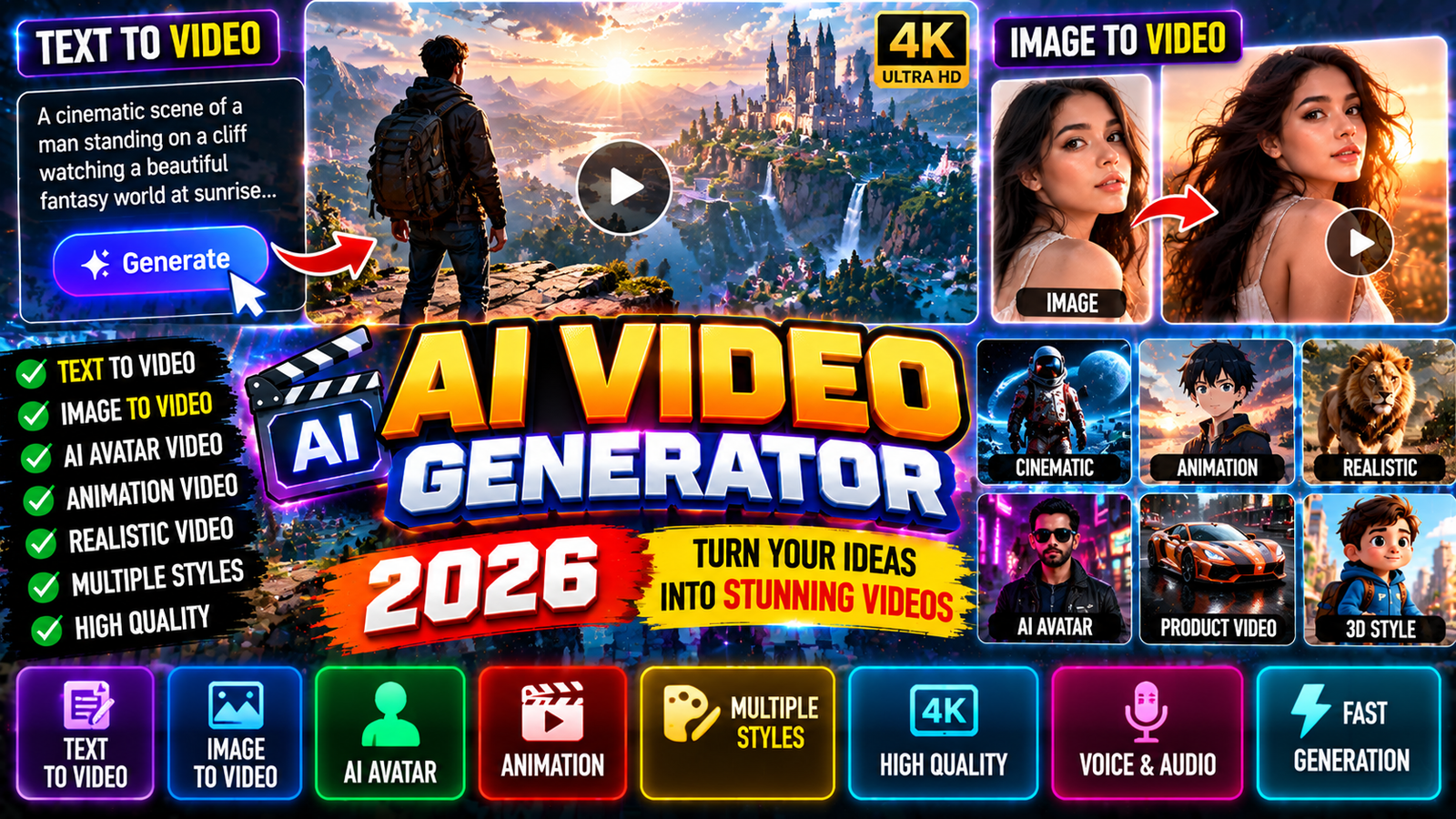
AI video generators have changed how people make visual content. What used to need cameras, actors, editing skills, and hours of work can now start with something as simple as a written prompt or a single image.
An AI video generator is a tool that uses artificial intelligence to create or transform video based on what you tell it. Depending on the platform, you can generate a scene from text, animate a still image, extend an existing clip, create cinematic shots, add dialogue and sound, or change the visual style of a video.
Modern systems are getting much better at understanding camera movement, characters, environments, lighting, and physical interactions. Google’s current Veo 3.1, for example, supports text-to-video, image-to-video, native audio, reference images, scene extension, camera controls, and outputs up to 4K.
What Is an AI Video Generator?
An AI video generator is software that uses generative AI models to produce video content from different types of input.
The input can include:
- Text prompts
- Images
- Existing videos
- Character references
- Style references
- First and last frames
- Motion instructions
- Camera directions
- Audio or dialogue instructions
The AI analyzes the instructions and generates frames that try to stay consistent across the sequence.
For example, instead of filming a scene of a futuristic city, you could write:
A cinematic aerial shot of a futuristic city at night, flying cars moving between skyscrapers, heavy rain, neon reflections on wet streets, slow camera movement, realistic lighting.
The generator interprets those instructions and creates a video based on the requested scene.
How Does AI Video Generation Work?
The technology behind these systems is very complicated, but the basic workflow is simple from a user’s point of view.
1. The User Provides an Idea
The process usually starts with a text prompt, image, or video.
For text-to-video generation, the prompt describes what should appear in the scene.
For image-to-video generation, an existing image provides the visual starting point while the prompt explains how that image should move.
2. The AI Understands the Prompt
The model interprets information like:
- Subject
- Environment
- Movement
- Camera angle
- Lighting
- Visual style
- Composition
- Time of day
- Atmosphere
- Audio requirements
Detailed prompts give you more control over the final result. Google’s prompt guidance recommends specifying things like shot framing, camera motion, style, lighting, and character descriptions.
3. The Model Generates the Video
The AI creates a sequence of frames representing the requested scene.
Modern models try to preserve:
- Character appearance
- Object identity
- Camera movement
- Lighting
- Scene geometry
- Motion
- Physical interactions
This is one area where current AI video systems have improved a lot compared with earlier generations.
4. The Video Is Rendered
After generation, the system produces a playable video that can usually be downloaded or edited further.
Depending on the service, you may be able to regenerate the scene, change the prompt, extend the video, or modify individual elements.
Types of AI Video Generators
AI video generation is not limited to one technique. Different tools specialize in different workflows.
Text-to-Video
Text-to-video is one of the most recognizable forms of AI video generation.
You describe a scene using natural language and the model creates a video.
For example:
Prompt:
A professional chef prepares an elaborate dish inside a modern restaurant kitchen, cinematic lighting, shallow depth of field, slow camera push-in, realistic movement.
Text-to-video can be useful for:
- YouTube videos
- Short films
- Social media content
- Concept videos
- Advertisements
- Storytelling
- Educational videos
- Product concepts
Image-to-Video
Image-to-video starts with a still image and turns it into moving footage.
For example, you could upload a photo of a car and ask the AI to create:
A cinematic camera moves around the car as rain falls, headlights turn on, and reflections appear on the wet road.
This is especially useful for creators who already have artwork, product images, photos, or generated images.
Current systems can also use multiple reference images to help guide characters, objects, and scenes. Veo 3.1, for example, supports reference-image-based generation and character consistency workflows.
Video-to-Video
Video-to-video generation uses existing footage as the starting point.
The AI can transform parts of the footage while preserving some of the original motion.
Possible uses include:
- Style transformation
- Animation
- Visual effects
- Environment changes
- Character transformations
- Creative experimentation
AI Avatar Videos
AI avatar generators create videos featuring digital presenters or virtual characters.
These are commonly used for:
- Tutorials
- Training
- Corporate presentations
- Product explanations
- Educational videos
- Social media content
You can write a script and have a digital presenter deliver it without recording yourself on camera.
AI Animation
AI can also generate animated scenes from text or images.
This can be useful for:
- Cartoon videos
- Anime-inspired projects
- Children’s storytelling
- Game concepts
- Motion graphics
- Fantasy scenes
AI Video Generator Features
The capabilities of AI video platforms vary, but modern systems increasingly offer much more than simple text-to-video generation.
Camera Controls
Camera movement can dramatically change how a scene looks.
Common instructions include:
- Zoom in
- Zoom out
- Pan left
- Pan right
- Tracking shot
- Aerial shot
- Close-up
- Wide shot
- Low-angle shot
- High-angle shot
- Slow camera push
Veo 3.1, for example, includes controls designed to give creators more precise control over framing and camera movement.
Character Consistency
One of the biggest challenges in AI-generated video has traditionally been keeping the same character consistent between shots.
Newer systems can use reference images to help maintain a character’s appearance across scenes.
This makes AI more practical for storytelling and multi-scene projects.
Style References
Creators can provide a visual reference to influence the style of the generated video.
A reference can help establish a particular look, such as:
- Cinematic
- Documentary
- Animation
- Fantasy
- Retro
- Futuristic
- Photorealistic
- Stylized
Scene Extension
Some systems can continue an existing video.
This lets a creator generate a short clip and then extend the scene while trying to maintain visual and audio continuity.
First and Last Frames
Another useful technique is providing a beginning frame and an ending frame.
The AI then generates a transition between them.
This can be useful for:
- Transformations
- Scene transitions
- Product animations
- Cinematic sequences
- Creative effects
Object Addition and Removal
Advanced video systems can also modify existing footage by adding or removing objects.
For example:
Add a glowing spaceship in the background.
Or:
Remove the parked car from the street.
Google’s current Veo platform lists both object insertion and object removal among its capabilities.
AI-Generated Audio
The newest generation of video models is increasingly combining visual generation with audio generation.
Veo 3.1 can generate dialogue, sound effects, and ambient audio together with video.
This matters because traditional AI video workflows often required creators to generate visuals first and then add sound separately.
AI Video Generator for YouTube
YouTube creators can use AI video tools for many different types of content.
Examples include:
Faceless Videos
AI-generated visuals can accompany:
- Narration
- News-style explainers
- Educational content
- Technology videos
- History videos
- Documentary-style content
Shorts
AI video generation can be used to create short visual sequences for:
- YouTube Shorts
- Instagram Reels
- TikTok
- Facebook videos
Storytelling
Creators can generate scenes for fictional stories without physically filming every location.
Explainer Videos
Businesses can create visual demonstrations of products or concepts.
AI Video Generator for Businesses
Businesses can use AI-generated video for marketing and communication.
Common applications include:
- Product advertisements
- Promotional videos
- Social media campaigns
- Training videos
- Presentations
- Product demonstrations
- Website backgrounds
- Internal communication
Instead of arranging a full production shoot for every concept, teams can prototype ideas using AI before deciding which concepts deserve a full production.
AI Video Generator for Filmmakers
AI video generation does not have to replace traditional filmmaking.
It can also work as a creative tool.
Filmmakers can use AI for:
- Storyboarding
- Previsualization
- Concept scenes
- Location concepts
- VFX experimentation
- Character concepts
- Camera experimentation
- Transition ideas
Google has specifically positioned Flow and Veo as tools for cinematic storytelling and creative workflows.
The practical advantage is that filmmakers can explore an idea visually before committing significant production resources.
AI Video Generator for Social Media
Social media is one of the easiest areas to experiment with AI video.
A creator can turn a simple idea into a short visual sequence and adapt it to different aspect ratios.
Typical formats include:
- 16:9 for YouTube
- 9:16 for Shorts, Reels, and TikTok
- 1:1 for square social posts
Some AI platforms provide multiple output formats specifically for different publishing requirements.
How to Write Better AI Video Prompts
The quality of an AI-generated video depends heavily on how clearly you communicate the desired result.
A useful prompt can describe several components.
Subject
Explain what the viewer should see.
Example:
A futuristic electric sports car.
Action
Explain what is happening.
The car drives through a rain-soaked city street.
Camera
Describe how the camera moves.
The camera tracks alongside the vehicle at a low angle.
Environment
Describe the location.
Tall glass skyscrapers surround the road.
Lighting
Explain the lighting conditions.
Blue and purple neon lights reflect across the wet pavement.
Style
Describe the visual appearance.
Photorealistic cinematic commercial.
Example Prompt
A futuristic electric sports car drives through a rain-soaked city at night. The camera tracks beside the vehicle from a low angle while blue and purple neon lights reflect across the wet road. Tall glass skyscrapers surround the street, light rain falls continuously, realistic reflections, cinematic lighting, shallow depth of field, premium automotive commercial style.
The more clearly you define the scene, the easier it becomes to guide the generation.
AI Video Generator vs Traditional Video Production
AI video generation and traditional filmmaking serve different purposes.
| AI Video Generation | Traditional Production |
|---|---|
| Fast concept creation | Physical production |
| No camera required | Requires camera equipment |
| Easy experimentation | More production planning |
| Can generate fictional environments | Real locations and actors |
| Useful for prototypes | Useful for final live-action footage |
| Can reduce production requirements | Greater physical control |
| Easy to regenerate concepts | Reshoots can be expensive |
AI is especially useful when the desired scene would otherwise be expensive, dangerous, impossible, or impractical to film.
Popular AI Video Generation Platforms
The AI video ecosystem changes quickly, so features and availability can change.
Google Veo
Google’s Veo family is one of the major current AI video-generation systems. The current Veo 3.1 supports text-to-video, image-to-video, audio generation, reference images, scene extension, camera controls, and high-resolution output.
Creators can access Veo through Google’s creative products and development platforms, including Gemini and Flow.
Runway
Runway provides AI video-generation and creative tools. Its Gen-4 documentation describes image-and-text-based video generation with 5- and 10-second outputs, while Runway’s current documentation also points users toward newer Gen-4.5 capabilities and specialized video tools.
Runway is particularly relevant to creators who want more control over AI-generated video and visual production workflows.
OpenAI Sora
Sora became widely known for text-to-video generation and later evolved into Sora 2 with video, synchronized dialogue, and sound effects. However, OpenAI states that the Sora product was discontinued on April 26, 2026.
This is an important distinction when reading older AI-video articles, because many older guides still describe Sora as an actively available standalone product.
Advantages of AI Video Generators
Faster Production
A creator can generate a visual concept in minutes rather than organizing an entire shoot.
Lower Barriers to Entry
People without cameras, actors, or advanced animation skills can experiment with filmmaking.
Unlimited Creative Possibilities
AI can create environments that would be difficult or impossible to physically construct.
Easy Experimentation
Creators can try different:
- Locations
- Characters
- Camera angles
- Styles
- Lighting
- Story ideas
Rapid Prototyping
Businesses and filmmakers can test an idea before investing heavily in production.
Limitations of AI Video Generation
AI video generation is powerful, but it is not perfect.
Character Inconsistency
A character can sometimes change appearance between generations or shots.
Incorrect Details
Hands, text, objects, reflections, and small environmental details can occasionally appear incorrectly.
Motion Problems
Complex interactions can still produce unnatural movement.
Prompt Interpretation
The model may interpret an instruction differently from what the creator intended.
Cost
High-quality generation can require paid credits or subscriptions, especially when producing many variations.
Rendering Time
More advanced generations may take longer to process.
Editing Still Matters
A generated clip is not necessarily a finished film. Professional results often require:
- Editing
- Sound design
- Music
- Color correction
- Captions
- Transitions
- Voice-over
- Story structure
AI can speed up production, but creative direction remains important.
AI Video and Copyright
Creators should be careful about the material they use as inputs.
Before uploading an image, video, voice recording, or character reference, make sure you have the necessary rights or permission.
Particular care should be taken with:
- Copyrighted footage
- Commercial photographs
- Celebrity likenesses
- Private individuals
- Trademarks
- Music
- Voice recordings
- Other people’s artwork
AI-generated content can also raise questions around ownership and copyright depending on the jurisdiction and how the material was produced.
For commercial projects, creators should review the specific platform’s terms and the applicable laws in their country.
AI Video and Deepfakes
AI video technology can create realistic synthetic people and scenes.
That creates useful creative opportunities but also introduces risks.
Creators should avoid using AI to deceptively impersonate real people, fabricate events, or mislead viewers.
When publishing synthetic or heavily manipulated footage, transparency can be important, especially when viewers could reasonably believe that the footage documents a real event.
AI platforms are also developing provenance and safety mechanisms. For example, OpenAI has described provenance signals and C2PA metadata for Sora-generated content.
How to Create an AI Video
A basic workflow looks like this:
Step 1: Decide What You Want to Create
Start with the idea rather than immediately writing a prompt.
Step 2: Choose the Format
Decide whether the video is intended for:
- YouTube
- Shorts
- TikTok
- Website
- Advertisement
- Presentation
Step 3: Write the Prompt
Describe the subject, action, environment, camera, and visual style.
Step 4: Add Reference Images
If the platform supports them, reference images can help establish characters, objects, or visual style.
Step 5: Generate a Short Clip
Start with a short generation rather than attempting an entire movie in one prompt.
Step 6: Review the Result
Check:
- Character consistency
- Motion
- Lighting
- Composition
- Objects
- Facial details
- Audio
- Prompt accuracy
Step 7: Regenerate or Modify
If something is wrong, adjust the prompt or reference material.
Step 8: Edit the Final Sequence
Combine the successful clips in a video editor and add narration, music, sound effects, captions, and transitions.
The Future of AI Video Generators
AI video generation is moving from simple visual experiments toward more complete filmmaking workflows.
Future systems are likely to focus heavily on:
- Longer scenes
- Better character consistency
- More accurate physics
- Improved camera control
- Better dialogue
- Native audio
- Multi-scene storytelling
- More precise editing
- Higher resolutions
- Better reference-image control
- Real-time generation
The biggest shift may be from generating isolated clips to generating complete connected sequences where characters, locations, lighting, and story elements remain consistent throughout the production.
That could make AI video generation useful not only for short social-media clips but also for advertising, animation, previsualization, education, games, and independent filmmaking.
Frequently Asked Questions
What is an AI video generator?
An AI video generator is a tool that uses generative artificial intelligence to create or modify video using text, images, video, or other instructions.
Can AI generate video from text?
Yes. Text-to-video systems can create video scenes from written prompts.
Can AI turn an image into a video?
Yes. Image-to-video generation can animate a still image according to a text description or motion instruction.
Can AI generate sound with video?
Some modern systems can generate video together with dialogue, sound effects, and ambient audio. Google’s Veo 3.1 is one example.
Can AI make realistic videos?
Yes. Current models can produce highly realistic scenes, although results can still contain visual, motion, or consistency errors.
Can AI make YouTube videos?
Yes. AI can help create visual footage, backgrounds, animations, presenters, B-roll, and other components of a YouTube production.
Can AI replace video editors?
Not completely. AI can automate parts of production, but editing, storytelling, timing, and creative decisions still play an important role.
Is AI-generated video free?
Some platforms offer limited free access or trials, while advanced generation commonly uses credits, subscriptions, or paid plans. Pricing and availability vary by provider.
What is the best AI video generator?
There is no single tool that is ideal for every workflow. The right choice depends on whether the priority is cinematic generation, image animation, editing, avatars, audio, social-media content, consistency, or production control.
Can AI generate a full movie?
AI can generate individual scenes and increasingly connected sequences, but producing a polished feature-length movie still requires planning, editing, continuity management, sound design, and substantial human creative direction.
Final Thoughts
The AI video generator has evolved from an experimental technology into a serious creative tool. Text can become a cinematic scene, a photograph can become an animated sequence, and reference images can help guide characters and environments.
The most effective workflow is not simply asking AI to “make a video.” It is combining a strong idea with a detailed prompt, useful references, multiple generations, and thoughtful editing.
As models continue improving their understanding of movement, physics, characters, sound, and cinematography, AI video generation is becoming another production tool for creators rather than just a novelty.
For anyone interested in filmmaking, YouTube, advertising, animation, social media, or visual storytelling, learning how to write effective prompts and control AI-generated footage is becoming an increasingly useful creative skill.
Disclaimer: This is an independent, unofficial guide written in original language. It is not affiliated with, endorsed by, or connected to Google, Runway, OpenAI, or any related company. Google Veo, Runway, Sora, and other names are trademarks of their respective owners. This article is based on publicly available information and is not a substitute for official announcements.
