

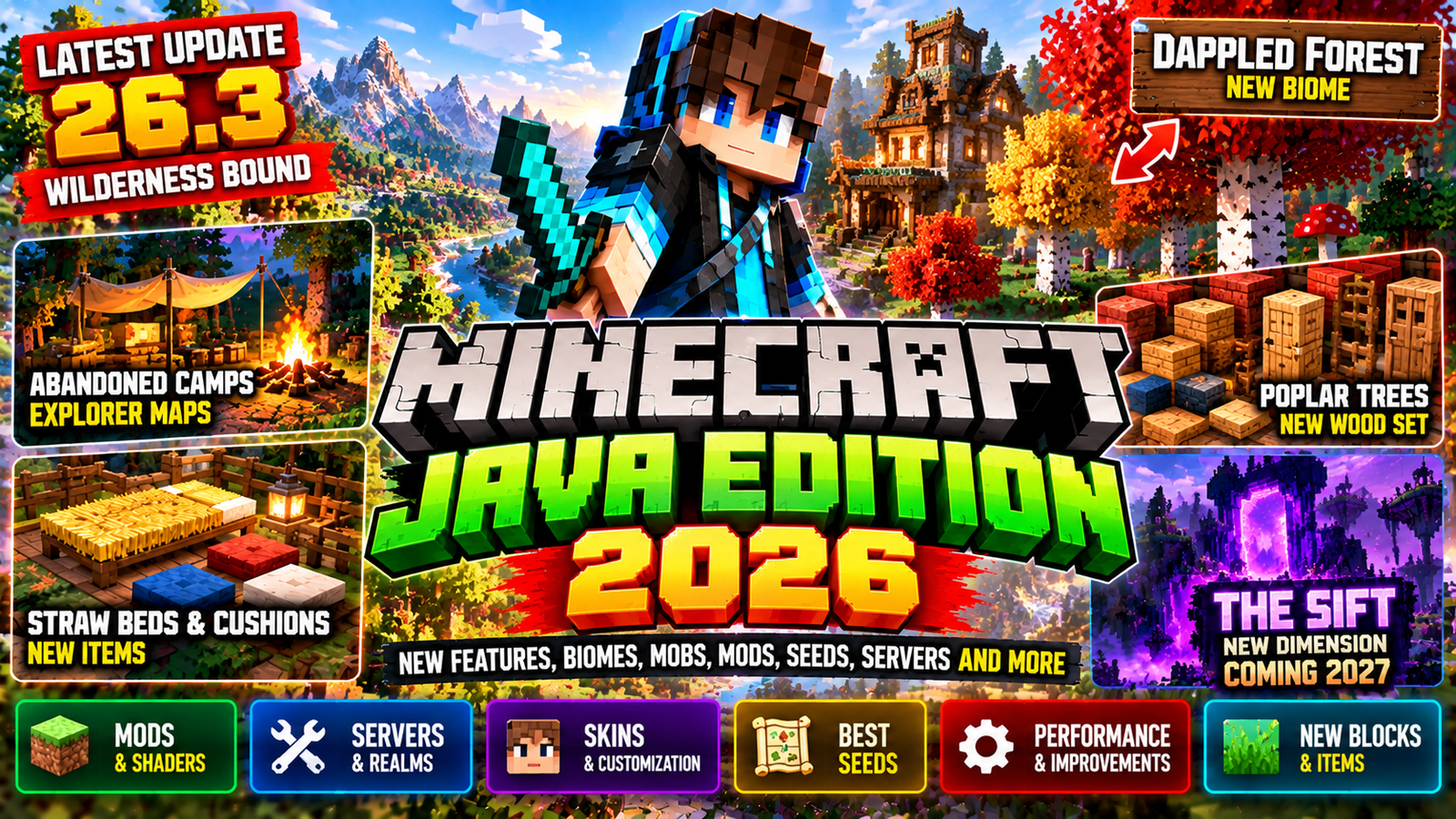
Minecraft Java Edition is still the go-to version for PC players who love customization. It runs on Windows, macOS, and Linux, and it’s known for its huge modding scene, shaders, custom servers, and technical gameplay.
In 2026, Java keeps getting regular updates, snapshots, and new features. The latest big release is Minecraft Java Edition 26.3, which came out on September 15, 2026, as the Wilderness Bound game drop.
Wilderness Bound adds the new Dappled Forest biome, Poplar Trees, Abandoned Camps, Cushions, Straw Beds, new Wool and Concrete building blocks, Explorer Maps, and some technical improvements.
This guide covers everything you need to know about Minecraft Java in 2026: the latest version, new features, mods, shaders, resource packs, servers, seeds, skins, Realms, snapshots, system requirements, and what’s coming next.
What Is Minecraft Java Edition?
Minecraft Java Edition is the PC version of Minecraft made for Windows, macOS, and Linux.
It’s famous for its open customization: community mods, resource packs, shaders, custom servers, and technical gameplay.
Minecraft’s official comparison says Java supports Windows, Mac, and Linux, while Bedrock is available on a much wider range of devices.
Java is especially popular with players who want:
- Mods
- Shaders
- Custom resource packs
- Large community servers
- Technical Minecraft
- Redstone builds
- Custom maps
- Data packs
- Command systems
- Custom skins
- Java-specific mechanics
- Older Minecraft versions
Minecraft Java Latest Version 2026
As of September 27, 2026, the latest major stable Java release is:
Minecraft Java Edition 26.3
It came out on September 15, 2026 and introduced the Wilderness Bound game drop.
Minecraft’s official site also shows 26.4 Snapshot 1 as a development version, so work is already continuing beyond 26.3.
Players should know the difference between:
- Stable releases
- Snapshots
- Pre-releases
- Release candidates
A stable release is meant for normal gameplay. Snapshots and other test builds can have unfinished features or bugs.
Minecraft Java 26.3: Wilderness Bound
The biggest current Java update is Wilderness Bound.
This game drop adds new exploration, building, and survival features centered around a new forest environment.
Major additions include:
- Dappled Forest
- Poplar Trees
- Fallen Poplar Trees
- Poplar wood set
- Shelf Mushrooms
- Red Shrubs
- Abandoned Camps
- Explorer Maps
- Cushions
- Straw Beds
- Wool Stairs
- Wool Slabs
- Concrete Stairs
- Concrete Slabs
The update also includes Realms improvements, performance changes, and other gameplay adjustments.
Dappled Forest Biome
The Dappled Forest is one of the main features of Minecraft Java 26.3.
It’s a new forest biome that can generate near colder biomes.
The biome contains:
- Poplar Trees
- Fallen Poplar Trees
- Shelf Mushrooms
- Red Shrubs
- Leaf Litter
- Abandoned Camp variants
Passive and neutral mobs that can appear there include:
- Sheep
- Chickens
- Cows
- Pigs
- Rabbits
- Foxes
Cold variants can appear where applicable.
The Dappled Forest gives Java players a new environment for exploration and autumn-themed builds.
Poplar Trees
Poplar Trees are a new tree type introduced in Wilderness Bound.
They come with three leaf-color variations:
- Red
- Orange
- Yellow
Each variation has matching falling-leaf particles.
Poplar Leaves can produce Poplar Saplings, which can grow into any of the three variants.
The trunks use Poplar Logs, which can then be turned into a full Poplar wood set.
This gives builders another complete wood family for houses, bridges, villages, and decorative structures.
Poplar Wood Set
The new Poplar wood family expands the building options for Java players.
You can use Poplar Logs to create the matching wood blocks.
The mix of three leaf colors and the new wood set makes Poplar great for:
- Autumn builds
- Forest villages
- Cabins
- Bridges
- Campsites
- Decorative pathways
- Survival bases
Shelf Mushrooms
Shelf Mushrooms generate naturally on Poplar Trees and fallen Poplar Trees.
They come in two sizes:
- Small
- Large
Bone Meal can turn a small Shelf Mushroom into a large one.
Large Shelf Mushrooms can drop two Shelf Mushroom items when broken. They can also be used in stew recipes.
They have a slight bouncing effect when you step on them.
Red Shrubs
Red Shrubs are another new decorative plant.
They generate naturally in small patches throughout the Dappled Forest.
You can use Bone Meal on a Red Shrub to grow another one in an available adjacent spot.
Red Shrubs can also be used in composting.
They’re especially useful for colorful landscaping and autumn-style builds.
Abandoned Camps
One of the most interesting additions in Minecraft Java 26.3 is the Abandoned Camp structure.
These camps can generate in a wide variety of Overworld biomes.
The official list includes:
- Meadow
- Cherry Grove
- Forest
- Birch Forest
- Old Growth Birch Forest
- Flower Forest
- Windswept Forest
- Dappled Forest
- Taiga
- Snowy Taiga
- Old Growth Spruce Taiga
- Old Growth Pine Taiga
- Sparse Jungle
- Bamboo Jungle
- Swamp
- Savanna
- Wooded Badlands
- Pale Garden
Different biomes get different visual variants of the structure.
Camps can contain:
- Chests
- Barrels
- Loot
- Beds
- Decorative objects
- Explorer Maps
Abandoned Camp Explorer Maps
Wilderness Bound also adds new Explorer Maps connected to Abandoned Camps.
These maps can point you toward other camps and several existing structures.
Available destinations include:
- Ancient Cities
- Trial Chambers
- Mineshafts
- Desert Pyramids
- Jungle Pyramids
- Warm Ocean Ruins
- Woodland Mansions
Some maps can also lead you to Abandoned Camps in specific biomes.
This gives exploration-focused survival players another reason to check out abandoned camps instead of just passing by.
Cushions
Cushions are decorative items you can place in the world and sit on.
They come in 16 colors.
A Cushion is crafted using three Wool Slabs of the same color.
Cushions can be placed on flat surfaces and are mainly for decoration and multiplayer settings.
They’re useful for:
- Campfires
- Living rooms
- Houses
- Restaurants
- Campsites
- Villages
- Roleplay servers
- Adventure maps
Straw Beds
The Straw Bed offers a different way to sleep.
Unlike a normal bed, a Straw Bed lets you sleep without changing your spawn point.
But it’s designed as a temporary item.
A Straw Bed:
- Can be used once
- Is destroyed after use
- Is crafted from three Hay Bales
- Produces four Straw Beds
- Cannot be used in the Nether
- Cannot be used in the End
The update also adds a statistic tracking how many times you’ve slept in a Straw Bed.
This makes Straw Beds great for long exploration trips.
Wool Stairs and Wool Slabs
Minecraft Java 26.3 adds Stair and Slab variants for all Wool colors.
This gives builders more options for:
- Furniture
- Carpets
- Decorative structures
- Colorful buildings
- Stadiums
- Interior designs
Wool Stairs and Slabs also keep Wool’s vibration-dampening behavior.
Concrete Stairs and Slabs
Concrete now has Stair and Slab variants for every color.
This is especially useful for modern builders.
Concrete is already popular for its bright colors and clean look, and the new shapes let you build more detailed structures.
Concrete Stairs and Slabs can also be crafted using a Stonecutter.
Minecraft Java Performance Improvements
Java 26.3 also includes technical and performance changes.
Minecraft says the update has:
- Improved structure-location performance
- Improved chunk-generation performance
- Changes to transparency rendering
- Various gameplay improvements
- Realms improvements
These changes matter for players running large worlds, exploration-heavy survival sessions, or servers.
Minecraft Java Realms
Realms provides official private server hosting for Java players.
Java 26.3 adds improvements to Realms, including Invite Codes.
Realm owners can:
- Create Invite Codes
- Manage Invite Codes
- Activate or deactivate codes
- Delete codes
- Configure expiration
- Adjust render distance
- Adjust simulation distance
Players can join through a new Join Realm screen by entering an Invite Code.
Minecraft Java Mods
Mods are one of the biggest reasons players choose Java Edition.
The Java ecosystem has thousands of community-created modifications.
Mods can change:
- Graphics
- World generation
- Mobs
- Weapons
- Items
- Dimensions
- Technology
- Farming
- Magic
- Automation
- Transportation
- User interfaces
- Performance
Minecraft’s own Java-vs-Bedrock guide notes that Java is particularly open to third-party content like mods and other customizations.
Always check whether a mod supports your exact Minecraft version. A mod built for an older version may not work with 26.3.
Minecraft Java Mod Loaders
Java modding usually involves a mod loader or compatible framework.
Popular Java modding ecosystems include:
- Fabric
- Forge
- NeoForge
The exact loader you need depends on the mod.
Check each mod’s documentation before installing. Don’t assume every mod works with every loader.
Minecraft Java Shaders
Shaders can dramatically change how Minecraft looks.
They can add effects like:
- Realistic lighting
- Shadows
- Reflections
- Water effects
- Atmospheric fog
- Sunlight
- Better skies
- Improved clouds
- Bloom-style effects
Java has a big community around shader customization.
But shader compatibility depends on the Minecraft version, your graphics hardware, and the specific shader system. Always check if a shader pack supports your current Java release.
Minecraft Java Resource Packs
Resource packs change how Minecraft looks and sounds without necessarily changing gameplay.
They can modify:
- Block textures
- Item textures
- Mob textures
- GUI elements
- Sounds
- Fonts
- Particles
- Environment visuals
Popular resource packs range from subtle vanilla-style improvements to complete visual makeovers.
Minecraft Java Skins
Java Edition offers extensive skin customization.
You can download a skin or create your own and upload it through the Minecraft Launcher.
Minecraft’s official PC product page lists custom Java skins as one of the edition’s features.
You can choose between two main player-model styles:
- Classic/Wide
- Slim
This lets Java players use custom character designs without needing Marketplace purchases.
Minecraft Java Servers
Java Edition has a huge community server ecosystem.
Servers can offer completely different gameplay from standard survival.
Examples include:
- Survival
- Skyblock
- BedWars
- Prison
- PvP
- Factions
- Anarchy
- Minigames
- Roleplay
- Creative
- Economy
- Hardcore
Minecraft’s official comparison notes that Java players can access a wide range of third-party servers and communities.
Minecraft Java Server Hosting
You can run your own Java server or use third-party hosting.
A private Java server can be set up for:
- Friends
- SMP communities
- Modded gameplay
- Survival
- Creative
- Minigames
- Roleplay
Server requirements depend heavily on:
- Player count
- Render distance
- Mods
- Plugins
- World size
- Simulation workload
- Hardware
Minecraft Java Seeds
Seeds are still a big part of Minecraft Java.
A seed determines how the world generates.
Players use seeds to find:
- Villages
- Ancient Cities
- Trial Chambers
- Strongholds
- Mansions
- Rare terrain
- Large mountains
- Cherry Groves
- Oceans
- Survival islands
- Multiple structures near spawn
When searching for a seed online, always check the Minecraft version. World generation can change between releases. A seed that works in one version may produce different terrain in another.
Minecraft Java Commands
Java Edition supports a large collection of commands.
Commands can be used for:
- Teleportation
- Giving items
- Changing weather
- Changing time
- Summoning entities
- Changing game modes
- Managing players
- Creating adventure maps
- Running custom systems
- Controlling server gameplay
Java’s command and data-pack ecosystem is especially powerful for technical Minecraft creators.
Minecraft Java Data Packs
Data packs let creators customize Minecraft without installing a traditional mod.
They can modify or add systems involving:
- Recipes
- Loot
- Advancements
- Functions
- Tags
- World generation
- Structures
- Predicates
- Timelines
- Other data-driven features
Java 26.1 introduced major technical changes to the game’s data systems, including new world-clock functionality and extensive changes to world storage.
Minecraft Java 26.1 and Tiny Takeover
Before Wilderness Bound, Java got 26.1: Tiny Takeover.
That update focused heavily on baby mobs.
It added new baby sounds, revamped several baby mob models, and introduced the Golden Dandelion.
The Golden Dandelion can be used to prevent certain baby mobs from aging.
Golden Dandelion
The Golden Dandelion can stop a compatible baby mob from growing into an adult.
Using it again lets the mob continue aging.
It cannot be used on undead baby mobs or baby Villagers.
Craftable Name Tags
Java 26.1 also changed Name Tags.
Name Tags became craftable using:
- 1 Paper
- 1 Metal Nugget
This reduced the need to find Name Tags through loot.
The update also changed Librarian and Wandering Trader interactions with Name Tags.
Minecraft Java Technical Changes
Java 26.1 was also a big technical release.
The game moved to Java 25, and the included Java distribution became Microsoft’s build of OpenJDK 25.
The default memory allocation increased from 2 GB to 4 GB, and compatible systems moved from G1GC to ZGC by default.
This matters for players who run:
- Large modpacks
- High-resolution resource packs
- Shaders
- Large worlds
- Technical servers
But actual performance still depends on your hardware and configuration.
Minecraft Java World Storage Changes
Java 26.1 introduced major changes to how world data is stored.
World data for dimensions moved into a new dimensions structure, with Overworld, Nether, and End data organized differently.
Player data also moved into a dedicated players directory.
These changes mostly matter to advanced players, server admins, mod developers, and people manually managing world files.
If you maintain backups or custom server tools, make sure your software supports the new world format.
Minecraft Java Snapshots
Snapshots are experimental development versions of Java Edition.
They let players test upcoming features before a stable release.
Minecraft’s official docs explain that Java gets snapshots as its primary early-access development system.
Snapshots are useful for:
- Testing upcoming features
- Mod development
- Data-pack development
- Technical experiments
- Finding bugs
- Previewing future Minecraft content
But snapshots shouldn’t be your main version for important survival worlds. Minecraft warns that testing versions can cause problems and recommends backing up worlds or using a separate world.
Minecraft Java 26.4 Development
After the 26.3 release, Java development has already moved forward.
The official Minecraft site lists 26.4 Snapshot 1 among the latest Java development releases.
That means players interested in upcoming content can follow the snapshot cycle, while players who want stability can stay on the latest release.
Snapshot contents can change before final release, so don’t treat snapshot features as confirmed final features.
Minecraft Java and The Sift
One of the biggest future developments for Minecraft Java is The Sift.
Minecraft Live in September 2026 revealed that The Sift will eventually come to both Java and Bedrock Edition.
It will become the game’s fourth dimension, joining:
- Overworld
- Nether
- End
- The Sift
Mojang describes The Sift as a vibrant dimension filled with souls and has shown areas like the Meadow and Carapace.
The Sift is scheduled to come to Minecraft Java and Bedrock in 2027.
Is The Sift Available in Minecraft Java Now?
No.
As of September 27, 2026, The Sift has been announced for Minecraft Java and Bedrock but is not yet part of the stable main game.
Mojang has announced it for 2027.
So be cautious about unofficial downloads or videos claiming to provide the official released Sift dimension for Java.
Minecraft Java vs Bedrock
Java and Bedrock share the same core Minecraft experience, but they have different strengths.
Java Edition
Java is especially known for:
- PC-focused gameplay
- Windows, macOS, and Linux
- Mods
- Shaders
- Third-party servers
- Data packs
- Extensive customization
- Java-specific technical systems
- Custom skins
Bedrock Edition
Bedrock is known for:
- Mobile support
- Console support
- Cross-platform play
- Marketplace
- Add-ons
- Touch controls
- Controller support
Minecraft’s official comparison states that Java cross-play is limited to Windows, Mac, and Linux, while Bedrock supports cross-platform play across supported consoles, Windows, and mobile platforms.
Can Java and Bedrock Players Play Together?
Not through Minecraft’s standard multiplayer system.
Java and Bedrock use separate multiplayer ecosystems.
Minecraft’s official docs state that Java and Bedrock players cannot directly play together through normal edition-specific server systems.
There are third-party server solutions that try to bridge the editions, but those are separate from native Minecraft cross-play.
Minecraft Java for Mac
Minecraft Java Edition is officially available on macOS.
This is one of the major differences between Java and Bedrock availability.
Minecraft’s official platform info lists Java for:
- Windows
- macOS
- Linux
while Bedrock is available on additional platforms.
Minecraft Java for Windows
Windows PC players can access Java Edition through the Minecraft Launcher.
The current PC package provides access to both Java and Bedrock Edition.
Minecraft’s official store explains that Windows players can switch between the two editions through the unified launcher.
Minecraft Java for Linux
Java Edition is also available on Linux.
This makes Java the natural Minecraft edition for Linux users who want official desktop Minecraft support.
Minecraft Java System Requirements
Minecraft Java can be demanding depending on your settings and modifications.
Basic vanilla Minecraft can run on modest hardware, but requirements increase a lot when you use:
- Shaders
- Large modpacks
- High render distances
- High-resolution textures
- Large servers
- Heavy technical worlds
Minecraft’s official PC page currently lists 2 GB minimum storage for Java and 4 GB recommended storage, while actual RAM and performance needs depend on the workload.
Minecraft Java Mods vs Bedrock Add-Ons
One of the biggest differences between the editions is customization.
Java has a huge third-party modding ecosystem.
Bedrock uses add-ons and Marketplace content.
Java mods can make deeper changes to the game, including entirely new systems, dimensions, mechanics, and technologies.
Bedrock add-ons provide a more integrated ecosystem, especially for players who want to use content across supported platforms.
Minecraft itself describes Java as particularly open and customizable through community-made mods, while Bedrock provides Marketplace content and add-ons.
Minecraft Java Realms
Java Realms is Mojang’s official subscription-based private server service for Java Edition.
It lets players create a private multiplayer world without needing to configure their own dedicated server.
Java Realms is designed for smaller groups rather than massive public servers.
Minecraft’s official comparison explains that Realms provides private server hosting, and Java and Bedrock use separate Realms systems.
Minecraft Java for Multiplayer
Java multiplayer can take several forms.
Players can:
- Host their own server
- Join public servers
- Use Realms
- Play LAN
- Use community-created server networks
The huge Java server ecosystem is one of the edition’s most recognizable characteristics.
Minecraft Java Survival
The basic Survival experience is still familiar:
- Collect wood
- Gather food
- Craft tools
- Build a shelter
- Mine
- Explore
- Fight mobs
- Enter the Nether
- Find a Stronghold
- Enter the End
- Defeat the Ender Dragon
But Java’s technical community adds extra layers through farms, redstone machines, data packs, and mods.
Minecraft Java Hardcore
Hardcore mode remains popular among Java players.
In Hardcore:
- Difficulty is locked to Hard
- You have one life
- Death ends the normal survival run
Hardcore worlds are especially popular among Minecraft creators because a long-running world can become a major challenge.
Always keep backups if the world is important, though using backups to undo a Hardcore death changes the intended challenge.
Minecraft Java Creative Mode
Creative Mode gives you unlimited access to blocks and items and lets you fly.
It’s especially useful for:
- Building
- Redstone testing
- Command development
- Map creation
- Server development
- Testing farms
- Designing adventure maps
The expanded building blocks from Wilderness Bound give Creative builders even more options.
Minecraft Java Redstone
Redstone is one of Java Edition’s most technically interesting systems.
Players can build:
- Automatic farms
- Sorting systems
- Doors
- Elevators
- Flying machines
- Redstone clocks
- Storage systems
- Transportation systems
- Mob farms
- Mini-games
Java and Bedrock can have different redstone behavior, so tutorials should always specify which edition they target.
Minecraft Java Seeds in 2026
Seeds are still very useful for players who want a particular starting environment.
Popular seed searches include:
- Best Java survival seeds
- Village seeds
- Ancient City seeds
- Trial Chamber seeds
- Mansion seeds
- Cherry Grove seeds
- Mountain seeds
- Survival island seeds
- Speedrun seeds
Always check the Java version linked to a seed.
Minecraft Java Skins in 2026
Java remains one of the easiest editions for traditional custom skin management.
You can:
- Create a skin.
- Save it as PNG.
- Open the Minecraft Launcher.
- Select Java Edition.
- Open the Skins tab.
- Upload the skin.
- Choose Classic or Slim.
- Save and use the skin.
Minecraft officially supports custom Java skins through the Launcher.
Minecraft Java Resource Packs and Mods
Java’s resource-pack and mod ecosystem makes it possible to transform the game’s appearance and mechanics.
You can combine:
- Resource packs
- Shader systems
- Mods
- Data packs
- Custom maps
- Custom servers
But compatibility matters.
A resource pack or mod designed for an older Minecraft version may need an update before it works with 26.3 or later.
Minecraft Java 2026: Major Features
The current Java landscape includes several important additions from the 2026 game drops.
Tiny Takeover
Added and revamped baby mobs, new baby sounds, and the Golden Dandelion.
Wilderness Bound
Added the Dappled Forest, Poplar Trees, Abandoned Camps, Cushions, Straw Beds, new Wool and Concrete blocks, and Explorer Maps.
Future Sift Dimension
The Sift has been announced as Minecraft’s upcoming fourth dimension and is scheduled for Java and Bedrock in 2027.
Minecraft Java 2026: What’s Next?
The immediate future of Java Edition will likely involve continued development through snapshots and future game drops.
The official Minecraft website already lists Java 26.4 development activity after the 26.3 Wilderness Bound release.
The biggest confirmed future addition is The Sift.
Because it’s still in development, Mojang may reveal more mechanics, mobs, blocks, and world-generation details before the final Java release.
Minecraft Java FAQ
What is Minecraft Java Edition?
Minecraft Java Edition is the PC version of Minecraft available on Windows, macOS, and Linux.
What is the latest Minecraft Java version?
As of September 27, 2026, the latest major stable Java release is 26.3, released September 15, 2026.
What is Minecraft Java 26.3?
Minecraft Java 26.3 is the Wilderness Bound game drop.
What was added in Minecraft Java 26.3?
The update adds the Dappled Forest, Poplar Trees, Abandoned Camps, Shelf Mushrooms, Red Shrubs, Cushions, Straw Beds, Wool Stairs and Slabs, Concrete Stairs and Slabs, and more.
Is Minecraft Java available on Mac?
Yes. Java Edition officially supports macOS.
Is Minecraft Java available on Linux?
Yes. Java Edition supports Linux.
Can Java players use mods?
Yes. Java has a large third-party modding ecosystem.
Can Java players use custom skins?
Yes. Java Edition supports custom skins uploaded through the Minecraft Launcher.
Can Java players use shaders?
Yes. Java has a large community shader ecosystem, though compatibility depends on the shader system, Minecraft version, and hardware.
Can Java and Bedrock players play together?
Not through the standard native multiplayer system. The two editions use separate multiplayer ecosystems.
Is The Sift in Minecraft Java yet?
No. The Sift has been announced for Java and Bedrock in 2027.
What is Minecraft Java Snapshot?
A snapshot is an experimental development version of Java Edition used to test upcoming features before release.
Should I use a snapshot on my main survival world?
It’s safer to use a separate test world and keep backups, because snapshots are development builds and can contain bugs or changes that affect worlds.
Does Minecraft Java have Realms?
Yes. Java Edition has its own Realms service for private multiplayer worlds.
What is the difference between Java and Bedrock?
Java is PC-focused and known for mods, custom servers, and technical customization, while Bedrock supports a much broader range of devices and native cross-platform multiplayer.
Final Thoughts
Minecraft Java Edition in 2026 remains one of the most customizable versions of Minecraft.
The latest major release, Java 26.3: Wilderness Bound, adds the Dappled Forest, Poplar Trees, Abandoned Camps, Straw Beds, Cushions, new Wool and Concrete building variants, and new Explorer Maps.
Beyond the current update, Java keeps getting development snapshots and technical improvements.
The most significant confirmed future development is The Sift, which will become Minecraft’s fourth dimension when it arrives in Java and Bedrock in 2027.
For players interested in mods, shaders, custom servers, skins, data packs, technical Minecraft, or traditional PC gameplay, Java Edition continues to offer a particularly flexible Minecraft experience.
Disclaimer: This is an independent, unofficial guide written in original language. It is not affiliated with, endorsed by, or connected to Mojang, Microsoft, or any related company. Minecraft, Java Edition, Bedrock Edition, and other names are trademarks of their respective owners. This article is based on publicly available information and is not a substitute for official announcements.
