

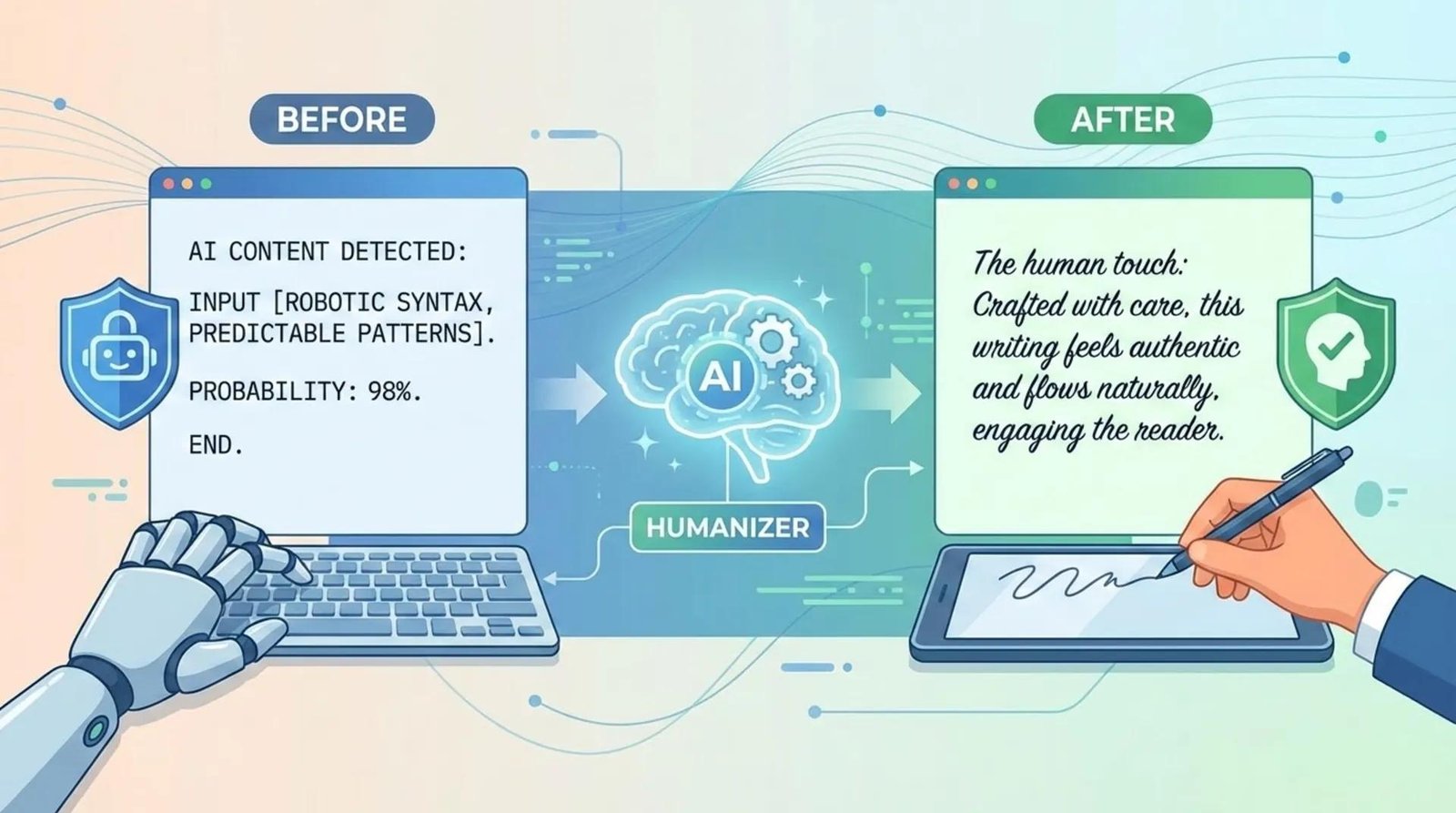
What Are Online Tools to Humanize AI Text?
AI writing tools have made it extremely easy to create articles, emails, social-media posts, product descriptions and other types of content.
The problem is that AI-generated writing can sometimes sound repetitive, overly formal or predictable.
You may notice phrases such as:
- “In today’s rapidly evolving world…”
- “It is important to note that…”
- “Furthermore…”
- “In conclusion…”
- “Whether you are a…”
- “This comprehensive guide…”
- “There are several key benefits…”
There is nothing technically wrong with these phrases. The problem is that using similar structures repeatedly can make writing feel generic.
Online AI humanizer tools are designed to rewrite AI-generated text so it sounds more natural, conversational and varied.
Depending on the tool, a humanizer may modify:
- Sentence structure
- Word choice
- Paragraph length
- Tone
- Vocabulary
- Transitions
- Repetition
- Reading flow
- Formality
- Overall style
However, there is an important distinction:
Humanizing AI text should ideally mean improving the writing for human readers—not simply trying to fool an AI detector.
Modern humanizer services themselves often advertise detector-related capabilities, but detector results are not a reliable measure of whether writing is genuinely good or whether a human actually wrote it.
Why Do People Want to Humanize AI Text?
There are several reasons someone might want to improve AI-generated writing.
1. AI Text Can Sound Repetitive
AI models can produce grammatically correct writing while still sounding somewhat formulaic.
A human editor may naturally vary sentence length and structure.
For example:
AI-style:
Artificial intelligence is transforming the modern workplace. It provides numerous benefits for businesses. It can improve productivity, increase efficiency, and help organizations make better decisions.
More natural:
AI is changing how people work. And the biggest advantage isn’t always automation. Sometimes it’s simply getting routine tasks out of the way so people can spend more time on work that actually requires judgment.
The second version has a stronger voice and a more specific point of view.
2. Businesses Want a Consistent Brand Voice
Companies often use AI to create first drafts.
But a company’s published content should still sound like the company.
A technology company might prefer:
Clear, technical and concise.
A lifestyle website might prefer:
Friendly, conversational and informal.
A financial publication might prefer:
Professional, precise and evidence-based.
Humanization tools can help move generic AI output toward a preferred style.
3. Writers Want Faster Editing
Instead of rewriting every sentence manually, a humanizer can provide a first editing pass.
This can be useful when working with:
- Blog drafts
- Product descriptions
- Emails
- Marketing copy
- Social posts
- Scripts
- Website pages
- Newsletters
The human writer can then review the result and add personal knowledge, examples and opinions.
4. AI Text May Be Too Formal
AI frequently produces polished sentences that are technically correct but don’t sound like everyday communication.
For example:
“Individuals who are interested in improving their productivity may benefit from implementing a structured approach.”
A more natural version might be:
“If you want to get more done, start with a simple routine.”
Shorter. Clearer. More direct.
How Does an AI Text Humanizer Work?
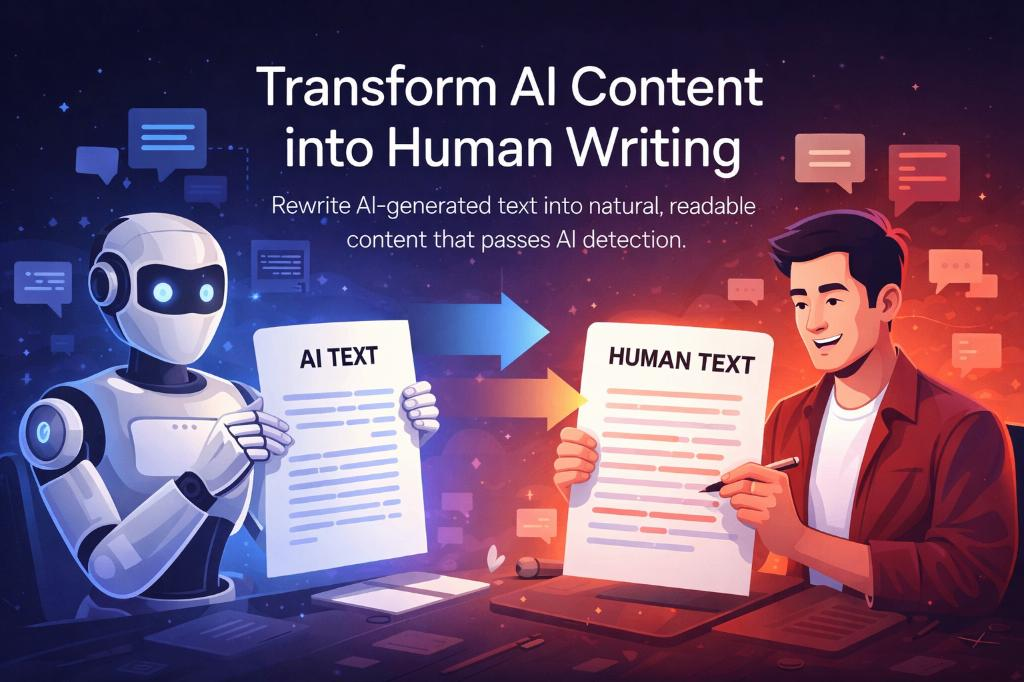
Most online AI humanizers follow a relatively simple workflow.
Step 1: Paste Your Text
You copy AI-generated content into the tool.
Step 2: The Tool Analyzes the Writing
The system may examine:
- Sentence patterns
- Vocabulary
- Repetition
- Tone
- Sentence length
- Transitions
- Paragraph structure
Step 3: The AI Rewrites the Text
The humanizer generates a revised version.
It may:
- Replace repetitive phrases
- Break up long sentences
- Combine short sentences
- Change paragraph structure
- Simplify vocabulary
- Make the tone more conversational
Step 4: Review the Output
This is the most important step.
Don’t automatically publish the rewritten text.
Read it yourself.
Check:
- Facts
- Names
- Numbers
- Links
- Context
- Tone
- Grammar
- Original meaning
A humanizer can change meaning accidentally.
Best Online Tools to Humanize AI Text
There are many AI humanizers available online. Their features, pricing, output quality and free limits change frequently, so it is better to evaluate them based on the type of writing you need to improve rather than assuming one tool is best for everyone.
1. Humanize AI
Humanize AI provides a dedicated humanization workflow where users paste AI-generated text and receive a rewritten version intended to sound more natural while preserving the original meaning. Its documentation describes support for content generated by tools such as ChatGPT, Claude and Gemini.
Best for: General AI text rewriting
Useful features may include:
- AI text rewriting
- Natural-language improvements
- Multiple AI-source compatibility
- Preservation of the original message
2. Microsoft Copilot and AI Writing Tools
Microsoft discusses AI humanizers as tools that can refine AI-generated writing by changing tone, rhythm and vocabulary.
The broader benefit is not simply making content “undetectable.” Humanization can make AI-assisted writing easier to read and better aligned with the intended audience.
Best for: Business writing and general editing
3. TextHumanizer
TextHumanizer is another online service positioned around rewriting AI-generated text into more natural-sounding prose.
It specifically markets its ability to change sentence structure, word choice and writing rhythm.
Best for: Users looking for a dedicated AI humanizer
4. Humanaze
Humanaze takes a somewhat different approach by emphasizing editing rather than simply producing a mysterious rewritten version.
Its workflow includes individual writing changes such as removing filler or replacing awkward phrases, allowing users to review modifications.
Best for: Writers who want more control over edits
5. General AI Writing Assistants
You don’t necessarily need a tool marketed specifically as an “AI humanizer.”
General-purpose AI writing assistants can also help rewrite content.
For example, you can request:
“Rewrite this paragraph in a natural conversational style. Keep the facts unchanged, remove unnecessary filler, vary sentence length, and avoid generic marketing language.”
This approach has one major advantage:
You can tell the AI exactly what you want changed.
AI Humanizer vs AI Rewriter
These terms can be confusing.
An AI rewriter generally focuses on rewriting existing content.
An AI humanizer usually focuses specifically on making AI-generated writing sound more natural.
There is considerable overlap between the two.
| Feature | AI Rewriter | AI Humanizer |
|---|---|---|
| Rephrasing | Yes | Yes |
| Tone adjustment | Usually | Usually |
| Sentence variation | Yes | Yes |
| AI-generated text focus | Sometimes | Usually |
| Readability improvement | Yes | Yes |
| Style control | Often | Often |
| Detector-related marketing | Less common | More common |
In practice, the output matters more than the label.
What Does “Humanize AI Text” Actually Mean?
Humanizing isn’t just replacing words with synonyms.
Good humanization involves improving the way an idea is expressed.
Weak Approach
Artificial intelligence is a revolutionary technology that has transformed various industries and provides numerous benefits to individuals and organizations.
Better Approach
AI has changed how people work, research and create. But the useful part isn’t the technology itself—it’s what you can actually do with it.
The second example feels more intentional because it has:
- A clear point
- Natural rhythm
- Less filler
- A specific perspective
- More direct language
10 Ways to Make AI Text Sound More Human
Even without a dedicated humanizer, you can improve AI writing yourself.
1. Remove Generic Introductions
Instead of:
“In today’s fast-paced digital world…”
Start with the actual point.
“AI writing tools can produce a 1,500-word article in seconds.”
That’s more useful.
2. Vary Sentence Length
Human writing naturally contains a mixture of short and long sentences.
For example:
AI is fast. That’s its biggest advantage. But speed doesn’t automatically mean quality, especially when the information needs to be accurate or the subject requires real-world experience.
The rhythm is more natural than using sentences of roughly equal length.
3. Use Specific Examples
Generic:
AI can help businesses improve productivity.
Specific:
A customer-support team could use AI to summarize incoming tickets before an employee opens them.
Specific examples make writing more useful.
4. Remove Unnecessary Filler
Delete phrases that don’t add meaning.
Examples:
- “It is important to note that”
- “In today’s world”
- “When it comes to”
- “It goes without saying”
- “In conclusion”
- “As we have discussed”
If removing the phrase doesn’t change the meaning, it probably wasn’t necessary.
5. Use a Real Point of View
AI-generated writing often tries to remain neutral.
Human writing can make a clear distinction.
Instead of:
AI tools have both advantages and disadvantages.
Try:
AI is excellent at producing a first draft. The problem starts when people publish that draft without checking it.
That sounds like someone actually has an opinion.
6. Add First-Hand Information
This is especially important for websites.
If you’ve actually tested a tool, say what happened.
For example:
“I tested the tool with three different paragraphs. The first rewrite was good, but the second changed the original meaning.”
That’s more valuable than another generic description of the product.
Google’s current guidance emphasizes unique, useful content and firsthand experience rather than simply recycling information already available elsewhere.
7. Simplify Complicated Sentences
AI can sometimes make simple ideas unnecessarily complicated.
Instead of:
“Users who are seeking to maximize their productivity may find it advantageous to utilize…”
Write:
“If you want to be more productive, try…”
Simple writing isn’t bad writing.
8. Add Natural Transitions
Not every paragraph needs:
Furthermore…
Moreover…
In addition…
Sometimes the best transition is nothing at all.
Just start the next sentence.
9. Use Real Examples
Examples make AI-assisted content feel more useful and less generic.
Instead of explaining a tool for five paragraphs, show:
Before:
“The product has numerous benefits.”
After:
“Paste a 500-word AI draft into the editor, select a conversational tone, and compare the rewritten version with your original.”
10. Edit the Final Version Yourself
This is arguably the most important step.
A humanizer should be treated as an editing assistant, not as an automatic publishing machine.
Read the final text.
Change anything that doesn’t sound like you.
Add information that the AI doesn’t know.
Remove claims you cannot verify.
Then publish.
Can AI Humanizers Bypass AI Detectors?
This is one of the most searched questions around AI humanizers.
Some humanizer services explicitly advertise the ability to reduce AI-detection scores or produce text they describe as “undetectable.”
But there is an important problem:
No AI humanizer can reliably guarantee that every AI detector will classify rewritten text as human-written.
Different detectors use different methods and can produce different results.
Even more importantly, a detector score isn’t the same thing as writing quality.
A better goal is:
Make the content genuinely useful, accurate and natural.
Don’t build your entire writing strategy around getting a particular detector score.
Should You Humanize AI Text for SEO?
Humanizing text by itself is not an SEO strategy.
Google says its systems aim to reward helpful, reliable, people-first content rather than content created primarily to manipulate search rankings.
Google also says that AI-generated content is not automatically disqualified from appearing in Search. The focus is on quality, originality, usefulness and compliance with spam policies.
Therefore, don’t think:
AI text → humanizer → Google ranking
Instead, think:
Research → AI assistance → human editing → original insight → fact checking → useful content
That is a much stronger workflow.
Can Humanized AI Content Rank on Google?
Yes, AI-assisted content can appear in Google Search.
But adding a humanizer doesn’t automatically make content rank.
Google’s current guidance specifically encourages content that provides original information, substantial value, useful analysis and a satisfying experience for readers.
For example, compare these two articles.
Article A
“10 Benefits of AI”
A generic list generated from commonly available information.
Article B
“I Tested 7 AI Writing Tools for a Small Business Website: Here’s What Actually Worked”
The second article has an opportunity to provide:
- First-hand experience
- Original observations
- Screenshots
- Specific examples
- Comparisons
- Real limitations
- Unique conclusions
That’s the kind of differentiation that a simple humanizer cannot create.
AI Humanizer for Blog Posts
If you’re using AI to create WordPress articles, a useful workflow is:
Step 1: Research
Collect reliable information from primary and trustworthy sources.
Step 2: Create an Outline
Plan:
- H1
- H2 sections
- FAQs
- Examples
- Images
Step 3: Generate a First Draft
Use AI to create the initial structure.
Step 4: Humanize
Improve:
- Tone
- Rhythm
- Sentence variety
- Repetition
- Clarity
Step 5: Add Original Information
This is where the article becomes much more valuable.
Add:
- Your own experience
- Screenshots
- Test results
- Examples
- Opinions
- Comparisons
- Original research
Step 6: Fact Check
Verify important claims.
Step 7: SEO Review
Check:
- Search intent
- Title
- Headings
- Internal links
- Meta description
- Image alt text
Step 8: Final Human Edit
Read the article as if you were the visitor.
Ask:
“Would I actually find this useful?”
If the answer is no, more rewriting isn’t the solution. Better information is.
AI Humanizer for Students
Students may use AI tools to brainstorm, understand difficult subjects or improve drafts.
But schools and universities can have their own rules regarding AI-assisted work.
Using a humanizer specifically to disguise prohibited AI use can violate an institution’s academic-integrity policies.
A better approach is to use AI as a learning and editing assistant where permitted, then produce work that reflects your own understanding and follows your institution’s rules.
AI Humanizer for Business Writing
Humanizers can be useful for business communication when AI produces overly formal or robotic copy.
For example:
AI version:
We are pleased to inform you that your inquiry has been successfully received by our customer-support department.
Natural version:
Thanks for reaching out. We’ve received your message and our support team is looking into it.
The second version is shorter and sounds more like something a real person would send.
AI Humanizer for Social Media
Social-media content usually benefits from a different style.
Instead of:
“Artificial intelligence represents a transformative technological advancement that continues to reshape the digital landscape.”
Try:
“AI is moving ridiculously fast. And we’re still figuring out what that means.”
Social media generally benefits from:
- Shorter sentences
- Strong openings
- Personality
- Specific examples
- Conversational language
What Makes AI Text Sound Robotic?
Several characteristics can contribute to a robotic feel.
Excessive Repetition
The same idea is explained several times.
Predictable Structure
Every section follows exactly the same pattern.
Generic Statements
The article contains broad claims without examples.
Excessive Formality
The writing sounds like a corporate report even when the subject is casual.
Too Many Transitions
Every paragraph starts with “Furthermore,” “Moreover,” or “Additionally.”
Lack of Personality
There is no clear opinion, experience or perspective.
No Specific Details
The article could have been written about almost any website or business.
A humanizer can improve some of these problems, but it cannot invent genuine experience.
Free Online Tools to Humanize AI Text
Many AI humanizers offer free access, but free plans can have restrictions such as:
- Word limits
- Daily usage limits
- Fewer rewriting modes
- Slower processing
- Limited history
- Premium features locked
Because pricing and free allowances change frequently, check the current plan before choosing a tool.
A good strategy is to test the same paragraph with several tools and compare:
- Does the meaning remain unchanged?
- Does the writing sound natural?
- Did the tool introduce errors?
- Did it remove important details?
- Does the new version actually sound better?
The “best” humanizer is the one that produces the best result for your specific writing task.
Are AI Humanizers Worth Using?
They can be.
But their usefulness depends on how you use them.
Good Use
AI draft → humanizer → human editing → fact checking → publication
Bad Use
AI draft → humanizer → detector check → publish
The second workflow focuses too heavily on disguising the origin of the text.
The first focuses on improving the actual content.
Frequently Asked Questions
What is an AI text humanizer?
An AI text humanizer is an online tool that rewrites AI-generated text to make its language, sentence structure, tone and rhythm feel more natural.
What are the best online tools to humanize AI text?
There is no universal best tool. Options include dedicated AI humanizers such as Humanize AI and TextHumanizer, along with general AI writing assistants and editing tools. The best choice depends on your content type and how much control you want over the edits.
Can AI humanizers make ChatGPT text sound human?
They can make ChatGPT-generated writing sound more conversational by changing wording, sentence structure, rhythm and tone. However, you should still review the final version yourself.
Can humanized AI text pass AI detectors?
Some tools claim to reduce detection scores, but there is no universal guarantee. Different detectors can produce different results, and detector scores should not be treated as a definitive measure of authorship.
Is humanizing AI text good for SEO?
Humanizing text alone doesn’t improve SEO. Search performance depends on factors including usefulness, originality, relevance, technical SEO and overall page quality. Google recommends creating people-first content rather than content primarily designed to manipulate rankings.
Can I use AI humanizers for WordPress?
Yes. AI humanizers can be used to edit blog drafts before publishing them on WordPress. However, the final article should be fact-checked and improved with original information and useful examples.
Is AI-generated content allowed by Google?
Google does not automatically penalize content simply because AI was involved in its creation. Its guidance focuses on quality, usefulness and whether automation is being used to manipulate search rankings or otherwise violate spam policies.
Should I disclose that an article was created with AI?
Google says disclosures can be useful when readers would reasonably want to understand how content was created. Whether a disclosure is appropriate depends on the context and audience.
Can an AI humanizer replace a human editor?
Not completely. A human editor can add context, experience, judgment, factual verification and a genuine point of view—things a rewriting tool cannot reliably reproduce.
Final Thoughts
Online tools to humanize AI text can be useful, especially when an AI-generated draft feels repetitive, overly formal or generic.
But the best result doesn’t come from simply changing enough words to make an AI detector happy.
It comes from better writing.
Use AI to speed up the first draft. Use a humanizer or editing tool to improve the language. Then add your own knowledge, examples, experience and judgment.
That’s the difference between simply rewriting AI text and creating content that actually feels worth reading.
For website owners, this distinction matters even more. Google’s current Search guidance emphasizes helpful, reliable, original and people-first content rather than mass-producing pages primarily to attract search traffic.
