


Introduction
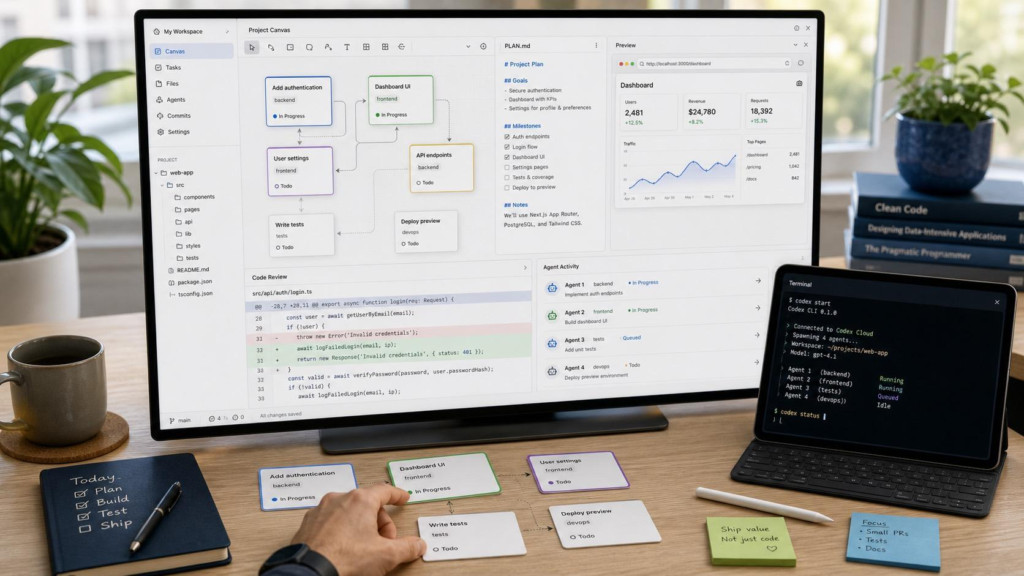
Artificial intelligence has changed the way software is created. Earlier AI coding tools were mainly designed to generate snippets of code or answer programming questions. Modern AI coding agents can go much further: they can understand a project, inspect files, modify code, run commands, test their changes, find problems, and continue working until a task is completed.
OpenAI Codex is OpenAI’s coding agent designed for this kind of work.
OpenAI describes Codex as an AI agent that helps users write, review, and ship code. It can work on real software-engineering tasks rather than simply producing an isolated piece of code.
That distinction is important.
If you ask a traditional chatbot:
“Write a login page in React.”
it may give you code in the conversation.
With an agent such as Codex, the workflow can instead look more like:
Understand the request → inspect the project → modify files → run tests → identify problems → fix them → show the changes for review.
This makes Codex particularly useful for developers working on websites, applications, APIs, plugins, automation tools, and larger software projects.
What Is OpenAI Codex?
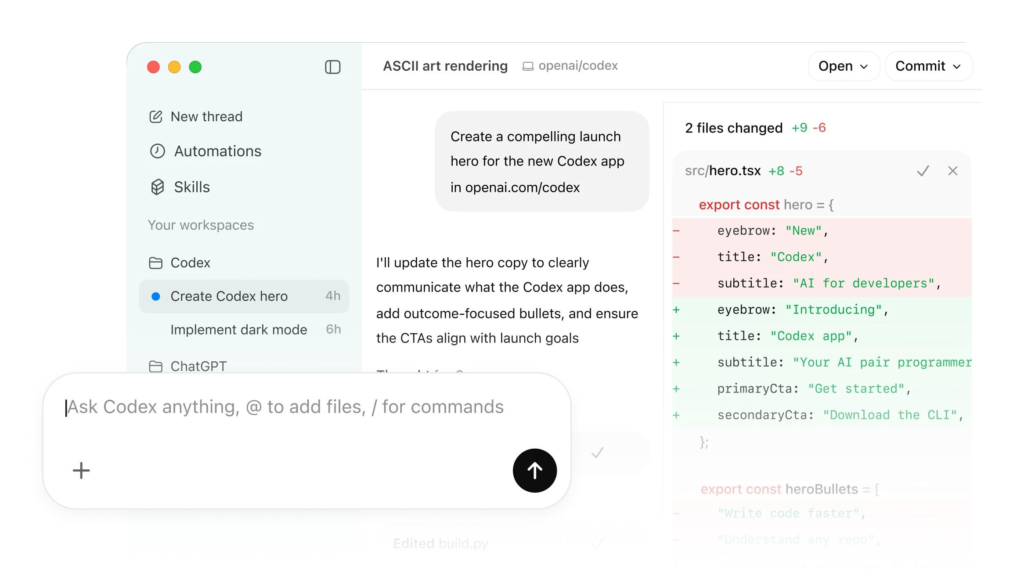
OpenAI Codex is an AI-powered software engineering agent.
Instead of thinking of Codex as simply an AI that “writes code,” it is more accurate to think of it as an AI developer that can interact with a development environment.
It can work with a codebase, read files, make changes, execute commands, run tests, and reason about the results. OpenAI’s current Codex product is available across several environments, including the Codex app, web, CLI, IDE integrations, and GitHub workflows.
In simple words
You give Codex a software task.
For example:
“Add dark mode to my website and make sure it works on mobile.”
Codex can then:
- Understand the request.
- Inspect the existing project.
- Find the relevant files.
- Determine how the application is structured.
- Modify the necessary code.
- Run tests or checks.
- Inspect errors.
- Correct problems.
- Show you what changed.
So the important difference is action.
Codex isn’t limited to telling you what code you should write. Depending on the environment and permissions, it can actually work on the project.
Codex Is More Than a Code Generator
This is one of the most important things to understand about Codex.
A normal AI chatbot might work like this:
User
 ↓
Question
 ↓
AI
 ↓
Code in chat
 ↓
User copies code
 ↓
User tests code
 ↓
User fixes errors
An AI coding agent can instead work more like:
User
 ↓
Task
 ↓
Codex
 ↓
Understand project
 ↓
Read files
 ↓
Plan changes
 ↓
Edit files
 ↓
Run commands
 ↓
Run tests
 ↓
Analyze results
 ↓
Fix problems
 ↓
Show changes
OpenAI’s explanation of the Codex agent loop describes this as an iterative process in which the model can request tool calls, receive their results, and use those results to determine what to do next.
That loop is the foundation of how an agent can accomplish a larger task instead of simply answering a single question.
How Does Codex AI Work?
The easiest way to understand Codex is to break its workflow into several stages.
1. You Give Codex an Instruction
Everything starts with your request.
For example:
“Fix the mobile navigation menu. It overlaps the page content on screens smaller than 768 pixels.”
Or:
“Create a WordPress plugin that automatically generates a table of contents for blog posts.”
Or:
“Add authentication to this Next.js application.”
The clearer your request, the easier it is for the agent to understand the desired result.
2. Codex Understands the Context
Codex doesn’t necessarily need to start by writing code.
First, it needs to understand the environment it is working in.
It can inspect things such as:
- Project files
- Source code
- Configuration files
- Dependencies
- Existing components
- Tests
- Documentation
- Project instructions
This is important because changing one file without understanding the rest of the application can easily introduce bugs.
For example, imagine you have:
my-website/
│
├── src/
├── components/
├── public/
├── tests/
├── package.json
├── README.md
└── config/
Instead of immediately creating a new component, Codex can inspect the existing structure and determine where the new functionality belongs.
3. Codex Plans the Work
After understanding the request and project, Codex can determine what needs to change.
For a simple task, this might involve only one file.
For a larger task, it could involve multiple parts of the application.
For example:
Task: Add user profiles.
Codex may determine that the project needs changes to:
Database
   ↓
API
   ↓
Authentication
   ↓
Profile component
   ↓
Routing
   ↓
Tests
The agent can then work through the required changes.
4. Codex Uses Tools
This is where an AI coding agent becomes particularly powerful.
According to OpenAI’s explanation of the Codex agent loop, the model can request tools such as commands to inspect or modify the environment. The tool returns information to the model, which can then use that information in another reasoning step.
A simplified example looks like this:
Codex:
"I need to understand the project structure."

        ↓

Tool:
Lists project files

        ↓

Codex:
"The application uses React and TypeScript."

        ↓

Tool:
Opens relevant component

        ↓

Codex:
"I found the navigation component."

        ↓

Tool:
Edits component

        ↓

Codex:
"Now I need to test the change."

        ↓

Tool:
Runs tests

        ↓

Codex:
"One test failed."

        ↓

Tool:
Reads error

        ↓

Codex:
"Fixing the issue."

        ↓

Tool:
Runs tests again

        ↓

Success
This repeated cycle is called an agent loop.
5. Codex Reads and Edits Files
One of Codex’s fundamental capabilities is working directly with project files.
Instead of simply giving you a code snippet, it can make changes to the files in its working environment.
For example, you might ask:
“Change the website’s primary button from text-only to an icon plus text.”
Codex can locate the relevant component and modify it.
It may need to change:
Button.tsx
styles.css
icons.ts
Button.test.tsx
depending on how your application is structured.
The important part is that Codex can work with the existing codebase, rather than treating your request as an isolated programming exercise.
6. Codex Runs Tests
Writing code isn’t enough.
The code needs to work.
This is why testing is an important part of the agent workflow.
Codex can run available development commands such as:
- Unit tests
- Integration tests
- Linters
- Type checking
- Build commands
- Other project-specific checks
OpenAI’s documentation describes Codex as being able to execute commands and use their results while working on a task.
For example:
Write code
     ↓
Run tests
     ↓
Test fails
     ↓
Read error
     ↓
Modify code
     ↓
Run tests again
     ↓
Pass
This iterative process is one reason agentic coding can be much more useful than simply generating code once.
7. Codex Can Fix Its Own Mistakes
AI-generated code isn’t guaranteed to be correct on the first attempt.
A useful coding agent needs to be able to respond to feedback from its environment.
Suppose Codex changes your application and the build produces:
TypeScript error:
Property 'userName' does not exist on type 'User'
Codex can inspect the error, locate the relevant code, understand the mismatch, make a correction, and run the check again.
This creates a feedback loop:
Code → Test → Error → Analysis → Fix → Test again
That is very different from asking an AI chatbot for a code snippet and manually debugging everything yourself.
What Is the Codex Agent Loop?
The agent loop is the basic mechanism behind an AI agent’s ability to perform multi-step work.
OpenAI explains the loop roughly as:
- Receive the user’s instructions.
- Build a prompt containing the relevant context.
- Send the prompt to the model.
- The model either responds or requests a tool action.
- The tool executes the requested action.
- The result is returned to the model.
- The model considers the new information.
- Another action may be requested.
- The process continues until the task reaches a stopping point.


5
A simple example
Imagine you tell Codex:
“Fix the broken checkout button.”
Codex might discover:
Checkout button
      ↓
React component
      ↓
API request
      ↓
Authentication
      ↓
Payment endpoint
It could inspect the component, trace the request, find the problem, modify the relevant code, and run tests.
The model doesn’t necessarily know everything beforehand.
It learns about the current state of the project through tool interactions.
What Can Codex Do?
Codex can be used for many different software-engineering tasks.
1. Build New Features
You can ask it to add functionality to an existing application.
Examples include:
- User authentication
- Search
- Notifications
- Payment integration
- Dashboards
- Admin panels
- APIs
- Database functionality
- User profiles
- Dark mode
- Responsive layouts
2. Fix Bugs
Instead of describing a bug and manually locating the problem, you can give Codex the issue.
For example:
“The login button works on desktop but does nothing on mobile. Find the cause and fix it.”
Codex can inspect the relevant code and investigate the issue.
3. Refactor Code
Refactoring means improving the structure of existing code without changing its intended behavior.
For example:
Old code
 ↓
Repeated functions
 ↓
Complex components
 ↓
Hard to maintain
Codex can help restructure the code into something cleaner and easier to maintain.
4. Write Tests
Codex can create tests for existing functionality.
For example:
Feature
   ↓
Expected behavior
   ↓
Test cases
   ↓
Automated tests
This is particularly useful when adding new functionality to an existing project.
5. Review Code
Codex can also be used for code review.
You can ask it to look for:
- Bugs
- Security problems
- Incorrect logic
- Missing error handling
- Poor maintainability
- Performance issues
- Compatibility problems
OpenAI specifically positions Codex for code review as well as implementation work.
6. Work With Git and Pull Requests
Codex can fit into Git-based development workflows.
For example:
Git Repository
      ↓
Codex
      ↓
Changes
      ↓
Tests
      ↓
Review
      ↓
Pull Request
      ↓
Merge
This means developers can use Codex as part of an existing software-development process rather than creating a completely separate workflow.
7. Work on Large Projects
Codex isn’t limited to tiny scripts.
Current Codex workflows are designed for longer-running engineering tasks, and the Codex app supports working with multiple agents and isolated worktrees so different tasks can be handled in parallel.
For example:
Agent 1 → Frontend
Agent 2 → Backend
Agent 3 → Tests
Agent 4 → Documentation
The developer can then review the results.
This is especially useful for larger projects where multiple independent tasks need to happen simultaneously.
Codex and WordPress
This is where Codex can become particularly interesting for WordPress developers.
Codex can work with WordPress-related code such as:
- Themes
- Plugins
- PHP
- JavaScript
- CSS
- HTML
- REST API integrations
- Custom blocks
- Admin interfaces
- Automation scripts
For example, you could have a custom plugin:
my-ai-plugin/
│
├── my-ai-plugin.php
├── includes/
├── admin/
├── assets/
├── templates/
└── tests/
Then give Codex a task such as:
“Add a settings page where administrators can enter an API key and configure the number of posts generated per day.”
Codex can inspect the plugin and implement the requested functionality.
Can Codex Create a WordPress AI Auto-Posting Plugin?
Yes, this is a good example of a project Codex can help build.
Imagine you want a WordPress plugin that does this:
Topic
 ↓
AI Research
 ↓
Article Generation
 ↓
SEO Title
 ↓
Meta Description
 ↓
Images
 ↓
Alt Text
 ↓
WordPress Media Library
 ↓
Article Formatting
 ↓
Draft
 ↓
Human Review
 ↓
Publish
Codex could help create the software infrastructure behind this workflow.
For example, it could create:
- WordPress admin settings
- API integrations
- Scheduled jobs
- Database tables
- REST API endpoints
- Gutenberg blocks
- Media upload functionality
- Post creation logic
- Error handling
- Logging
- Configuration screens
The AI content-generation part would still require an appropriate AI model/service and carefully designed prompts.
Can Codex Write Human-Like Content?
Modern Codex has expanded beyond narrowly defined code generation, and OpenAI now describes Codex as capable of broader computer-based work through skills and related capabilities.
However, Codex’s primary identity remains an engineering agent.
If your main objective is creating long-form editorial content, a general-purpose writing model may be a better fit.
Codex becomes particularly useful when you want to build the system that automates the content workflow.
For example:
“Build a WordPress plugin that takes a topic, generates an article, creates image prompts, uploads the images, inserts them into Gutenberg, and saves the result as a draft.”
That’s exactly the kind of software-building problem where Codex can be valuable.
Codex vs ChatGPT
These tools can overlap, but they have different strengths.
| Feature | ChatGPT | Codex |
|---|---|---|
| General questions | ✅ | Possible |
| Writing | ✅ | Possible |
| Brainstorming | ✅ | Possible |
| Code generation | ✅ | ✅ |
| Codebase inspection | Limited depending on workflow | ✅ |
| Edit project files | Limited | ✅ |
| Run development commands | Not its primary purpose | ✅ |
| Run tests | Limited | ✅ |
| Debug project | ✅ | ✅ |
| Refactor project | Possible | ✅ |
| Software engineering agent | Not primarily | ✅ |
| Multi-agent coding workflows | Limited | ✅ |
The easiest way to think about it is:
ChatGPT is a general AI assistant.
Codex is an AI agent focused on getting software-engineering work done.
Codex App, CLI, IDE and Web
Codex isn’t limited to one interface.
OpenAI currently describes Codex as being available across environments including:
- Codex App
- Codex Web
- Codex CLI
- IDE integrations
- GitHub workflows
OpenAI also introduced the Codex desktop app to manage multiple agents and longer-running tasks, with Windows support added after the initial macOS release.
This means developers can choose an interface based on how they work.
Codex App
Useful for managing multiple coding tasks and agents.
Codex CLI
Useful for developers who prefer the terminal.
IDE
Useful when you want the agent integrated into your development environment.
Web
Useful when you want to delegate coding work without doing everything locally.
What Are Skills in Codex?
Codex can be extended with Skills.
Skills provide instructions and workflows that teach Codex how to perform specialized tasks.
Instead of repeatedly explaining your team’s process, you can configure reusable instructions.
For example:
Company Coding Standards
        ↓
Testing Requirements
        ↓
Security Rules
        ↓
Deployment Process
        ↓
Codex
Codex can then apply those standards when performing tasks.
OpenAI describes Skills as a way to teach Codex team standards, workflows, and ways of working.
What Is AGENTS.md?
For projects that use Codex, an AGENTS.md file can provide instructions about how the repository should be handled.
It can contain things such as:
- Project conventions
- Testing commands
- Build instructions
- Directory structure
- Coding standards
- Important constraints
For example:
# Project Instructions

## Testing

Run:

npm test

## Build

Run:

npm run build

## Rules

- Use TypeScript.
- Do not modify generated files.
- Add tests for new functionality.
OpenAI’s earlier Codex documentation describes AGENTS.md as a repository-level instruction mechanism similar to a README, allowing developers to explain how Codex should navigate and work with the project.
Is Codex Fully Autonomous?
Not exactly.
Codex can perform substantial tasks independently, but human oversight remains important.
A developer should still review important changes, especially when the project involves:
- Payments
- Authentication
- Personal data
- Security
- Production infrastructure
- Databases
- Legal requirements
- Critical business logic
OpenAI emphasizes sandboxing, permissions, approvals, network controls, and telemetry as important parts of safely operating coding agents.
Think of Codex as a highly capable engineering assistant rather than something that should blindly receive unrestricted access to everything.
Does Codex Always Write Perfect Code?
No.
This is an important point.
AI coding agents can make mistakes.
For example, Codex might:
- Misunderstand a requirement
- Choose an inappropriate implementation
- Miss an edge case
- Introduce a regression
- Make an incorrect assumption
- Produce code that passes basic tests but fails in production
That’s why a good workflow is:
Prompt → Agent work → Tests → Review → Improvements → Deploy
rather than:
Prompt → Automatically deploy everything
How to Get Better Results From Codex
The quality of your instructions matters.
Instead of saying:
“Make my website better.”
Give Codex a specific goal.
For example:
“Improve the mobile navigation. The menu should open when the hamburger button is clicked, close when a navigation link is selected, and remain accessible using keyboard navigation. Do not change the desktop layout. Run the existing tests after making the changes.”
This gives the agent:
- Goal
- Scope
- Requirements
- Constraints
- Validation criteria
That’s much easier to execute correctly.
A Good Codex Prompt Structure
A useful prompt can follow this structure:
GOAL:
What do I want?

CONTEXT:
What project am I working on?

REQUIREMENTS:
What must the result do?

CONSTRAINTS:
What should not be changed?

TESTING:
How should the result be verified?

EXPECTED RESULT:
What should be true when the task is finished?
Example
GOAL:
Add a dark mode feature to my WordPress theme.

REQUIREMENTS:
- Add a toggle in the site header.
- Remember the user's preference.
- Support desktop and mobile.
- Respect the existing theme design.

CONSTRAINTS:
- Do not change the existing navigation.
- Do not remove existing CSS.
- Keep the implementation lightweight.

TESTING:
Check the layout on mobile and desktop.
Verify that the preference persists after refreshing.

EXPECTED RESULT:
Users can switch between light and dark mode without breaking
the existing theme.
This is much better than simply saying:
“Add dark mode.”
The Future of AI Coding Agents
Codex represents a broader shift in software development.
The traditional workflow was:
Human thinks
 ↓
Human writes code
 ↓
Human tests
 ↓
Human debugs
 ↓
Human deploys
The emerging agent-based workflow looks more like:
Human defines objective
 ↓
AI explores project
 ↓
AI writes/modifies code
 ↓
AI runs tools
 ↓
AI tests
 ↓
AI fixes problems
 ↓
Human reviews
 ↓
Human approves
 ↓
Deployment
The human doesn’t disappear from the process. Instead, the human increasingly focuses on requirements, architecture, decisions, review, and direction, while the agent handles more of the repetitive implementation work.
OpenAI has reported that Codex is increasingly being used for longer-running tasks, including work that would take people hours to complete manually.
Final Thoughts
OpenAI Codex is best understood not as a simple AI code generator, but as an AI software-engineering agent.
It can understand a project, inspect its files, make changes, execute development commands, run tests, analyze failures, and iterate toward a working result.
For a beginner, Codex can make programming more approachable because you can describe the outcome you want in natural language.
For an experienced developer, it can act as a powerful productivity tool for:
- Building features
- Fixing bugs
- Refactoring code
- Writing tests
- Reviewing changes
- Automating repetitive work
- Working across large projects
- Managing multiple development tasks
And for WordPress developers, one of the most interesting possibilities is using Codex to build the tools themselves—such as custom plugins, content automation systems, AI-powered dashboards, APIs, and publishing workflows.
The key is to remember that Codex is most powerful when it has clear instructions, a well-configured development environment, useful tests, and appropriate boundaries.
In other words, the future isn’t simply about AI that can write code.
It’s about AI that can understand a software project, work inside it, test its decisions, and help move the project from an idea toward a finished product.
