

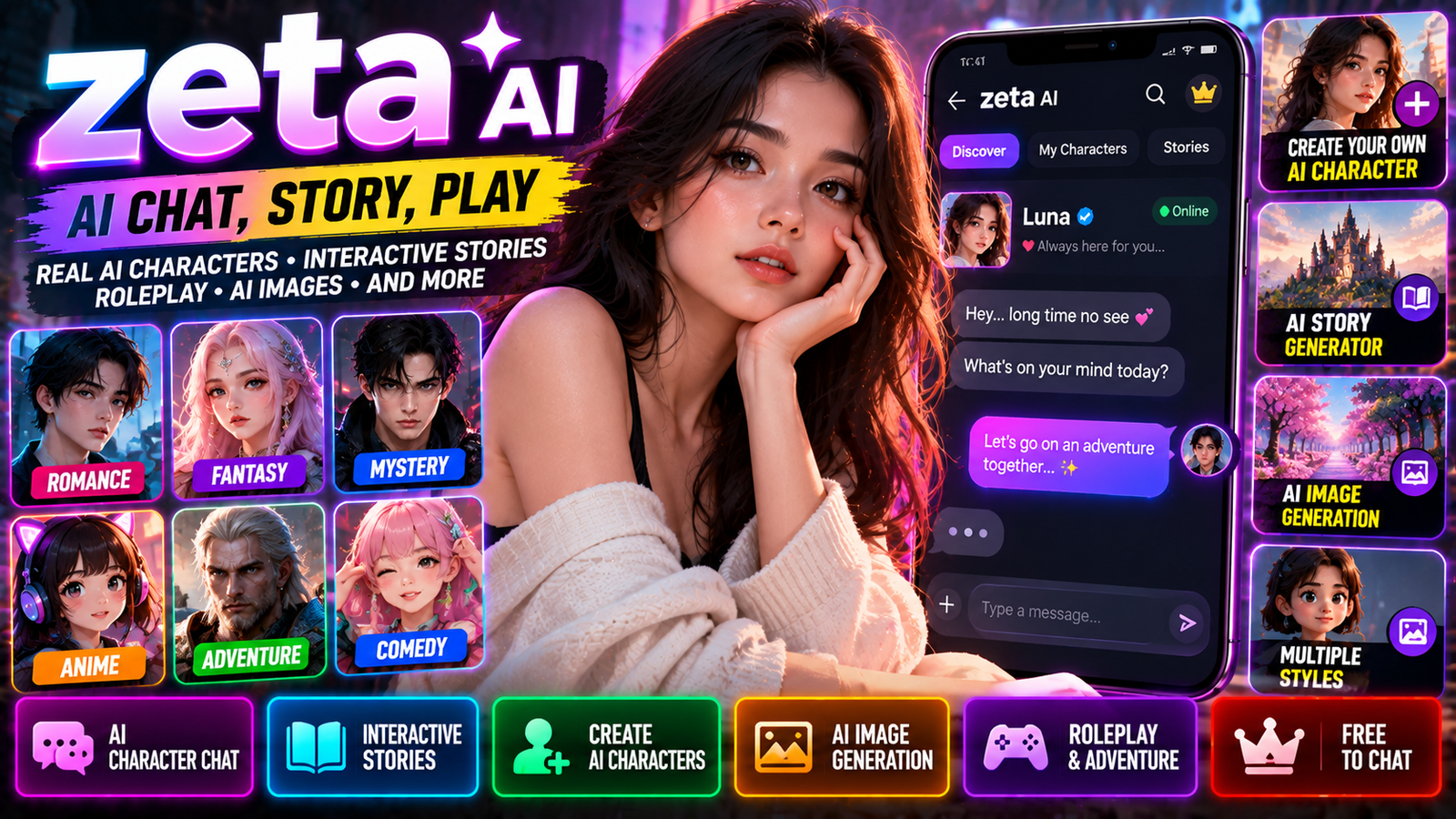
AI chat apps have come a long way from simple question-and-answer bots. A newer wave of apps focuses on characters, interactive stories, and roleplay. Zeta AI — officially called zeta: AI Chat, Story, Play — is one of those platforms. It’s made by Scatter Lab, Inc. and is built around AI characters, user-created worlds, and interactive storytelling. Instead of just asking an AI for facts, you can step into a story, talk to characters, and shape how things unfold.
The app is available on mobile through Google Play and the Apple App Store. Its store listings describe it as an entertainment app with AI character chats, user-created characters, interactive stories, and AI-generated images.
What Is Zeta AI?
Zeta AI is an AI-powered character chat and storytelling platform.
The idea is simple: instead of chatting with a generic assistant, you interact with fictional or user-made characters and guide a story through conversation. The platform includes characters with different personalities and scenarios — romance, fantasy, drama, comedy, and more. You can also create your own AI characters and decide how they behave.
So zeta isn’t really a productivity assistant. It’s built for entertainment, character interaction, and interactive storytelling.
Main Features
Zeta packs several features that make AI conversations feel more like interactive stories.
AI Character Chat
The core feature is chatting with AI characters. You pick a character and start talking. The character responds based on its personality and the direction of the conversation.
According to the app listing, zeta offers free AI character chats without charging per message. That means you can keep the conversation going without paying for every single reply.
Create Your Own AI Character
One of the more interesting parts of zeta is the ability to make your own AI character.
You can provide details like:
- Character name
- Personality
- Description
- Story setting
- Character concept
The official listing says you can create a character in about a minute, keep it private, or share it with others.
For example, you could create:
Name: Alex
Personality: Confident, mysterious, humorous
Setting: A futuristic city
Role: Detective investigating a strange case
Then you can start chatting with that character and build the story as you go.
Interactive AI Stories
Traditional stories follow a set path. Interactive AI stories work differently.
You can influence what happens by responding to the character.
For example:
Character: “You’ve finally arrived at the abandoned mansion. Nobody has entered it for twenty years.”
You: “I open the front door.”
The AI continues based on that choice. The next response can introduce new events, characters, or choices.
This makes you part of the narrative instead of just reading it.
You Control the Story
One of the main ideas behind zeta is user-directed storytelling. The app description highlights situations where you can control twists and how stories unfold. That’s different from watching a movie or reading a novel. Instead of the author deciding everything, the conversation itself becomes the story.
Possible scenarios include:
- Romance
- Fantasy
- Mystery
- Drama
- Comedy
- Rivalry
- Adventure
- Character-driven stories
Characters for Different Moods
Zeta offers a huge variety of AI character concepts. The official listing gives examples like mysterious bosses, billionaire CEOs, rivals, and more. The character-based system lets you pick a scenario based on the kind of interaction you want.
For example:
- Romance: relationships, misunderstandings, character interactions.
- Fantasy: magic, kingdoms, supernatural settings.
- Mystery: investigate a fictional case with an AI character.
- Drama: relationships, conflict, emotional situations.
- Comedy: humorous conversations and unpredictable situations.
Smart Reply
Zeta has a feature called Smart Reply. The app listing describes it as a way to help you continue the conversation when you’re not sure what to say next. It’s useful in long interactive stories — instead of getting stuck, Smart Reply suggests a possible direction.
AI-Generated Images
Zeta isn’t just text. The app can turn moments from a conversation into AI-generated images. According to the App Store description, you can turn chat moments into illustrated snapshots in about 15 seconds. This adds a visual layer to storytelling. After an important event, you can generate an image of the scene. A conversation can become a personal illustrated story.
Create Your Own Story World
Zeta also gives you a creative space to build your own characters and settings. You can keep them private or share them with others. This makes the platform more community-oriented than a basic chatbot.
You can:
- Create a character.
- Define its personality.
- Set the scene.
- Start conversations.
- Develop a story.
- Generate images from key moments.
- Share the character or story with others.
Zeta AI for Roleplay
Roleplay is a natural fit for a character-based AI platform. Instead of just asking questions, you take on a role in a fictional scenario.
For example:
You are a detective arriving in a city where people have mysteriously disappeared.
The AI character responds as another person in that scenario. The conversation becomes a continuing narrative rather than a typical chatbot session.
This kind of AI roleplay can be used for:
- Fictional storytelling
- Character exploration
- Fantasy scenarios
- Mystery stories
- Interactive romance
- Adventure scenarios
- Creative writing experiments
Zeta AI vs Traditional AI Chatbots
Zeta and general AI assistants can both generate text, but their purposes are different.
| Zeta AI | General AI Assistant |
|---|---|
| Character conversations | General questions |
| Interactive stories | Research and information |
| Roleplay | Writing and productivity |
| User-created characters | General-purpose assistance |
| Fictional worlds | Broad knowledge tasks |
| Entertainment-focused | Work and personal tasks |
| AI story images | Varies by platform |
So zeta is better understood as an AI entertainment and storytelling platform, not a conventional productivity chatbot.
Availability
Android
Zeta is on Google Play. The listing identifies the developer as Scatter Lab, Inc. and notes that the app contains ads and in-app purchases. It currently shows more than 5 million downloads on Google Play. The listing also has a Mature 17+ content rating and warns about diverse content and user interactions. Store info can change over time.
iPhone
Zeta is also on the Apple App Store. The listing identifies the developer as Scatter Lab, Inc. and describes zeta as an entertainment app built around AI character conversations and interactive stories. The current U.S. listing says it has millions of users and offers free use with in-app purchases.
How to Use Zeta AI
Getting started is pretty straightforward.
- Install Zeta from your app store.
- Explore characters and find a scenario that fits the story you want.
- Start a conversation — just respond naturally, no special commands needed.
- Guide the story by introducing new events, locations, or decisions.
- Create a character if existing ones don’t match your idea.
- Generate images when an interesting scene develops.
How to Create a Good Zeta AI Character
A good character description makes the story more interesting. Instead of writing “a funny character,” give the AI more detail.
For example:
Alex is a sarcastic but loyal detective in a futuristic city. He rarely trusts strangers, uses humor when nervous, and is obsessed with solving unexplained cases. He speaks casually and often challenges the user’s decisions.
Useful character elements:
- Personality
- Background
- Age category
- Occupation
- Goals
- Strengths
- Weaknesses
- Speaking style
- Relationships
- Story setting
Privacy
Privacy matters with AI chat apps because conversations can contain personal info.
Zeta’s app listing says personal information and conversation data are managed with security measures, and users can request deletion of their data. The Google Play data-safety section also says data is encrypted in transit.
Still, avoid putting highly sensitive information into any entertainment chatbot unless you’ve reviewed the platform’s current privacy docs. That includes:
- Passwords
- Banking information
- Private ID documents
- Authentication codes
- Highly sensitive personal information
Treat AI conversations like online service data, not a private diary.
Ads and In-App Purchases
The Google Play listing identifies zeta as having ads and in-app purchases. The exact experience can vary by region, account, and app version. Check the current in-app purchase info before spending money.
Is Zeta AI Free?
Zeta promotes free AI character conversations and says you don’t have to pay per message. At the same time, the Android listing notes ads and in-app purchases. So “free” doesn’t mean every feature is completely free of monetization.
Zeta AI for Creative Writing
Zeta can also be a creative-writing tool. Writers can experiment with:
- Character personalities
- Dialogue
- Story branches
- Alternative endings
- Fictional relationships
- Fantasy worlds
- Mystery scenarios
Instead of writing every scene manually, you can use AI characters to explore possible conversations and directions. The results can then be edited into a more traditional story.
Zeta AI for Story Ideas
Another use is brainstorming. You could create a detective character and start a fictional investigation. The AI conversation can introduce unexpected possibilities that you can later turn into plot ideas. This helps with:
- Characters
- Conflicts
- Plot twists
- Dialogue
- Story settings
- Alternative scenarios
Just remember: AI-generated ideas still need human editing to become a polished story.
Safety and Content
Because zeta is built around user interactions and AI characters, content can vary a lot.
The Google Play listing currently carries a Mature 17+ rating and notes diverse content. Parents and younger users should pay attention to the current age rating, content controls, and platform restrictions.
AI characters are generated systems, not real people. Their responses can be inaccurate, inappropriate, or inconsistent. Don’t assume an AI character’s statements are verified real-world information.
Zeta AI’s Growing User Base
Zeta has become a notable consumer AI entertainment app.
Current store listings show different user figures depending on platform and region. Google Play lists more than 5 million downloads, while the U.S. App Store listing advertises access for more than 12 million users. These numbers aren’t directly comparable because app-store metrics and geographic coverage differ.
This reflects growing interest in AI apps designed for entertainment and personalized character interaction rather than productivity.
What Makes Zeta AI Different?
The main difference is the focus on characters and stories.
A conventional chatbot might answer: “Write me a fantasy story.”
Zeta’s approach is more like: “Enter this fantasy world and interact with the characters yourself.”
You become part of the narrative. That’s important because the value isn’t just the AI’s ability to generate text — it’s the ongoing interaction between you, the character, and the evolving story.
The Future of AI Character Apps
AI character platforms are likely to become more multimodal. Future experiences could combine:
- Text conversations
- AI-generated images
- AI voice
- Animated characters
- Persistent memories
- Interactive environments
- Video scenes
- Real-time roleplay
This could turn a traditional chatbot into something closer to an interactive entertainment platform. Instead of reading a story, you could enter the story world, talk to characters, influence events, and visually experience key moments.
Frequently Asked Questions
What is Zeta AI?
Zeta, officially zeta: AI Chat, Story, Play, is an AI character chat and interactive storytelling platform developed by Scatter Lab, Inc.
Is Zeta AI a chatbot?
It uses AI chat technology, but its main focus is character conversations, interactive stories, and roleplay — not general-purpose assistance.
Can I create my own AI character?
Yes. The official listing says you can create your own AI characters by providing a name, personality, and description.
Can Zeta generate images?
Yes. It includes a feature that turns moments from chats into AI-generated illustrated images.
Is Zeta AI free?
Zeta offers free AI character conversations, but the app also contains ads and in-app purchases.
Is Zeta AI available on Android?
Yes. It’s listed on Google Play.
Is Zeta AI available on iPhone?
Yes. It’s available through Apple’s App Store.
Who developed Zeta AI?
The zeta application is developed by Scatter Lab, Inc.
Can Zeta AI be used for roleplay?
Yes. Its character-based design makes roleplay one of its major use cases.
Is Zeta AI the same as Zeta AI Technologies?
No. Several unrelated organizations use the name “Zeta AI.” This article specifically covers zeta: AI Chat, Story, Play by Scatter Lab, not Zeta AI Technologies or other companies using the Zeta name.
Final Thoughts
Zeta AI represents a different direction for consumer AI.
Instead of treating AI purely as a search, writing, or productivity assistant, zeta uses AI characters to create an interactive entertainment experience. You can chat with characters, influence stories, create your own personalities, and turn selected moments into AI-generated images.
The concept is interesting because you’re not just watching a story — the conversation itself becomes the story.
As AI models get better at maintaining character personalities, remembering context, generating images, producing voices, and creating video, platforms like zeta could become more immersive.
For now, zeta is best understood as an AI-powered character chat and interactive storytelling platform rather than a general-purpose AI assistant.
Disclaimer: This is an independent, unofficial overview written in original language. It is not affiliated with, endorsed by, or connected to Scatter Lab, Inc., Google, Apple, or any related company. Zeta, zeta: AI Chat, Story, Play, and other names are trademarks of their respective owners. This article is based on publicly available information and is not a substitute for official announcements.
