

Creating a video game used to require a large team of programmers, artists, designers, animators, sound engineers, and testers.
Today, artificial intelligence is changing that process.
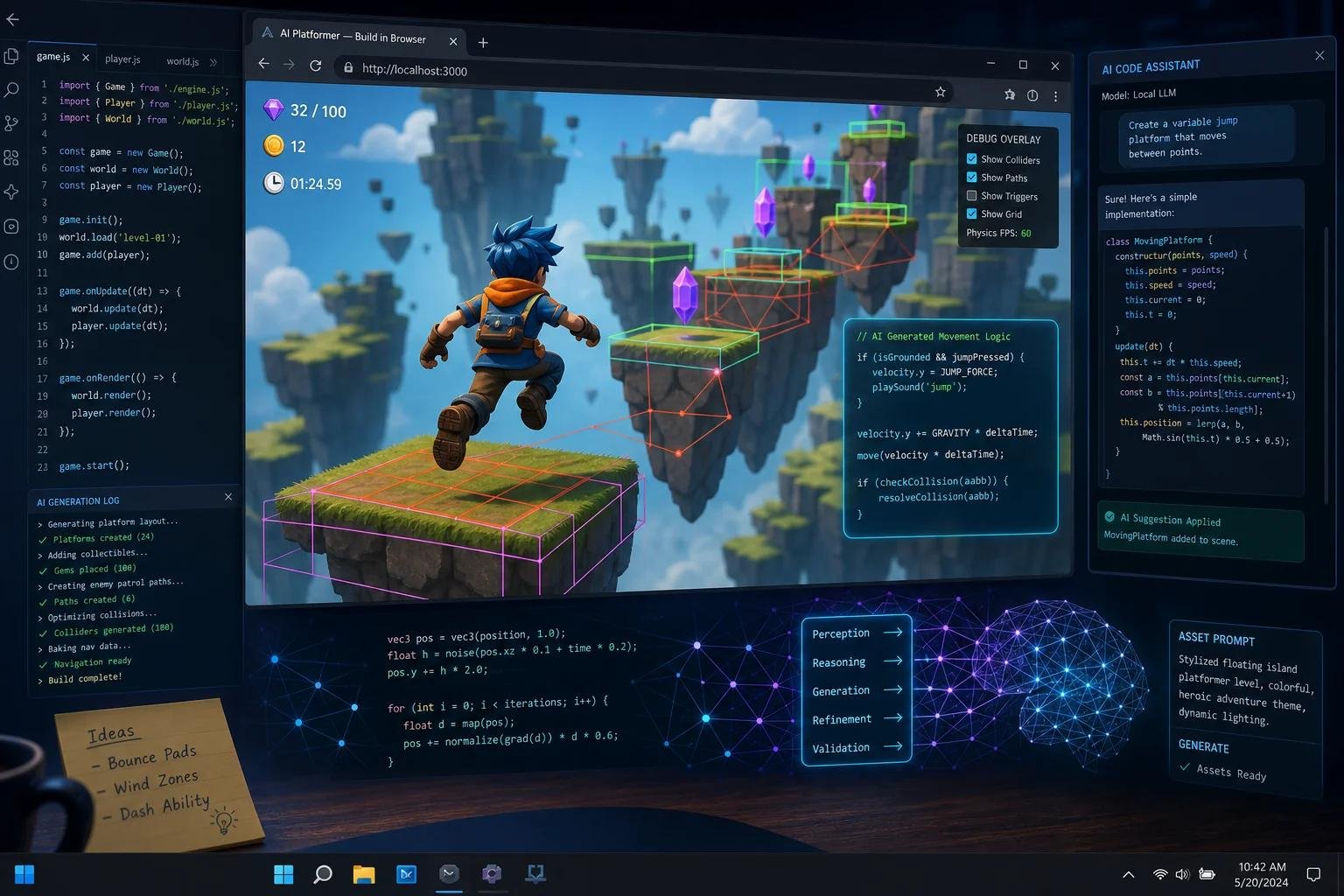
With an AI game maker, you can describe a game idea in ordinary language and use AI to help create gameplay, characters, environments, scripts, assets, sounds, levels, and other parts of the game.
Some AI game makers can generate a playable prototype from a text prompt. Others work inside traditional game engines and help developers write code, build scenes, generate assets, debug projects, and test gameplay.
This means you don’t necessarily need to be an experienced programmer to start experimenting with game development.
But there is an important distinction:
Not every AI game maker does the same thing.
Some are designed for instant browser games. Some are focused on Roblox. Others are AI assistants inside engines such as Unity. Some generate only code or assets rather than an entire game.
In this guide, we’ll explain what an AI game maker is, how AI game generators work, how to make a game with AI, the best types of AI game makers, whether you need coding skills, and what you can realistically create with AI in 2026.
What Is an AI Game Maker?
An AI game maker is a software tool that uses artificial intelligence to help create video games.
Depending on the platform, you may be able to describe your idea using natural language instead of manually creating every component.
For example, you could type:
“Create a 2D platform game where a robot runs through a futuristic city, collects energy crystals, avoids obstacles, and fights enemies.”
An AI-powered game creation system may then generate some or all of the following:
- Game mechanics
- Characters
- Levels
- Environments
- Scripts
- Objects
- Animations
- Sound effects
- Music
- User interfaces
- Game logic
- Basic objectives
- Gameplay systems
The amount of automation varies considerably between tools.
For example, Roblox’s current Build feature is designed to turn natural-language descriptions into playable Roblox games and lets creators continue refining the result through prompts.
Unity takes a different approach. Its current AI tools are integrated into the Unity editor and can understand project context, help create or modify game elements, write scripts, debug problems, and assist with development workflows.
So an AI game maker can mean anything from a simple text-to-game generator to a sophisticated AI development agent inside a professional game engine.
How Does an AI Game Maker Work?
Most AI game makers use a combination of large language models, generative AI, game engines, asset-generation systems, scripting tools, and project context.
The basic process looks like this:
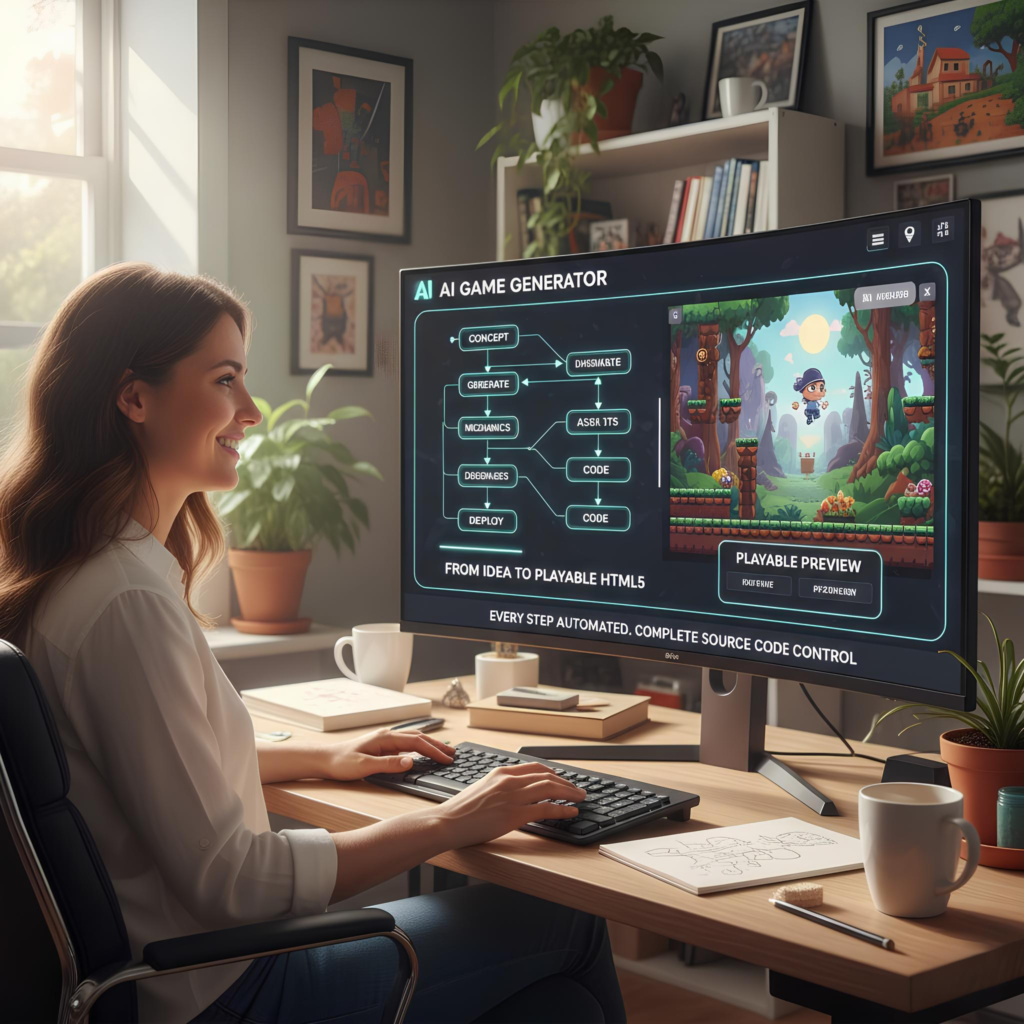
Your idea → AI prompt → Game generation → Playtest → Improvements → Final game
For example:
- You describe your game.
- AI interprets the instructions.
- The system creates game logic.
- It generates or selects assets.
- It assembles a playable environment.
- You play the game.
- You tell the AI what should change.
- AI modifies the game.
- You repeat the process until the game is ready.
This is very different from traditional game development, where a developer might manually write hundreds or thousands of lines of code before seeing a working result.
What Can an AI Game Maker Create?
The capabilities depend on the tool, but modern AI game-development systems can assist with many parts of production.
Game Code
AI can generate code for:
- Player movement
- Enemy behavior
- Inventory systems
- Scoring
- Health systems
- Weapons
- Dialogue
- Quests
- Menus
- Saving and loading
- Game progression
Game Characters
AI can help create:
- Character concepts
- NPCs
- Enemy designs
- Character dialogue
- Character behavior
- Animations
Game Environments
AI can assist with:
- Forests
- Cities
- Dungeons
- Space stations
- Racing tracks
- Fantasy worlds
- Sci-fi environments
- Indoor levels
Game Assets
Depending on the platform, AI can help generate or prepare:
- Textures
- Materials
- 3D objects
- 2D sprites
- Icons
- Backgrounds
- UI elements
Audio
Some AI workflows can also help with:
- Sound effects
- Music concepts
- Ambient audio
- Voice dialogue
However, asset generation and licensing should always be checked before commercial use.
AI Game Maker vs Traditional Game Development
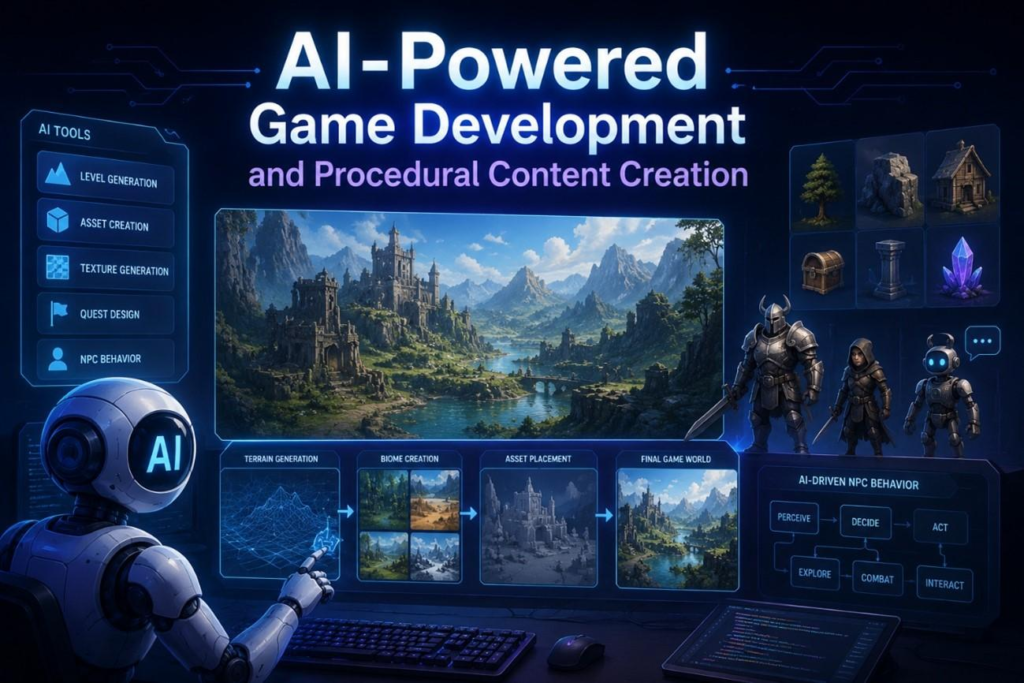
Traditional game development usually requires developers to build systems manually.
For example:
Traditional approach:
Idea → Design → Code → Art → Animation → Audio → Testing → Optimization → Release
With AI assistance, the workflow can become:
AI-assisted approach:
Idea → Prompt → AI generation → Human direction → Testing → Refinement → Release
AI doesn’t necessarily eliminate the development process.
Instead, it can reduce the amount of manual work involved in certain parts of that process.
This is why it is better to think of AI as a development accelerator rather than a magic button that automatically creates a finished AAA game.
Types of AI Game Makers
There are several major categories of AI game makers.
Understanding the difference can help you choose the right tool.
1. Text-to-Game AI Makers
These tools focus on turning natural-language descriptions into playable games.
You might describe:
“Make a simple platformer with three levels.”
The system attempts to create a playable result.
This category is particularly attractive to beginners because the initial barrier to entry is low.
2. AI Game Engines
These combine AI capabilities with a game-development environment.
Instead of generating an entire game from one sentence, the AI can assist throughout the development process.
Unity’s current AI tools are an example of this approach. Unity describes its AI Assistant as an in-editor, project-aware system designed specifically for game-development workflows.
3. AI Tools for Roblox
Roblox has moved heavily into AI-assisted game creation.
Its current Build feature allows users to describe a game in natural language and generate a playable starting point. Roblox says Build can handle gameplay, characters, environments, sound, and achievements, after which creators can continue refining the experience.
Roblox Studio also includes AI-assisted development capabilities for scripting, objects, materials, and other game-building tasks.
4. AI Coding Assistants
Another category doesn’t necessarily generate an entire game automatically.
Instead, AI helps you write the code.
For example, you might use AI to create:
PlayerController
EnemyAI
InventorySystem
QuestManager
SaveSystem
You then integrate these systems into Unity, Godot, Unreal, or another development environment.
This approach provides considerably more control.
5. AI Asset Generators
Some AI tools specialize in individual game-development components.
For example:
- 3D models
- Textures
- Characters
- Concept art
- Sprites
- Music
- Sound effects
You can then import those assets into your game engine.
This approach is useful when you want AI assistance but still want complete control over the final game.
Best AI Game Maker for Beginners
There isn’t one AI game maker that is best for everyone.
The right choice depends on what you want to create.
| Goal | Best type of AI game maker |
|---|---|
| Make a quick game from a prompt | Text-to-game generator |
| Create Roblox games | Roblox AI tools |
| Build a professional 2D/3D game | AI-assisted game engine |
| Learn programming | AI coding assistant |
| Create 3D assets | AI asset generator |
| Prototype a game idea | AI game generator |
| Build a commercial game | Full game engine + AI tools |
| Make a simple browser game | Browser-based AI game maker |
The important thing is to choose the tool based on the final game you want to ship, rather than choosing a tool simply because it has the words “AI game maker” in its marketing.
Roblox AI Game Maker
Roblox is one of the most interesting platforms for AI-assisted game creation.
In 2026, Roblox introduced Build, a mobile-first AI creation experience that allows users to describe a game and generate a playable starting point.
For example, you could describe:
“Create a racing game with a futuristic city, three tracks, collectible coins, and speed boosts.”
Build can turn the description into a starting game that can then be played and refined.
Roblox says users can continue telling Build what to change instead of manually rebuilding the experience from scratch.
However, availability of Build has been rolling out gradually and can vary by country and device. Roblox’s support documentation says its initial testing began in selected regions and that availability is expanding over time.
For more advanced development, Roblox Studio provides AI-assisted tools that can work with the game’s data model, scripts and objects.
Unity AI Game Maker
Unity takes a different approach to AI game development.
Rather than simply generating an entire game from one prompt, Unity’s AI tools are integrated directly into the Unity development environment.
Unity says its current AI suite includes an Agentic Assistant, AI Gateway, MCP Server, and generators.
The assistant can understand context from the Unity project, including elements such as:
- Scenes
- GameObjects
- Components
- Packages
- Target platform
This allows the AI to provide more project-specific assistance than a generic chatbot.
Unity’s current AI learning resources also demonstrate workflows for creating scenes, generating scripts, debugging and modifying projects directly within Unity 6.
For developers who want more control than a simple text-to-game platform provides, this approach can be much more powerful.
Can You Make a Game With AI Without Coding?
Yes, for some types of games.
The answer depends on the complexity of your project.
A simple game such as:
- Clicker
- Endless runner
- Basic platformer
- Simple puzzle
- Small arcade game
- Interactive story
can potentially be created with very little traditional programming when using an appropriate AI game maker.
But complex games are different.
A large multiplayer game may require:
- Server architecture
- Databases
- Networking
- Authentication
- Anti-cheat systems
- Performance optimization
- Security
- Matchmaking
- Analytics
- Content management
- Extensive testing
AI can assist with these tasks, but it doesn’t automatically remove the engineering work.
How to Make a Game With an AI Game Maker
Let’s look at a practical workflow.
Step 1: Start With a Simple Idea
Don’t begin with:
“I want to make the next Grand Theft Auto.”
Start with something achievable.
For example:
“I want to create a 2D space shooter.”
Then define the core gameplay.
Step 2: Describe the Game
Write a detailed prompt.
For example:
Create a 2D space shooter.

The player controls a spaceship.
Enemies enter from the top of the screen.
The player can move left and right and fire lasers.

Add:
- 5 enemy types
- health system
- score counter
- increasing difficulty
- power-ups
- boss fight
- start screen
- game-over screen

Use a colorful futuristic visual style.
The more clearly you describe the desired gameplay, the easier it is for an AI system to understand the objective.
Roblox’s own documentation recommends describing what you want in natural language and notes that more detail can improve the result.
Step 3: Generate the First Prototype
Don’t expect the first generation to be perfect.
The first version should answer one question:
Is the core gameplay fun?
If the answer is yes, continue improving it.
If not, change the gameplay before spending time polishing graphics.
Step 4: Playtest the Game
This is extremely important.
Actually play the generated game.
Look for:
- Bugs
- Unresponsive controls
- Poor difficulty
- Boring gameplay
- Broken animations
- Collision problems
- Confusing objectives
- Performance issues
Then tell the AI exactly what you found.
Step 5: Give Specific Feedback
Instead of:
“Make the game better.”
say:
“The player moves too slowly and the enemies spawn too frequently. Increase player movement speed by approximately 25% and reduce the initial enemy spawn rate. Keep the later difficulty progression unchanged.”
Specific feedback produces much more useful iterations.
Step 6: Add Art and Audio
Once the gameplay works, improve presentation.
Add:
- Character art
- Backgrounds
- Animations
- UI
- Music
- Sound effects
- Particle effects
Don’t spend hours generating beautiful art for a game that isn’t fun to play.
Step 7: Test Again
Play the game repeatedly.
Test different situations.
Ask other people to play it if possible.
AI-generated games can contain unexpected bugs, so human playtesting remains important.
Step 8: Optimize the Game
Once the game works, ask the AI to analyze:
- Loading time
- Memory usage
- CPU usage
- Rendering performance
- Mobile performance
- Network performance
- Asset sizes
Optimization becomes particularly important for games targeting phones and lower-end hardware.
Step 9: Publish the Game
The publishing process depends on the platform.
For example:
- Roblox games can be published through Roblox.
- Unity projects can target supported platforms.
- Browser games can potentially be deployed to web hosting.
- Desktop games can be packaged for supported operating systems.
Roblox Studio provides tools for building, testing and publishing creations to Roblox.
AI Game Maker for 2D Games
2D games are often a good starting point for AI-assisted development.
Examples include:
Platformers
A character jumps across platforms while avoiding enemies.
Top-down games
The player explores a map from above.
Puzzle games
Players solve increasingly difficult challenges.
Arcade games
Simple gameplay loops make them easier to prototype.
Card games
AI can help create card logic, rules and interfaces.
Interactive stories
AI can help with dialogue and branching narratives.
The relatively limited scope of these games can make them easier to manage than large 3D projects.
AI Game Maker for 3D Games
AI can also assist with 3D game development.
You might use AI for:
- 3D environments
- Character concepts
- Materials
- Textures
- Scripts
- NPC behavior
- Scene setup
- Lighting
- Level design
But 3D games are usually more complicated.
You may need to consider:
- Polygon count
- Lighting
- Animation
- Physics
- Collision
- Camera behavior
- Performance
- Level streaming
- Memory
- Platform compatibility
AI can accelerate these processes, but it doesn’t eliminate the underlying complexity.
AI Game Maker for Mobile Games
Mobile games have additional requirements.
A game may look excellent on a powerful computer but perform poorly on a phone.
When using AI to create a mobile game, ask it to consider:
- Touch controls
- Different screen sizes
- Battery usage
- Memory usage
- Loading times
- Low-end devices
- Mobile graphics
- Network conditions
For example:
“Optimize the game for mid-range Android devices and avoid unnecessarily expensive visual effects.”
This gives the AI a specific performance target.
AI Game Maker for Browser Games
Browser games can be an excellent starting point for beginners.
A simple browser game can use:
- HTML
- CSS
- JavaScript
- Canvas
- WebGL
You can ask an AI coding agent to create a complete browser game.
For example:
Create a browser-based endless runner using HTML,
CSS and JavaScript.

Requirements:
- Keyboard controls
- Mobile touch controls
- Increasing speed
- Obstacles
- Score
- High score
- Start screen
- Game-over screen
- Responsive layout

Keep the project dependency-free.
This type of project is relatively easy to test and share.
AI Game Maker for Game Assets
AI doesn’t only generate code.
Game development requires enormous numbers of assets.
For example:
- Characters
- Buildings
- Weapons
- Vehicles
- Trees
- Rocks
- UI elements
- Icons
- Textures
- Backgrounds
AI can help accelerate asset production.
However, always verify:
- Commercial usage rights
- Licensing
- Ownership
- Training-data policies
- Platform requirements
This becomes especially important if you plan to sell the game.
AI Game Maker for NPCs
Non-player characters are another interesting application.
AI can help create NPC behavior such as:
- Patrols
- Chasing
- Attacking
- Fleeing
- Trading
- Dialogue
- Quest behavior
For example:
“Create an enemy AI that patrols between five points. When the player enters its detection radius, it should chase the player. If the player escapes, return to the patrol route.”
This is a much more precise request than:
“Make smart enemies.”
AI Game Maker for Game Dialogue
AI can also assist with narrative design.
For example, you could create:
- NPC conversations
- Quest descriptions
- Character personalities
- Branching dialogue
- Item descriptions
- Lore
- Tutorials
However, generated dialogue should be reviewed.
AI-generated writing can sometimes be repetitive, generic or inconsistent with the game’s world.
Can AI Make a Complete Game?
AI can help generate substantial portions of a complete game, but the level of automation depends heavily on the tool and the game’s complexity.
A small game can potentially be generated very quickly.
A large commercial game is a completely different challenge.
A finished commercial game requires much more than code.
It needs:
- Game design
- Art direction
- Programming
- Level design
- Audio
- Animation
- Testing
- Optimization
- Quality assurance
- Publishing
- Marketing
- Player support
AI can accelerate many of these areas, but it doesn’t automatically replace the entire development team.
Can AI Make a AAA Game?
Not realistically as a one-click process.
AAA games involve enormous teams and years of development.
AI can potentially help individual teams with:
- Prototyping
- Code generation
- Asset creation
- Testing
- Documentation
- Localization
- Design iteration
- Debugging
But a professional AAA game requires complex engineering, art direction, production management and quality control.
The realistic expectation is:
AI can make game development faster, not magically eliminate game development.
AI Game Maker vs Game Engine
This distinction is important.
A game engine provides the underlying technology needed to create and run games.
Examples include:
- Unity
- Unreal Engine
- Godot
- Roblox
An AI game maker adds AI-driven assistance or generation.
Therefore, you might use:
Game Engine + AI
rather than:
AI Game Maker instead of Game Engine
Unity’s current AI tools demonstrate this model particularly well because the AI is integrated into the game engine and can work with the project’s context.
Benefits of Using an AI Game Maker
Faster Prototyping
You can turn an idea into a prototype much faster.
Lower Entry Barrier
Beginners can experiment without mastering programming first.
Faster Coding
AI can generate repetitive code quickly.
Faster Asset Creation
Some AI tools can accelerate visual asset production.
Faster Iteration
You can describe changes rather than manually implementing every small modification.
Learning Assistance
AI can explain programming and game-development concepts.
Solo Development
AI can help a small team or individual creator handle more tasks.
Limitations of AI Game Makers
AI game creation isn’t perfect.
Generated Code Can Have Bugs
AI can produce incorrect or inefficient code.
Games Can Feel Generic
If everyone uses similar prompts and assets, games can start looking alike.
Complex Systems Require Expertise
Networking, security, multiplayer and optimization can be difficult.
Generated Assets Need Review
AI-generated assets may not always match your artistic requirements.
Licensing Can Be Complicated
Commercial projects need careful review of asset and tool licensing.
AI Doesn’t Replace Game Design
A technically functional game can still be boring.
The most important part of game development remains:
Creating something players actually want to play.
How to Write Better AI Game Maker Prompts
A detailed prompt can dramatically improve the result.
Instead of:
“Make a racing game.”
try:
Create a 3D arcade racing game.

Theme:
Futuristic neon city.

Gameplay:
- One player
- Three race tracks
- Five AI opponents
- Nitro boost
- Drifting
- Lap system
- Checkpoints
- Finish line

Progression:
- Win races to unlock new vehicles.
- Increase difficulty after each race.

UI:
- Speedometer
- Lap counter
- Position indicator
- Nitro meter

Visual style:
Futuristic, colorful, high-contrast, arcade-inspired.

First create a playable prototype.
Prioritize gameplay over visual polish.
This gives the AI much more useful information.
AI Game Maker Prompt Template
You can reuse this structure:
Game name:
[Name]

Genre:
[Genre]

Platform:
[PC / Mobile / Browser / Roblox]

Camera:
[First-person / Third-person / Top-down / Side-scrolling]

Core gameplay:
[Explain what the player does]

Player:
[Describe the character]

Enemies:
[Describe enemy behavior]

World:
[Describe environment]

Progression:
[Explain levels, rewards and difficulty]

Visual style:
[Describe art direction]

Audio:
[Describe music and sound]

UI:
[Describe menus and HUD]

Requirements:
[List technical requirements]

First goal:
Create a playable prototype before adding visual polish.
This structure is useful because it separates game design from vague instructions.
How to Make Better Games With AI
The biggest mistake is asking AI to generate everything immediately.
Instead, use a staged process.
Stage 1 — Game idea
Define the core concept.
Stage 2 — Game design
Define mechanics and progression.
Stage 3 — Prototype
Build the simplest playable version.
Stage 4 — Playtest
Actually play it.
Stage 5 — Improve mechanics
Fix gameplay problems.
Stage 6 — Add art
Create the visual identity.
Stage 7 — Add audio
Add music and sound effects.
Stage 8 — Optimize
Improve performance.
Stage 9 — Test
Find and fix bugs.
Stage 10 — Publish
Prepare the final build.
This workflow is much more reliable than attempting to create the final game in one prompt.
Can You Make a Game With AI for Free?
Potentially, yes.
Some AI game makers offer free tiers, free trials, open-source tools, or limited free usage.
However, “free” can mean different things.
A tool might limit:
- Number of generations
- Export options
- Game size
- AI usage
- Commercial rights
- Assets
- Publishing
- Cloud compute
Always check the current terms before starting a commercial project.
Free availability also changes frequently as AI game platforms evolve.
Is AI Game Making the Future of Game Development?
AI is likely to become an increasingly important part of game development.
The biggest change may not be that AI completely replaces traditional game engines.
Instead, game engines may increasingly become AI-assisted creative environments.
A developer might say:
“Create a forest environment.”
Then:
“Make the forest darker.”
Then:
“Add a river.”
Then:
“Add enemies that patrol this area.”
Then:
“Create a quest that sends the player to this location.”
Instead of manually performing every operation, the developer becomes more of a director while AI handles parts of the implementation.
Unity’s current direction illustrates this trend, with project-aware AI integrated directly into the editor.
Roblox is also moving toward natural-language game creation through Build and AI-assisted Studio workflows.
The Future of AI Game Makers
The future is likely to involve several major developments.
Better Text-to-Game Systems
Instead of generating basic prototypes, AI systems may increasingly produce more sophisticated playable experiences.
AI-Powered NPCs
Characters may become more responsive and context-aware.
Faster 3D Asset Creation
AI-generated 3D objects and environments should become easier to integrate into engines.
AI Level Designers
AI may help automatically create and balance levels.
AI Playtesters
Agents can potentially play games repeatedly and identify bugs or balancing problems.
Natural-Language Game Editing
Developers may increasingly modify games by simply describing what they want changed.
Smaller Development Teams
A small team may be able to accomplish work that previously required many specialized roles.
Frequently Asked Questions About AI Game Makers
What is an AI game maker?
An AI game maker is a tool that uses artificial intelligence to help create games. Depending on the platform, it can generate gameplay, code, environments, characters, assets, audio or complete playable prototypes.
Can I make a game with AI without coding?
Yes. Some AI game makers are designed for no-code or low-code workflows. However, more complex games still benefit from programming knowledge.
What is the best AI game maker?
There isn’t one best option for everyone. Text-to-game tools are useful for quick prototypes, Roblox tools are useful for Roblox games, and AI-assisted engines such as Unity are better suited to developers who want greater control.
Can AI create a game from a text prompt?
Yes. Some platforms can generate playable games or prototypes from natural-language descriptions. Roblox’s Build is one current example.
Can AI make 3D games?
Yes. AI can assist with 3D game development, including scripts, environments, objects, materials and other components.
Can AI make Roblox games?
Yes. Roblox now offers AI-powered creation tools, including Build and AI features inside Studio.
Can AI make Unity games?
Yes. Unity’s current AI tools are integrated into Unity and can help create, modify and debug game projects.
Can AI make a mobile game?
Yes. AI can help create mobile games, but you still need to test performance, controls and compatibility across devices.
Can AI make a game for free?
Some tools offer free access or free tiers, but features, generation limits, exports and commercial rights vary.
Can AI make a AAA game?
AI can assist with many parts of AAA development, but creating a complete AAA game remains a major undertaking involving large teams and extensive production.
Are AI-generated games copyrighted?
Copyright and ownership depend on the jurisdiction, the tool’s terms, the assets involved and the amount of human creative contribution. Always review the applicable terms before commercial use.
Is an AI-made game automatically good?
No. AI can help create a technically functional game, but good game design still requires creativity, playtesting and human judgment.
Final Thoughts: Is an AI Game Maker Worth Using?
An AI game maker can dramatically lower the barrier to game development.
You don’t necessarily need to begin with years of programming experience.
You can start with an idea, describe it in natural language, generate a prototype, play it, identify problems and continue improving it.
The most exciting development is that AI is moving beyond simple code generation.
Modern systems are beginning to understand game projects, manipulate scenes, generate assets, create scripts, test gameplay and assist throughout the development process.
Roblox’s Build demonstrates the text-to-playable-game direction, while Unity’s AI tools demonstrate how AI can become deeply integrated into a professional game engine.
But AI doesn’t eliminate the need for creativity.
A great game still needs:
A good idea + fun gameplay + strong design + testing + iteration.
The AI can help with the work.
You still decide what game is worth making.
For beginners, the best approach is to start small. Build a simple game, learn how the AI works, test everything it creates, and gradually move toward more ambitious projects.
The future of game development may not be AI versus game developers.
It may be game developers working with AI.
Suggested Internal Links
For a website covering AI and technology, this article can naturally link to related content such as:
